YouTube remains the world's largest video platform, yet millions of users encounter access restrictions daily. Whether facing workplace firewalls, school network blocks, or government-imposed censorship, viewers worldwide seek reliable methods to restore access. A vpn for unblocking youtube has become the primary solution, offering both technical circumvention and privacy protection. Understanding how these tools work, which features matter most, and how to implement them properly ensures consistent, secure access to content regardless of location or network restrictions.
Understanding YouTube Blocking Methods
Network administrators and governments employ multiple techniques to restrict YouTube access. DNS manipulation, IP address blocking, and deep packet inspection represent the most common approaches used to prevent users from reaching the platform.
DNS-Based Blocking
Domain Name System blocking redirects YouTube requests to error pages or blocks DNS resolution entirely. When you type youtube.com, your device queries a DNS server to translate that domain into an IP address. Censors manipulate this process by:
- Poisoning DNS cache with incorrect addresses
- Blocking DNS queries for YouTube domains
- Returning false IP addresses that lead nowhere
- Forcing internet providers to remove YouTube from their DNS records
This method proves simple to implement but equally straightforward to bypass with a vpn for unblocking youtube that uses its own encrypted DNS servers.
IP Address Blocking and DPI
More sophisticated restrictions target YouTube's actual server addresses. Internet service providers implement deep packet inspection to analyze traffic patterns and identify YouTube connections even when DNS resolution succeeds.
| Blocking Method | How It Works | Difficulty to Implement | VPN Effectiveness |
|---|---|---|---|
| DNS blocking | Prevents domain resolution | Low | Very High |
| IP blocking | Blocks YouTube server addresses | Medium | High |
| Deep Packet Inspection | Analyzes unencrypted traffic patterns | High | Very High |
| Protocol fingerprinting | Identifies VPN signatures | Very High | Medium to High |
Geographic content restrictions differ from censorship-based blocking. YouTube's own geo-fencing prevents certain videos from playing in specific countries due to licensing agreements. A vpn for unblocking youtube addresses both scenarios through the same fundamental mechanism.
How VPN Technology Bypasses Restrictions
Virtual Private Networks create encrypted tunnels between your device and remote servers. This encryption prevents network observers from determining which websites you access or what content you view.
Encryption and Tunneling Protocols
Modern VPN services utilize multiple protocols to establish secure connections. The protocol choice significantly impacts both security strength and bypass reliability.
OpenVPN remains the gold standard for open-source security. Its flexible configuration options and proven track record make it ideal for circumvention, though connection speeds may lag newer protocols.
WireGuard offers exceptional performance through streamlined code and modern cryptography. Its lightweight design reduces overhead, delivering faster connections while maintaining strong security standards.
IKEv2/IPsec excels on mobile devices, automatically reconnecting when switching between WiFi and cellular networks. This stability proves valuable when maintaining consistent YouTube access during movement.
Server Location Strategy
Choosing the right server location matters considerably for unblocking purposes. A vpn for unblocking youtube must offer servers in regions where YouTube operates without restrictions and licensing limitations.
Connect to servers in countries with:
- No YouTube censorship or filtering
- Strong internet freedom protections
- Favorable content licensing agreements for your desired videos
- Close geographic proximity for optimal speeds
- Robust legal frameworks protecting VPN use
The physical distance between you and the VPN server directly affects streaming quality. Closer servers reduce latency and improve buffering performance.
Essential VPN Features for YouTube Access
Not all VPN services deliver reliable YouTube unblocking. Specific technical capabilities separate effective solutions from inadequate ones.
Speed and Bandwidth Considerations
Video streaming demands substantial bandwidth. Standard definition requires 1-2 Mbps, high definition needs 5-8 Mbps, and 4K content consumes 20+ Mbps. Your vpn for unblocking youtube must maintain these speeds consistently.
Server load distribution prevents congestion. Services with extensive server networks spread users across multiple locations, ensuring individual servers never become overwhelmed during peak hours.
Unlimited bandwidth eliminates artificial caps that throttle connections after reaching data limits. YouTube viewing sessions can quickly consume dozens of gigabytes monthly, making unlimited access essential.
No-Logs Privacy Protection
Privacy-focused VPN providers implement strict no-logs policies, ensuring your viewing history remains confidential. This protection extends beyond circumvention to general privacy rights.
Strong logging policies guarantee:
- No connection timestamps recorded
- No IP address storage linking you to sessions
- No DNS query logging revealing websites visited
- No bandwidth usage tracking per user
- Independent audits verifying policy compliance
Jurisdictional considerations affect privacy strength. Services operating in privacy-friendly legal environments face fewer data retention mandates or government surveillance demands.
Advanced Obfuscation Techniques
Some networks employ VPN detection systems attempting to block encrypted traffic. Advanced services counter these measures through obfuscation technology that disguises VPN connections as regular HTTPS traffic.
| Feature | Purpose | Benefit for YouTube |
|---|---|---|
| Obfuscated servers | Hide VPN signatures | Bypasses VPN blocking |
| Multi-hop routing | Routes through multiple servers | Enhanced anonymity |
| Split tunneling | Selective app routing | Optimized local access |
| Kill switch | Blocks internet if VPN drops | Prevents exposure |
| DNS leak protection | Forces all DNS through VPN | Stops DNS-based blocking |
Setting Up Your VPN for Optimal YouTube Access
Proper configuration maximizes both security and streaming performance. Following systematic setup procedures ensures reliable access.
Installation and Configuration
Download the VPN client from the official provider website, never from third-party sources. This prevents compromised software from exposing your connection.
Complete the installation process following these steps:
- Create an account with a privacy-focused email address
- Download the appropriate client for your device and operating system
- Install the application using administrator privileges
- Log in using your credentials
- Configure security settings before connecting
- Test the connection for leaks and proper functionality
Protocol selection impacts performance significantly. Start with WireGuard for speed, switching to OpenVPN if detection occurs. Configure automatic protocol switching if your provider offers this feature.
Connection Optimization
Choosing the right server improves streaming quality dramatically. A well-configured vpn for unblocking youtube maintains buffer-free playback even at higher resolutions.
Test multiple server locations measuring:
- Ping latency (under 100ms ideal for smooth streaming)
- Download speeds (meeting your desired video quality threshold)
- Connection stability over extended sessions
- Consistency during peak usage hours
Enable the kill switch feature preventing internet access if your VPN connection drops unexpectedly. This safeguard ensures your real IP address never becomes exposed to the blocked network.
Troubleshooting Common Issues
Despite proper setup, occasional problems may arise. Systematic troubleshooting restores access quickly.
Slow buffering speeds often result from server congestion. Switch to alternative servers in the same region or select locations with lighter user loads. Reducing video quality temporarily while changing servers prevents playback interruption.
Connection blocks indicate detection of VPN traffic. Enable obfuscation features if available, switch protocols, or contact support for specialized servers designed to bypass sophisticated blocking systems.
DNS leaks expose your real location despite VPN connection. Verify your VPN forces all DNS queries through encrypted tunnels by visiting DNS leak testing websites while connected.
Global Context and Real-World Applications
YouTube blocking varies significantly across regions. Access Now's KeepItOn initiative documents numerous instances where governments restrict platform access during political events or unrest.
Regional Blocking Patterns
Countries implementing YouTube restrictions span diverse motivations and technical approaches. Some target specific content categories while others block the entire platform.
Educational networks frequently restrict YouTube to prevent bandwidth consumption during school hours. Corporate environments implement similar policies to maintain productivity. These institutional blocks typically use simple methods easily circumvented with a vpn for unblocking youtube.
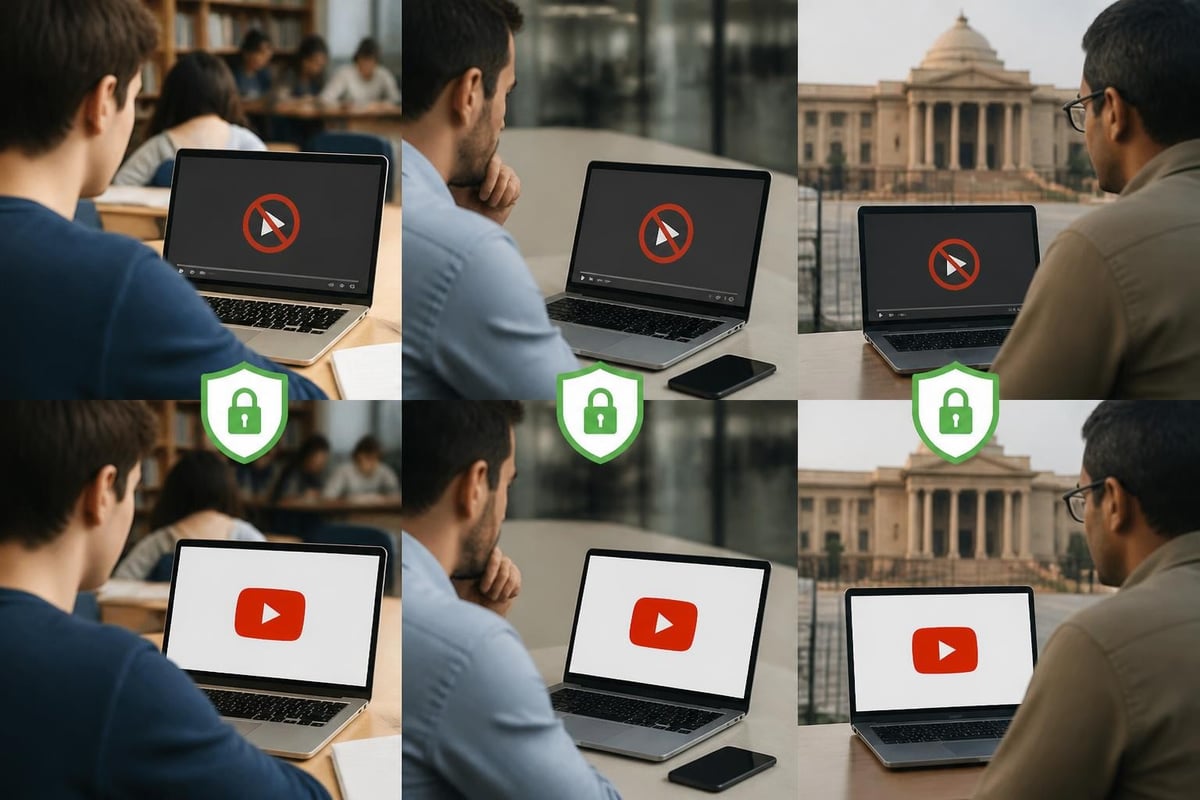
Government censorship represents the most comprehensive blocking approach. Case studies from Russia and other regions demonstrate how citizens successfully maintain YouTube access through VPN services despite aggressive blocking attempts.
Policy and Legal Considerations
VPN legality varies by jurisdiction. Most democratic nations protect VPN use as a privacy tool, though some countries restrict or prohibit these services.
Research local regulations before deploying a vpn for unblocking youtube. While the technology itself remains legal in most locations, using it to access blocked content may violate specific terms of service or national laws.
International organizations supporting internet freedom recognize VPNs as essential tools for maintaining open access to information. This diplomatic backing strengthens the legitimacy of circumvention technologies.
Freedom of Expression Implications
Access to information represents a fundamental human right. YouTube hosts educational content, news coverage, and diverse perspectives unavailable through state-controlled media in restrictive regions.
Using a vpn for unblocking youtube enables:
- Access to independent journalism and news analysis
- Educational resources unavailable through local platforms
- Cultural content from global creators
- Technical tutorials and professional development materials
- Political discourse and diverse viewpoints
The ethical dimension extends beyond personal convenience to fundamental rights and freedoms. Circumvention tools preserve access to information in environments where censorship limits public discourse.
Security Best Practices Beyond Basic Setup
Maximizing security requires attention beyond initial configuration. Comprehensive protection addresses multiple potential vulnerabilities.
Multi-Layered Security Approach
Combine your VPN with additional security measures for enhanced protection. Browser privacy extensions block tracking scripts that might compromise anonymity even through encrypted connections.
Implement these supplementary protections:
- Use privacy-focused browsers or private browsing modes
- Install ad blockers preventing tracking pixel loading
- Disable WebRTC to prevent IP leaks
- Clear cookies and cache regularly
- Enable two-factor authentication on your VPN account
Regular software updates patch security vulnerabilities. Enable automatic updates for both your VPN client and operating system to maintain current protection levels.
Account and Authentication Security
Secure your VPN account with strong, unique credentials. Password managers generate and store complex passwords preventing unauthorized access to your account.
Payment method selection impacts privacy. Using cryptocurrency or prepaid cards prevents payment information from linking to your identity, though this level of anonymity exceeds most users' requirements for YouTube access.
Share account credentials cautiously. Many VPN services allow multiple simultaneous connections, but sharing login details with untrusted parties compromises account security.
Mobile and Cross-Platform Considerations
YouTube viewing increasingly occurs on smartphones and tablets. A comprehensive vpn for unblocking youtube must function seamlessly across all devices.
Mobile-Specific Challenges
Mobile networks introduce unique complications. Cellular carriers may implement different blocking methods than fixed broadband providers, requiring protocol adjustments for successful circumvention.
Battery consumption becomes a significant concern on mobile devices. VPN encryption requires processing power that drains batteries faster than unprotected connections. Configure your VPN to:
- Connect automatically only when accessing restricted networks
- Use lighter protocols like WireGuard for improved efficiency
- Disable always-on VPN when using trusted networks
- Optimize settings balancing security with battery life
Network switching between WiFi and cellular data can interrupt VPN connections. IKEv2 protocol automatically reconnects during these transitions, maintaining consistent YouTube access during movement.
Smart TV and Streaming Device Setup
Watching YouTube on television requires different configuration approaches. Smart TVs and streaming devices like Roku, Fire TV, or Apple TV may lack native VPN clients.
Alternative setup methods include:
- Router-level VPN configuration - All devices connecting through the router automatically use VPN protection
- Virtual router creation - Share VPN connection from a computer to other devices
- Smart DNS services - Lightweight alternative for devices incompatible with full VPN clients
- Sideloading applications - Installing VPN APK files on Android-based streaming devices
Router-level implementation provides comprehensive network protection but affects all connected devices simultaneously. Split tunneling becomes unavailable, potentially slowing local network transfers.
Performance Monitoring and Maintenance
Maintaining optimal performance requires ongoing attention and periodic adjustments. Regular monitoring identifies degradation before it impacts viewing experience.
Speed Testing Methodology
Conduct systematic speed tests comparing VPN performance against your baseline unprotected connection. Test at various times throughout the day capturing peak and off-peak performance.
Document these metrics:
- Download speeds with and without VPN active
- Ping latency to VPN server
- Connection establishment time
- Packet loss percentage during extended sessions
Performance degradation over time may indicate server congestion, routing changes, or technical issues requiring server switching or provider contact.
Server Selection Strategies
Optimal server selection balances multiple factors beyond simple geographic proximity. A vpn for unblocking youtube benefits from strategic location choices considering:
| Factor | Impact | Recommendation |
|---|---|---|
| Distance | Latency and speed | Choose nearest unrestricted region |
| Server load | Speed during peak hours | Monitor and switch congested servers |
| Peering quality | Routing efficiency | Test servers on different networks |
| Legal environment | Service stability | Prefer freedom-friendly jurisdictions |
Maintain a list of three to five preferred servers delivering consistent performance. This backup strategy prevents scrambling when your primary server experiences issues.
Reliable YouTube access requires understanding both technical mechanisms and practical implementation strategies. Whether bypassing institutional restrictions or navigating geographic content limitations, the right VPN solution restores full platform access while protecting your privacy and security. ZioFree delivers the high-speed connections, robust encryption, and global server network necessary for seamless YouTube streaming from any location, backed by a strict no-logs policy that keeps your viewing habits completely private.