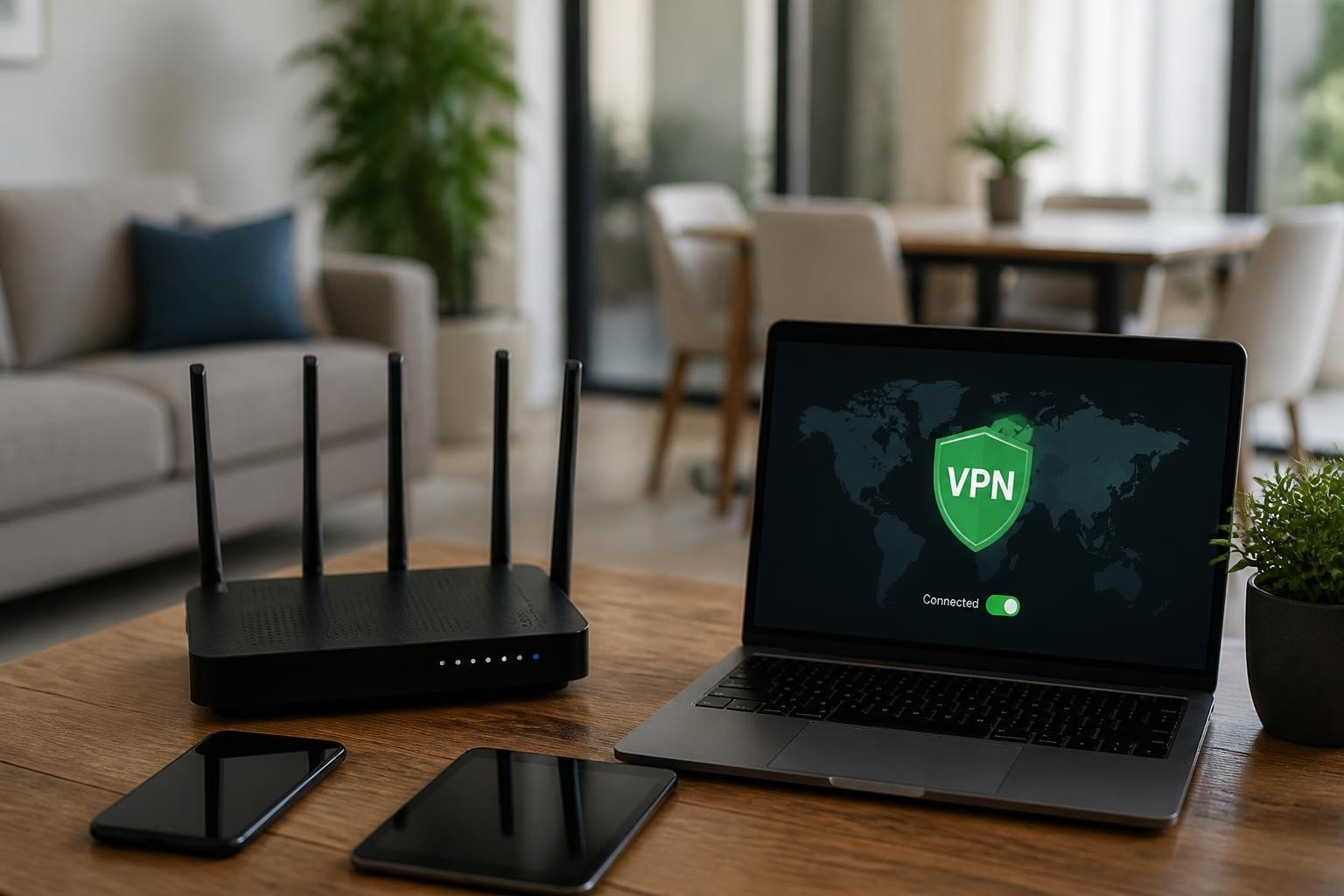
Modern home networks face unprecedented security challenges. With remote work, smart devices, and constant connectivity, protecting your digital perimeter requires more than just a strong password. Integrating a VPN and home network solution creates a robust defense against cyber threats, surveillance, and unauthorized access. Understanding how these technologies work together empowers you to build a secure digital environment for your household.
Understanding the VPN and Home Network Relationship
A virtual private network transforms how your home network communicates with the outside world. Instead of exposing your devices directly to the internet, a VPN creates an encrypted tunnel that shields your data from prying eyes.
Your home network consists of multiple layers: the router that connects to your internet service provider, the local network where your devices communicate, and the individual endpoints like computers, smartphones, and IoT devices. When you add VPN technology to this ecosystem, you're essentially wrapping all outbound traffic in a protective layer of encryption.
Two Approaches to VPN Integration
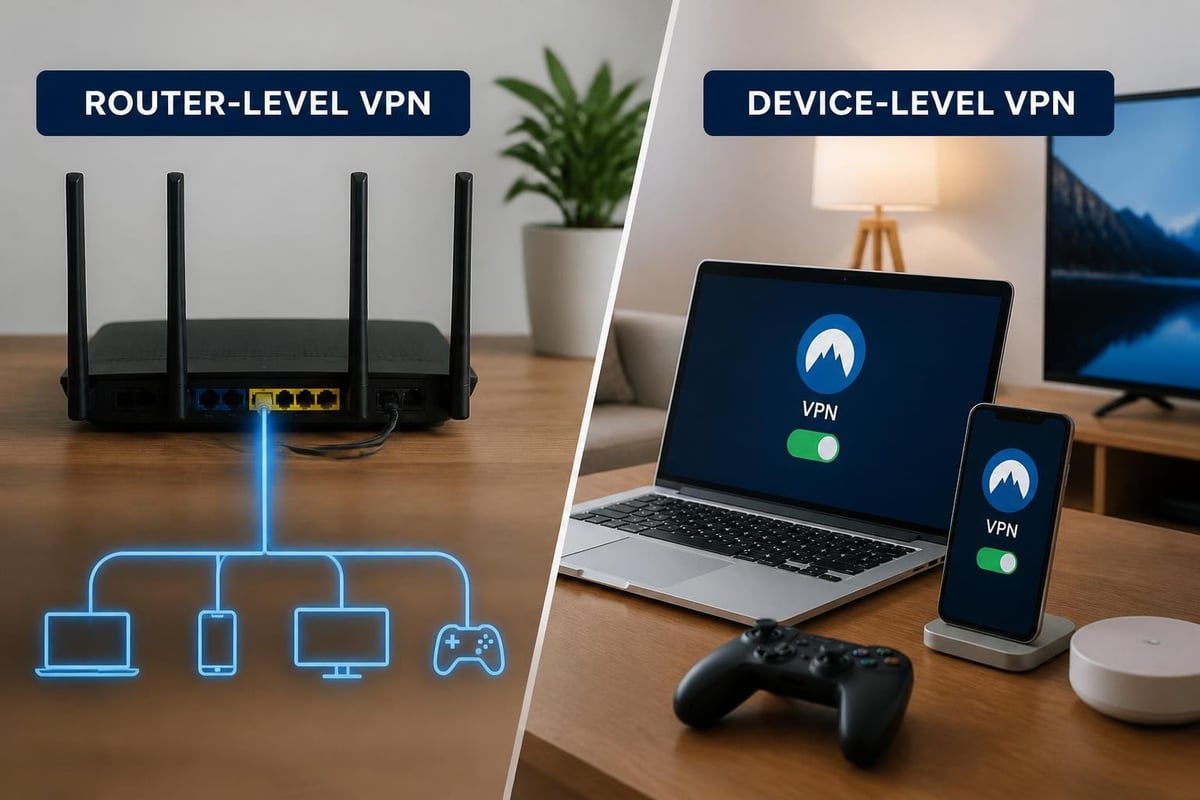
Router-level VPN protects every device on your network automatically. This method requires installing VPN client software directly on your router, ensuring that all traffic-from your smart TV to your laptop-routes through the encrypted tunnel.
Device-level VPN gives you granular control. You install VPN applications on individual devices, allowing you to choose which connections receive protection and which don't.
| Integration Method | Coverage | Setup Complexity | Performance Impact | Best For |
|---|---|---|---|---|
| Router-level | All devices | High | Moderate | Complete household protection |
| Device-level | Selected devices | Low | Minimal | Flexible, targeted security |
| Hybrid | Customizable | Moderate | Variable | Advanced users |
Security Benefits of Combining VPN and Home Network
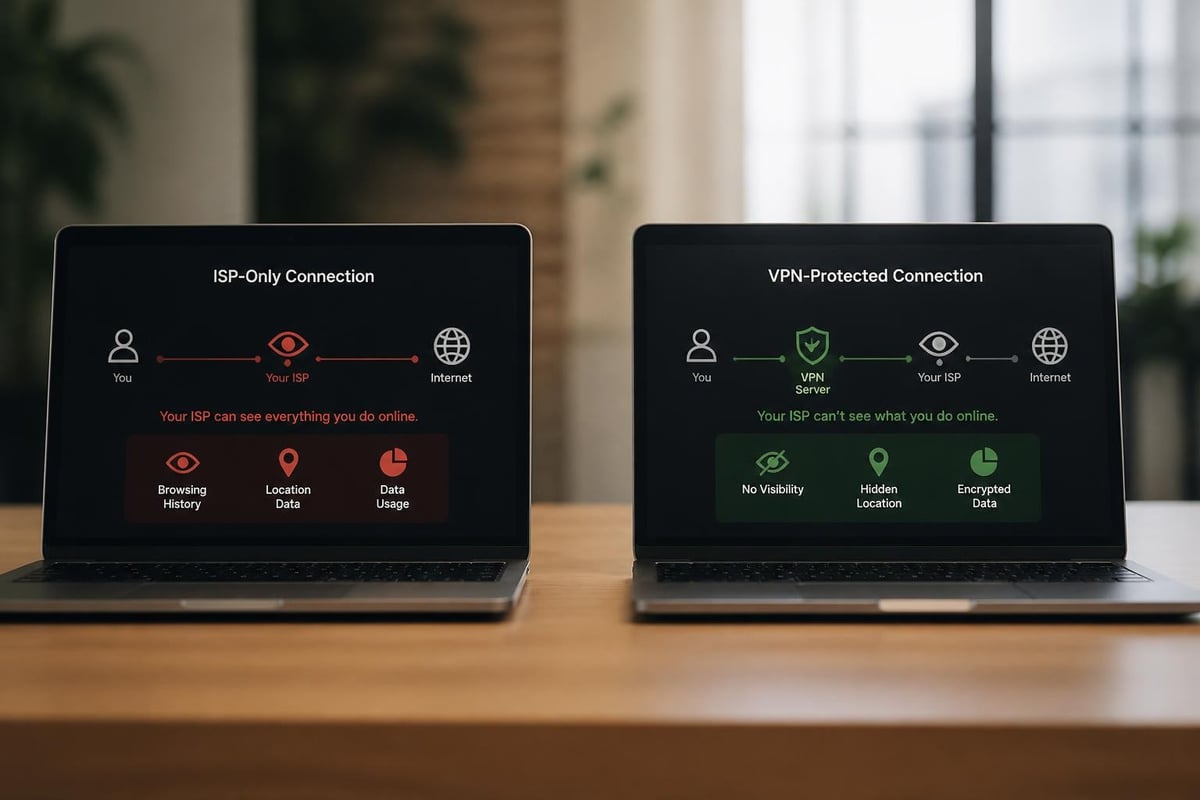
The synergy between VPN and home network infrastructure delivers multiple security advantages. Encryption prevents your internet service provider, government agencies, and potential attackers from monitoring your online activities.
Privacy protection extends beyond browsing. When you work from home, sensitive business communications travel across your network. A VPN ensures that confidential emails, video calls, and file transfers remain private even if someone intercepts the data stream.
Geo-spoofing capabilities allow you to access content and services restricted in your region. This proves particularly valuable for expatriates, travelers, and anyone seeking unrestricted internet access.
Defense Against Targeted Attacks
Advanced persistent threats target home networks with increasing sophistication. According to the CISA enhanced visibility and hardening guidance, proper VPN configuration significantly reduces attack surface by masking your real IP address and preventing direct connections to your devices.
Man-in-the-middle attacks become exponentially more difficult when VPN encryption protects your traffic. Even if an attacker compromises your local coffee shop's Wi-Fi network, they cannot decrypt your VPN-protected communications.
DNS leak protection ensures that domain name queries don't bypass your VPN tunnel. Without this safeguard, websites you visit might still be visible to your ISP despite VPN usage.
Configuring Your Router for VPN
Router-based VPN deployment offers comprehensive protection but requires careful setup. Modern routers from manufacturers like ASUS, Netgear, and Linksys often include built-in VPN client functionality.
Step-by-Step Router Configuration
- Verify router compatibility by checking manufacturer specifications for VPN client support
- Access router admin panel through your browser (typically 192.168.1.1 or 192.168.0.1)
- Navigate to VPN settings in the advanced configuration menu
- Enter VPN credentials provided by your service (server address, username, password)
- Select encryption protocol (WireGuard, OpenVPN, or IKEv2)
- Enable kill switch to prevent unencrypted traffic if VPN disconnects
- Test connection by verifying your IP address changes
- Configure DNS settings to use VPN-provided DNS servers
The OpenWrt documentation on running VPNs provides detailed technical guidance for users comfortable with open-source router firmware. OpenWrt unlocks advanced features like policy-based routing and VPN server functionality.
Performance considerations matter when implementing VPN and home network integration at the router level. Your router's processor must encrypt and decrypt all traffic, which can reduce throughput on older or budget hardware.
- Look for routers with dedicated encryption hardware acceleration
- Consider dual-core or quad-core processors for VPN workloads
- Expect 30-50% speed reduction on entry-level routers
- High-end models can maintain near-native speeds with VPN enabled
Protocol Selection for Home Networks
Not all VPN protocols deliver equivalent performance and security. Choosing the right protocol for your VPN and home network setup impacts speed, compatibility, and protection level.
WireGuard represents the newest generation of VPN technology. Its lean codebase (under 4,000 lines) makes security auditing feasible and reduces vulnerability surface. WireGuard outperforms legacy protocols in speed tests while maintaining robust encryption standards.
OpenVPN remains the gold standard for compatibility and configurability. Nearly every router, operating system, and device supports OpenVPN, making it ideal for heterogeneous home networks with diverse devices.
IKEv2/IPsec excels at connection stability, particularly on mobile devices that frequently switch between Wi-Fi and cellular networks. The protocol's MOBIKE extension maintains VPN sessions during network transitions.
Protocol Comparison Matrix
| Protocol | Speed | Security | Compatibility | Mobile Support | Firewall Traversal |
|---|---|---|---|---|---|
| WireGuard | Excellent | Excellent | Good | Excellent | Good |
| OpenVPN | Good | Excellent | Excellent | Good | Excellent |
| IKEv2/IPsec | Very Good | Excellent | Good | Excellent | Good |
| L2TP/IPsec | Moderate | Good | Excellent | Good | Poor |
The Canadian Centre for Cyber Security guidance on VPNs recommends implementing strong authentication alongside protocol selection. Certificate-based authentication prevents credential theft and enhances overall security posture.
Split Tunneling and Traffic Management
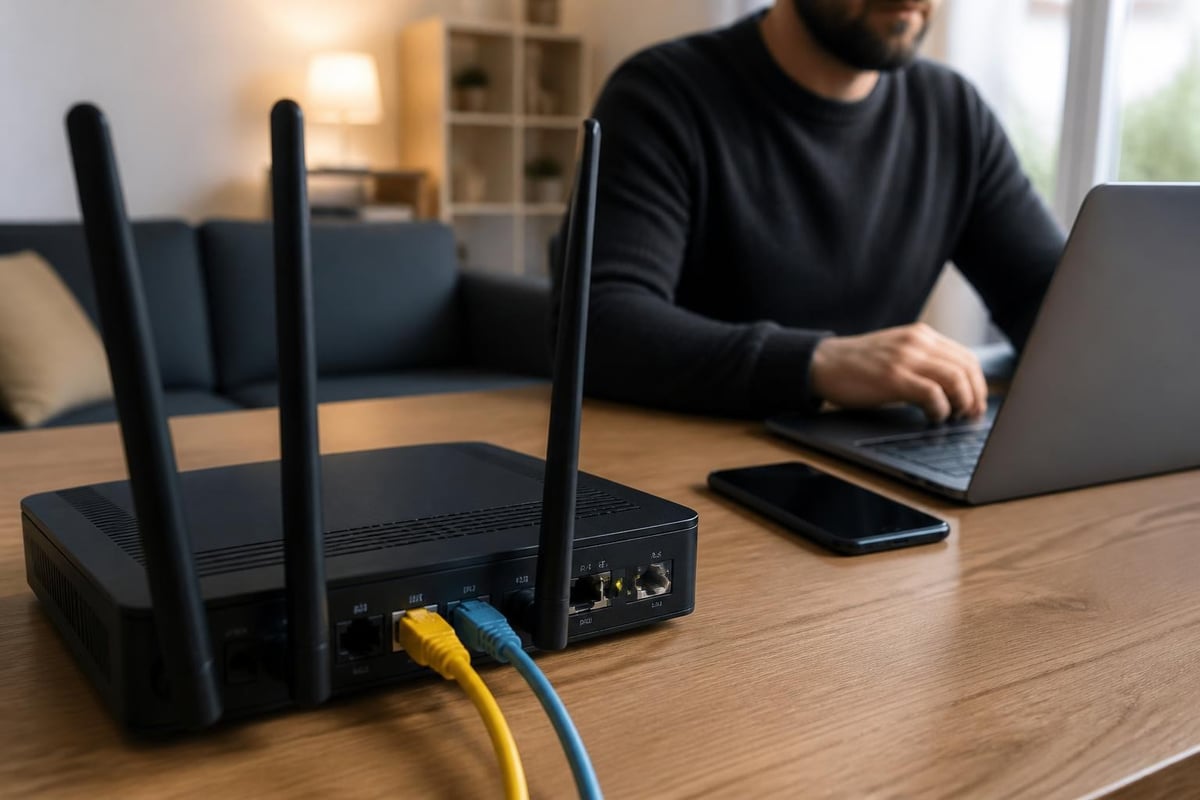
Advanced VPN and home network configurations benefit from split tunneling capabilities. This feature allows you to route specific traffic through the VPN while sending other connections directly to the internet.
Smart TV streaming often works better outside the VPN tunnel. Services like Netflix actively block many VPN IP addresses, causing playback errors. Split tunneling lets you exclude streaming apps while protecting sensitive browsing.
Local network access requires careful configuration. When connected to a VPN, you might lose access to printers, network storage, and other local resources unless you configure split tunneling to exempt local IP ranges (typically 192.168.x.x or 10.x.x.x).
Gaming performance suffers from VPN latency in competitive scenarios. Split tunneling allows gamers to route low-latency game traffic directly while protecting background activities like web browsing and downloads.
Creating Effective Split Tunnel Rules
- Define trusted applications that don't require VPN protection
- Specify IP address ranges for local network resources
- Create exceptions for bandwidth-intensive streaming services
- Route all unknown traffic through VPN by default
- Regularly review and update your rule set
Financial transactions and work-related activities should always traverse the VPN tunnel. The convenience of split tunneling shouldn't compromise security for sensitive operations.
Remote Access to Your Home Network
VPN technology enables secure remote access to your home network from anywhere in the world. This reverse use case turns your home router into a VPN server rather than a client.
Setting up remote access requires different configuration than standard VPN and home network protection. You'll configure your router to accept incoming VPN connections, allowing your phone or laptop to connect back to your home network when traveling.
Port forwarding becomes necessary for remote access VPN servers. You must configure your router to forward VPN traffic (typically on port 1194 for OpenVPN or 51820 for WireGuard) to the internal VPN server.
Dynamic DNS solves the problem of changing home IP addresses. Most residential internet connections use dynamic IPs that change periodically. Services like DynDNS or No-IP provide a consistent hostname that updates automatically.
Security Considerations for Remote Access
The CIS Telework Security Guide emphasizes multi-factor authentication for remote access scenarios. Implementing MFA prevents attackers from accessing your home network even if they obtain VPN credentials.
Key hardening measures include:
- Disable default accounts and change default passwords
- Implement certificate-based authentication where possible
- Restrict VPN access to specific IP ranges or countries
- Enable connection logging and monitor for suspicious activity
- Apply regular firmware updates to VPN server software
Running a VPN server at home exposes your network to internet-facing attacks. The SANS analysis on VPN and MFA limitations demonstrates that VPNs alone don't provide complete security. Implement network segmentation to isolate critical devices from VPN-accessible zones.
Privacy Considerations and Trust Models
Understanding the trust relationship between VPN and home network deployments proves critical for true privacy. When you route traffic through a VPN provider, you shift trust from your ISP to the VPN company.
No-logs policies represent the cornerstone of VPN privacy. A trustworthy provider doesn't record your browsing history, connection timestamps, or IP addresses. However, verifying these claims requires independent audits and transparent business practices.
Jurisdiction matters significantly. VPN providers operating in countries with mandatory data retention laws face legal obligations that might compromise user privacy. The Internet Society policy brief on VPN restrictions examines how different jurisdictions regulate VPN usage and data collection.
Evaluating VPN Provider Trustworthiness
Consumer protection organizations offer valuable guidance. Consumer Reports' VPN security guidance provides independent assessments of major VPN providers, examining privacy policies, security features, and company track records.
Critical evaluation factors:
- Corporate structure: Who owns and operates the VPN service?
- Transparency reports: Does the provider publish data request statistics?
- Independent audits: Has third-party security assessment verified claims?
- Warrant canary: Does the company signal if compromised by legal demands?
- Payment options: Anonymous payment methods enhance privacy
VPN and home network security depends heavily on choosing a provider that aligns with your privacy requirements and threat model.
Performance Optimization Techniques
Maximizing VPN performance while maintaining security requires balancing multiple factors. Encryption overhead inevitably reduces throughput, but proper configuration minimizes impact.
Server proximity directly affects latency. Connecting to geographically closer VPN servers reduces round-trip time and improves responsiveness for real-time applications.
Protocol optimization involves matching protocol choice to your use case. WireGuard delivers superior performance for most scenarios, while OpenVPN offers better firewall traversal when needed.
Hardware acceleration capabilities in modern routers significantly boost VPN performance. Look for AES-NI instruction set support in router processors, which accelerates encryption and decryption operations.
| Optimization Strategy | Speed Improvement | Complexity | Security Impact |
|---|---|---|---|
| Nearby server selection | 10-30% | Low | None |
| WireGuard protocol | 20-50% | Moderate | Positive |
| Hardware-accelerated router | 50-100% | High | None |
| Reduced encryption strength | 15-25% | Low | Negative |
Connection pooling and session persistence reduce the overhead of establishing new VPN tunnels. Once connected, maintaining the session proves more efficient than repeatedly reconnecting.
Securing IoT Devices Through VPN
Smart home devices present unique challenges for VPN and home network integration. Many IoT products lack native VPN support, requiring router-level protection for comprehensive coverage.
Camera systems benefit enormously from VPN protection. Security cameras frequently transmit video feeds to cloud servers, creating privacy concerns. Router-level VPN encryption prevents ISPs and third parties from accessing these streams.
Voice assistants constantly listen for activation phrases, raising surveillance concerns. VPN encryption obscures the destinations of voice data transmission, though it cannot prevent the device manufacturer from accessing recordings.
Smart appliances increasingly connect to manufacturer servers for updates and telemetry. VPN protection ensures that usage data remains encrypted during transmission.
IoT Security Best Practices
- Create separate VLANs for IoT devices to isolate them from computers
- Apply router-level VPN to protect devices without native support
- Disable unused features and services on smart devices
- Replace default credentials with strong, unique passwords
- Regularly update IoT device firmware to patch vulnerabilities
The NIST guidance on securing network connections provides frameworks for small office and home network security that directly apply to IoT protection strategies.
Advanced Network Segmentation
Sophisticated VPN and home network deployments incorporate network segmentation to create security zones. VLANs (Virtual Local Area Networks) divide your physical network into logical segments with different security policies.
Guest networks should always operate on separate VLANs from your primary network. This prevents visitors from accessing file shares, network storage, or other sensitive resources while still providing internet access.
Work-from-home segregation creates a dedicated segment for business devices and activities. This approach satisfies corporate security requirements and protects personal devices from potential work-related threats.
IoT quarantine zones isolate smart devices with questionable security. By placing IoT devices on a restricted VLAN, you limit the damage if one becomes compromised.
VLAN Configuration Strategy
- Map devices to appropriate security zones based on trust level
- Configure router or managed switch to create VLANs
- Apply different VPN policies to each VLAN as needed
- Implement firewall rules to control inter-VLAN communication
- Test connectivity and access controls thoroughly
- Document network topology for future reference
Network segmentation works synergistically with VPN protection. You might route your work VLAN through a corporate VPN while sending personal traffic through a privacy-focused consumer VPN service.
Monitoring and Maintenance
Effective VPN and home network security requires ongoing attention. Static configurations become vulnerable as threat landscapes evolve and software updates introduce new features or vulnerabilities.
Connection logging helps identify unusual activity. Review VPN connection logs periodically for unexpected connection times, unfamiliar devices, or failed authentication attempts that might indicate attack attempts.
Bandwidth monitoring reveals if devices consume excessive data, potentially indicating malware infections or unauthorized usage. Sudden spikes in upload traffic deserve immediate investigation.
Firmware updates patch security vulnerabilities and improve performance. Enable automatic updates where available, or establish a monthly maintenance schedule to check for router and VPN software updates.
Essential Monitoring Metrics
- Active VPN connections and session duration
- Data throughput rates and bandwidth consumption
- Authentication failures and security events
- DNS query patterns and blocked requests
- Firmware version status and available updates
Regular testing verifies that your VPN and home network protection remains effective. Use online tools to confirm your IP address appears as the VPN server location, check for DNS leaks, and verify that your ISP cannot see browsing activity.
Multi-Device Coordination
Modern households contain dozens of connected devices, each with different VPN requirements and capabilities. Coordinating protection across this heterogeneous environment requires strategic planning.
Simultaneous connections limits imposed by VPN services determine how many devices can connect concurrently. Router-level VPN counts as a single connection regardless of device quantity, making it ideal for large households.
Device prioritization ensures critical devices receive optimal VPN performance. Quality of Service (QoS) settings allow you to prioritize work computers over smart TVs during business hours.
Family member needs vary significantly. Parents working from home require different VPN configurations than children streaming educational content or teenagers gaming online.
Creating device profiles simplifies management:
- Work profile: Always-on VPN with strict security policies
- Personal profile: VPN for sensitive activities, direct for streaming
- Kids profile: Filtered DNS, content restrictions, scheduled access
- Guest profile: Isolated network segment with basic VPN protection
Platform diversity complicates VPN and home network deployment. Windows, macOS, Android, iOS, Linux, and various IoT operating systems each require compatible VPN solutions and specific configuration approaches.
Future-Proofing Your Setup
Technology evolution demands flexible VPN and home network architectures. Preparing for emerging standards and threats ensures your investment remains valuable long-term.
IPv6 support becomes increasingly important as IPv4 address exhaustion forces broader IPv6 adoption. Ensure your VPN provider and router properly handle IPv6 traffic or disable IPv6 to prevent leaks.
Quantum-resistant encryption represents the next frontier in VPN security. While practical quantum computers remain years away, forward-thinking providers already test post-quantum cryptographic algorithms.
Mesh network compatibility matters for larger homes. Modern mesh systems can support VPN clients, but configuration complexity increases with multiple access points.
Scalability considerations include:
- Spare capacity for additional devices and bandwidth growth
- Modular configuration allowing easy protocol or provider changes
- Documentation of settings and customizations
- Backup configurations to restore quickly after hardware failures
- Budget allocation for periodic hardware upgrades
The convergence of home automation, remote work, and privacy concerns makes VPN and home network integration increasingly essential rather than optional.
Protecting your digital life requires thoughtful integration of VPN and home network technologies. By implementing router-level encryption, selecting appropriate protocols, and maintaining vigilant monitoring, you create a robust defense against evolving cyber threats. ZioFree delivers the high-speed, encrypted connections you need with a strict no-logs policy and global server network designed specifically to protect against sophisticated attacks. Take control of your privacy today with ZioFree's advanced security protocols and experience truly secure home networking.