
Traveling professionals face mounting cybersecurity challenges every time they connect to hotel WiFi, airport hotspots, or café networks. While smartphone VPN apps provide basic protection, a dedicated VPN router for travel offers comprehensive security for all your devices simultaneously. This approach transforms untrusted networks into encrypted tunnels, shielding laptops, tablets, phones, and IoT devices from surveillance and interception. Understanding how to select, configure, and deploy a travel router with VPN capabilities has become essential for anyone handling sensitive data on the road.
Why VPN Router Travel Solutions Beat Software-Only Approaches
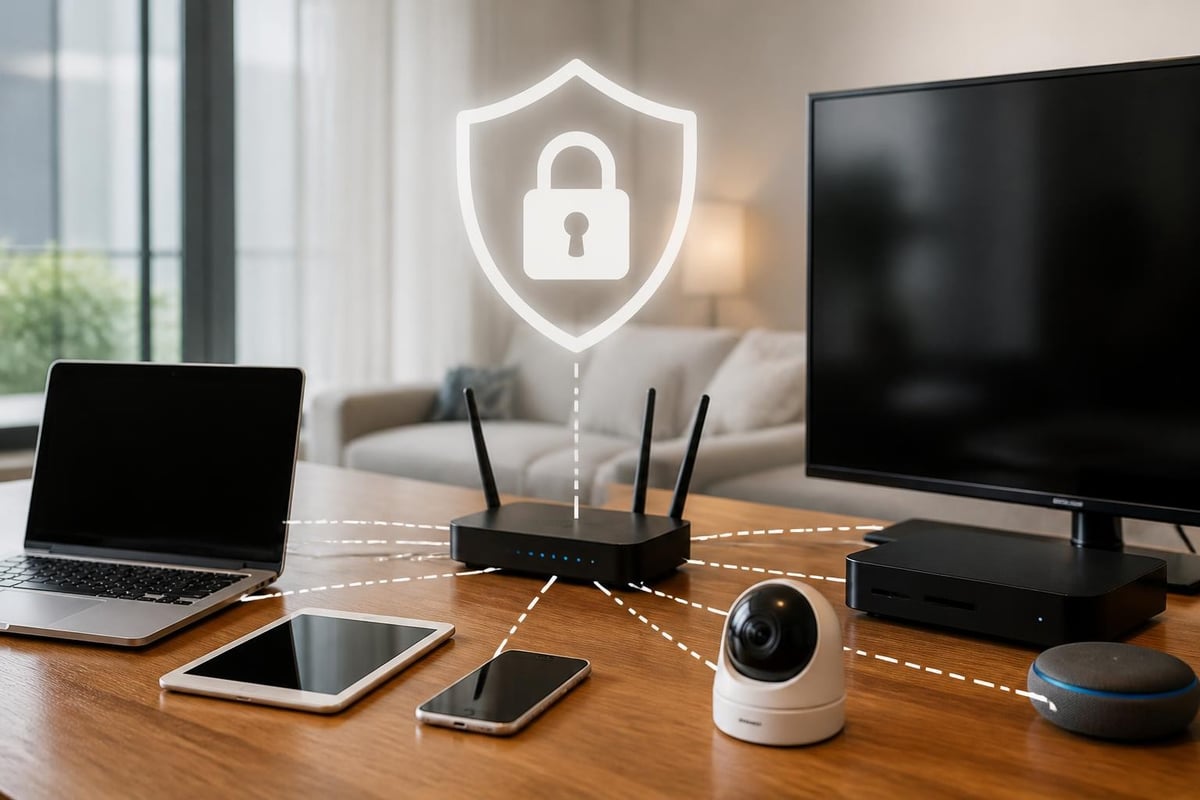
Traditional VPN applications installed on individual devices create a fragmented security posture. Each device requires separate configuration, subscription management, and troubleshooting. A travel router running VPN protocols consolidates protection at the network layer, creating a single secure gateway for everything that connects.
Simultaneous Multi-Device Protection
Business travelers typically carry three to five connected devices. Configuring VPN software on each laptop, phone, tablet, and e-reader consumes time and invites configuration errors. A VPN router travel setup solves this by encrypting all traffic at the router level.
Key advantages of centralized protection:
- Single point of configuration reduces setup time from hours to minutes
- Legacy devices without native VPN support gain automatic protection
- Smart home devices, streaming sticks, and game consoles connect securely
- Bandwidth allocation controls prevent any single device from monopolizing connection
- Network-level kill switches prevent accidental exposure if VPN disconnects
The convenience factor multiplies across international trips. Rather than reconfiguring six devices in each hotel room, you configure the router once and simply power it on. All devices inherit the secure tunnel automatically.
Protocol Performance and Battery Conservation
Modern VPN protocols like WireGuard deliver exceptional performance on resource-constrained travel hardware. The protocol's lean codebase consumes minimal CPU cycles and battery power compared to legacy implementations. For travelers using battery-powered portable routers, protocol selection directly impacts operational runtime.
| Protocol | Relative Speed | Battery Impact | Code Complexity | Mobile Suitability |
|---|---|---|---|---|
| WireGuard | Fastest | Minimal | ~4,000 lines | Excellent |
| OpenVPN | Moderate | High | ~100,000 lines | Fair |
| IKEv2/IPsec | Fast | Moderate | Complex | Good |
| L2TP/IPsec | Slow | High | Complex | Poor |
WireGuard's efficiency proves particularly valuable when operating on hotel power or portable battery banks. Testing shows WireGuard-based vpn router travel configurations can operate 40-60% longer on battery compared to OpenVPN implementations under identical load conditions.
Hardware Selection for Travel VPN Routers
Choosing appropriate hardware requires balancing portability, performance, security features, and power requirements. The travel router market spans from pocket-sized battery-powered units to compact wall-powered appliances with advanced firewall capabilities.
Portable Router Categories
Battery-powered pocket routers prioritize size and convenience. These palm-sized devices operate for 6-10 hours on internal batteries and accept power from USB sources. Processing limitations typically cap VPN throughput at 20-40 Mbps, sufficient for email and browsing but constraining for video calls or large file transfers.
Powered travel routers sacrifice battery operation for significantly higher performance. These devices require wall power but deliver 100-300 Mbps VPN throughput using more capable processors. The tradeoff suits extended hotel stays where power availability isn't constrained.
pfSense-based portable appliances represent the professional tier. These small-form-factor x86 devices run full firewall distributions with enterprise features. The pfSense wireless protection documentation details advanced configurations for isolating wireless clients and enforcing VPN policies that exceed consumer router capabilities.
Critical Specifications for VPN Router Travel
Processor architecture determines real-world VPN performance more than any other factor. ARM-based consumer routers without hardware AES acceleration struggle with modern encryption requirements. Look for specifications confirming AES-NI or similar cryptographic acceleration.
Memory and storage requirements:
- Minimum 256 MB RAM for stable OpenVPN operation
- Recommend 512 MB RAM for WireGuard with multiple concurrent connections
- 128 MB flash storage sufficient for most firmware
- Expandable storage via USB enables logging and package installation
Wireless standards matter for both client connectivity and upstream internet access. WiFi 6 (802.11ax) support on the client-facing side improves device density in hotel rooms, while dual-band upstream capability allows connection to less-congested 5 GHz hotel networks.
Configuration Best Practices for Secure Travel Connectivity
Proper configuration transforms hardware into a robust security perimeter. Default settings on consumer routers frequently leave management interfaces exposed, use weak credentials, and enable unnecessary services. The CISA advisory on network device compromises emphasizes hardening practices equally applicable to travel routers.
Initial Hardening Steps
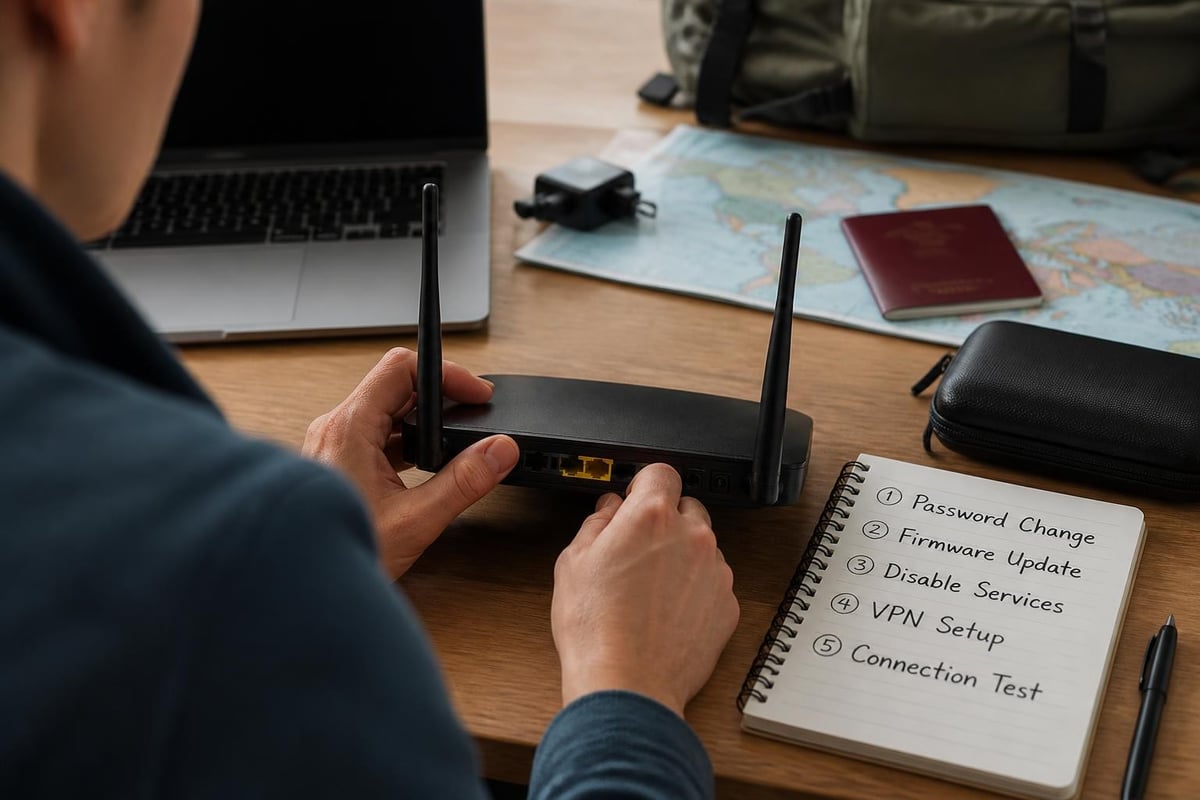
Change default administrator credentials immediately after first boot. Use a password manager to generate and store complex credentials exceeding 20 characters. Disable remote management interfaces entirely, restrict administrative access to wired connections when possible, and disable WPS, UPnP, and cloud management features that create attack surface.
Firmware security checklist:
- Update to latest stable firmware before departure
- Disable automatic update checks that could fail and create instability
- Document firmware version and hash for integrity verification
- Carry backup configuration file encrypted on separate storage
- Test full factory reset and restoration procedure before travel
The NIST guidance on telework and remote access security provides detailed frameworks for securing remote connections that inform travel router deployment strategies. While written for enterprise contexts, the principles scale effectively to individual professional use.
VPN Provider Integration
Not all VPN services support router configurations equally well. When selecting a provider for vpn router travel applications, verify they provide router-specific configuration guides, support for multiple simultaneous connections under one account, and publish current VPN server lists with protocol-specific endpoints.
ZioFree's global server network offers optimal flexibility for travel scenarios. High-speed endpoints distributed across major business destinations minimize latency while strong encryption protocols protect against interception attempts. The no-logs policy ensures connection metadata doesn't create audit trails that could compromise operational security.
Operational Deployment Across Travel Scenarios
Different travel contexts demand adjusted configurations and operational procedures. A three-day domestic conference requires different planning than a month-long international assignment involving multiple border crossings.
Hotel and Conference WiFi
Hotel networks represent the most common vpn router travel scenario. Upon arrival, connect the travel router's WAN port to hotel ethernet if available, or configure it to join hotel WiFi as a client. The router then creates a separate secure WiFi network for your devices.
Hotel network connection workflow:
- Power on travel router before connecting to hotel network
- Complete hotel captive portal authentication using router admin interface
- Verify upstream internet connectivity through router diagnostic tools
- Establish VPN connection through router configuration
- Connect client devices to router's secure WiFi network
- Validate end-to-end encryption using leak testing tools
Conference WiFi often imposes device limits per attendee credential. A travel router counts as one device but enables connection of your entire equipment suite. This proves particularly valuable at venues charging per-device fees or enforcing strict MAC address registration.
Airport and Transit Connectivity
Public WiFi at airports, train stations, and cafés presents maximum risk. These networks host the highest concentration of potential adversaries and automated reconnaissance tools. A properly configured vpn router travel solution provides essential protection, but operational discipline matters equally.
Position the router to prevent physical tampering. In airport lounges or cafés, keep the device in sight and avoid leaving it unattended. Battery-powered models enable operation while moving through terminals or during long layovers without power access.
Throughput expectations must align with network reality. Airport WiFi often delivers inconsistent performance. VPN encryption overhead combined with congested networks may reduce effective speeds to 5-10 Mbps during peak periods. Plan accordingly for time-sensitive work requiring bandwidth.
Border Crossing Considerations
International travel introduces device inspection risks at borders. The EFF's border privacy guide and CBP's device search policy outline official powers and traveler rights. A travel router introduces specific considerations beyond standard device searches.
Customs and border protection agents may question unfamiliar networking equipment. Prepare clear explanations emphasizing legitimate business security needs. Describe the device as "portable WiFi security adapter" rather than technical jargon that raises suspicion. Keep original packaging and documentation accessible to demonstrate legitimate purchase.
Border crossing preparation:
- Remove any VPN provider stickers or identifiable markings
- Clear browser history and logs from router admin interface
- Document legitimate business purpose for carrying networking equipment
- Understand that encrypted devices may face additional scrutiny
- Consider shipping equipment separately to destination for sensitive trips
Some travelers maintain separate travel router configurations by region, restoring appropriate settings after crossing borders. This allows adaptation to different threat models and legal environments without carrying evidence of configurations that might raise questions in certain jurisdictions.

Advanced Features and Enterprise-Grade Capabilities
Beyond basic VPN connectivity, modern travel routers support sophisticated networking features that enhance security and functionality. These capabilities elevate vpn router travel deployments from simple encrypted tunnels to comprehensive security perimeters.
Multi-WAN Failover and Load Balancing
High-end travel routers support simultaneous connection to multiple internet sources. Connect to hotel ethernet while maintaining cellular backup through USB modem or WiFi-as-WAN to the hotel wireless network. Automatic failover ensures continuity when primary connections fail.
Load balancing distributes traffic across multiple connections based on rules you define. Route latency-sensitive video calls through the faster connection while background email synchronization uses the backup. This optimization improves quality of service on variable-quality travel networks.
VLAN Segregation and Network Isolation
Professional-grade travel routers implement VLAN tagging to create logically separated networks on single hardware. Isolate potentially compromised IoT devices from laptops containing sensitive data. Create a guest network for colleagues sharing your hotel room without exposing your primary devices.
The SmallNetBuilder travel router coverage provides detailed testing methodology and feature comparisons useful when evaluating advanced capabilities across different models. Their performance benchmarks help identify which devices deliver advertised features under real-world conditions.
Intrusion Detection and Traffic Analysis
Enterprise-focused travel routers incorporate intrusion detection systems that monitor network traffic for malicious patterns. These systems alert to port scanning attempts, unusual connection patterns, and known exploit signatures. While less comprehensive than datacenter-grade solutions, they provide valuable early warning of compromise attempts.
Traffic analysis tools built into router firmware reveal what your devices communicate when connected to untrusted networks. Monitor for unexpected connections, DNS queries to suspicious domains, or applications phoning home with telemetry data. This visibility helps identify compromised applications before they exfiltrate sensitive information.
Power Management and Battery Optimization
For battery-powered vpn router travel configurations, runtime optimization directly impacts operational utility. A router exhausting batteries mid-flight or during long transit days loses its protective value precisely when needed most.
Power Consumption Variables
VPN protocol selection affects battery life significantly, as shown in earlier comparisons. WireGuard's efficiency advantage becomes pronounced during extended operation. Beyond protocol choice, several configuration adjustments extend runtime:
- Reduce wireless transmit power when devices are close to router
- Disable unused radios (turn off 5 GHz if only using 2.4 GHz clients)
- Lower WiFi beacon rate from default 100ms to 200ms intervals
- Implement client timeout policies to disconnect idle devices
- Schedule VPN reconnection attempts to avoid continuous retry loops
| Power Setting | Battery Impact | Security Tradeoff | Performance Impact |
|---|---|---|---|
| Max WiFi power | -30% runtime | None | Best range |
| Reduced WiFi power | +20% runtime | Slightly reduced range | Minimal if close |
| Disable 5 GHz radio | +15% runtime | None if not using | None if not using |
| Aggressive client timeout | +10% runtime | Manual reconnection needed | Connection interruption |
Portable Power Solutions
Pair battery-powered routers with appropriate portable power banks. Calculate total required capacity based on router draw and expected runtime. Most pocket routers consume 2-4 watts during active VPN operation, translating to roughly 400-800 mAh draw from a 5V USB source per hour.
For 10-hour international flight coverage, a 10,000 mAh power bank provides adequate capacity with margin for charging a smartphone. Premium power banks with multiple outputs enable simultaneous router and device charging from one battery pack.
Firmware Options and Custom Distributions
Default manufacturer firmware varies dramatically in quality, security, and features. Third-party firmware distributions often unlock superior capabilities while addressing security vulnerabilities that vendors ignore. However, custom firmware installation introduces complexity and potential warranty implications.
OpenWrt and DD-WRT Advantages
OpenWrt represents the most mature open-source router platform. Its package management system enables installation of virtually any networking tool, from advanced VPN clients to intrusion detection systems. The active development community rapidly patches security issues, often faster than commercial vendors.
DD-WRT prioritizes ease of use with a graphical interface that surpasses many commercial offerings. Its vpn router travel configurations prove particularly straightforward, with wizards guiding VPN provider setup and automatic kill switch configuration.
Custom firmware considerations:
- Verify hardware compatibility before purchase
- Understand that installation may void warranty
- Research specific VPN provider compatibility with firmware version
- Join community forums to learn model-specific gotchas
- Maintain backup of working configuration
Some manufacturers now ship routers with OpenWrt preinstalled, combining open-source advantages with vendor support. These devices eliminate installation risk while preserving customization benefits.
Security Update Cadence
Commercial router vendors often abandon products after 12-24 months, leaving known vulnerabilities unpatched. This timeline proves problematic for vpn router travel hardware expected to last multiple years. Open-source firmware communities typically maintain support far longer, with security patches arriving within days of disclosure.
Establish a pre-travel update routine. Check for firmware updates one week before departure, test thoroughly, then perform final verification immediately before leaving. This timing allows identification of issues while still having time to resolve problems or revert changes.
Testing and Validation Procedures
Configuration isn't complete until validation confirms the VPN tunnel provides expected protection. Simple connectivity tests miss subtle failures that expose traffic or leak identifying information.
Comprehensive Leak Testing
DNS leak testing verifies that domain name queries transit the VPN tunnel rather than using hotel-provided resolvers. Visit dedicated leak testing websites while connected through your travel router. Tests should show VPN provider DNS servers, not your hotel's infrastructure or upstream ISP.
WebRTC leaks represent a particularly insidious exposure where browser-based real-time communication reveals your true IP address despite active VPN connection. Test specifically for WebRTC leaks and configure router-level firewall rules to block problematic protocols if leaks appear.
Pre-departure validation checklist:
- DNS leak test from multiple testing services
- WebRTC leak verification in multiple browsers
- IP address verification matches VPN endpoint location
- Connection stability test over 24-hour period
- Failover testing by disconnecting primary WAN
- Kill switch verification by terminating VPN while traffic flows
- Performance baseline measurement for comparison during travel
IPv6 leaks occur when devices prefer IPv6 connectivity that bypasses IPv4 VPN tunnels. Most vpn router travel configurations should disable IPv6 entirely unless your VPN provider explicitly supports IPv6 tunneling. The incremental benefit rarely justifies the leak risk.
Performance Baseline Documentation
Measure and document performance metrics from your home network before departure. Record VPN throughput, latency to common destinations, and DNS resolution times. These baselines enable objective comparison when troubleshooting poor performance at travel destinations.
Distinguish between VPN router limitations and network quality issues. If hotel WiFi itself only delivers 10 Mbps, no router configuration will exceed that upstream constraint. Understanding baseline capabilities prevents wasting time optimizing already-optimal configurations.
Troubleshooting Common Travel Scenarios
Even properly configured vpn router travel setups encounter issues in the field. Systematic troubleshooting minimizes downtime and security exposure when problems arise.
Captive Portal Authentication Failures
Hotel captive portals frequently cause the most frustration. The router connects to WiFi but can't complete portal authentication, blocking internet access. Solutions depend on portal implementation specifics.
Some routers include dedicated captive portal bypass features. These present the router MAC address for authentication while allowing client devices to connect transparently. When this fails, manually clone your laptop's MAC address to the router WAN interface, authenticate using the laptop directly, then restore original MAC addresses.
Persistent portal issues may require bridging rather than routing mode. Configure the router as a wireless bridge, authenticate through the hotel portal using a client device, then switch to router mode once authenticated. This workaround proves less elegant but succeeds where other approaches fail.
VPN Connection Instability
Frequent disconnection or failure to establish VPN tunnels often indicates aggressive hotel firewall policies. Some networks explicitly block VPN protocols to enforce content filtering or bandwidth management.
Protocol switching resolves many blocks. If OpenVPN on standard port 1194 fails, try port 443 configurations that masquerade as HTTPS traffic. WireGuard's lightweight protocol occasionally succeeds where heavyweight OpenVPN fails. Some VPN providers offer obfuscation features specifically designed to defeat deep packet inspection.
Cellular backup connectivity provides escape hatches when hotel networks prove hostile to VPN traffic. USB cellular modems or WiFi-as-WAN to smartphone hotspots bypass restrictive networks entirely, though at bandwidth and cost penalties.
Performance Degradation
Unexpectedly slow speeds through vpn router travel configurations require methodical diagnosis. Test internet speed without VPN to establish baseline network capacity. If hotel WiFi itself delivers only 5 Mbps, router optimization won't help.
When network capacity exceeds VPN throughput, examine processor utilization during active transfers. Routers with underpowered CPUs often peg at 100% utilization during encryption operations. This hard limit requires hardware upgrade or protocol switching to more efficient implementations.
Server selection dramatically affects performance. Choose VPN endpoints geographically close to your current location. Connecting from Tokyo to a San Francisco VPN server adds 100+ milliseconds latency and potential congestion. Tokyo to Singapore typically delivers better results.
Implementing a comprehensive vpn router travel strategy protects all your devices across any network environment you encounter. The combination of proper hardware selection, rigorous configuration, and operational discipline creates resilient security that adapts to evolving threats. ZioFree delivers the high-speed global server infrastructure and robust encryption protocols that power secure travel connectivity, backed by a strict no-logs policy that ensures your international business activities remain private across every border crossing and hotel stay.