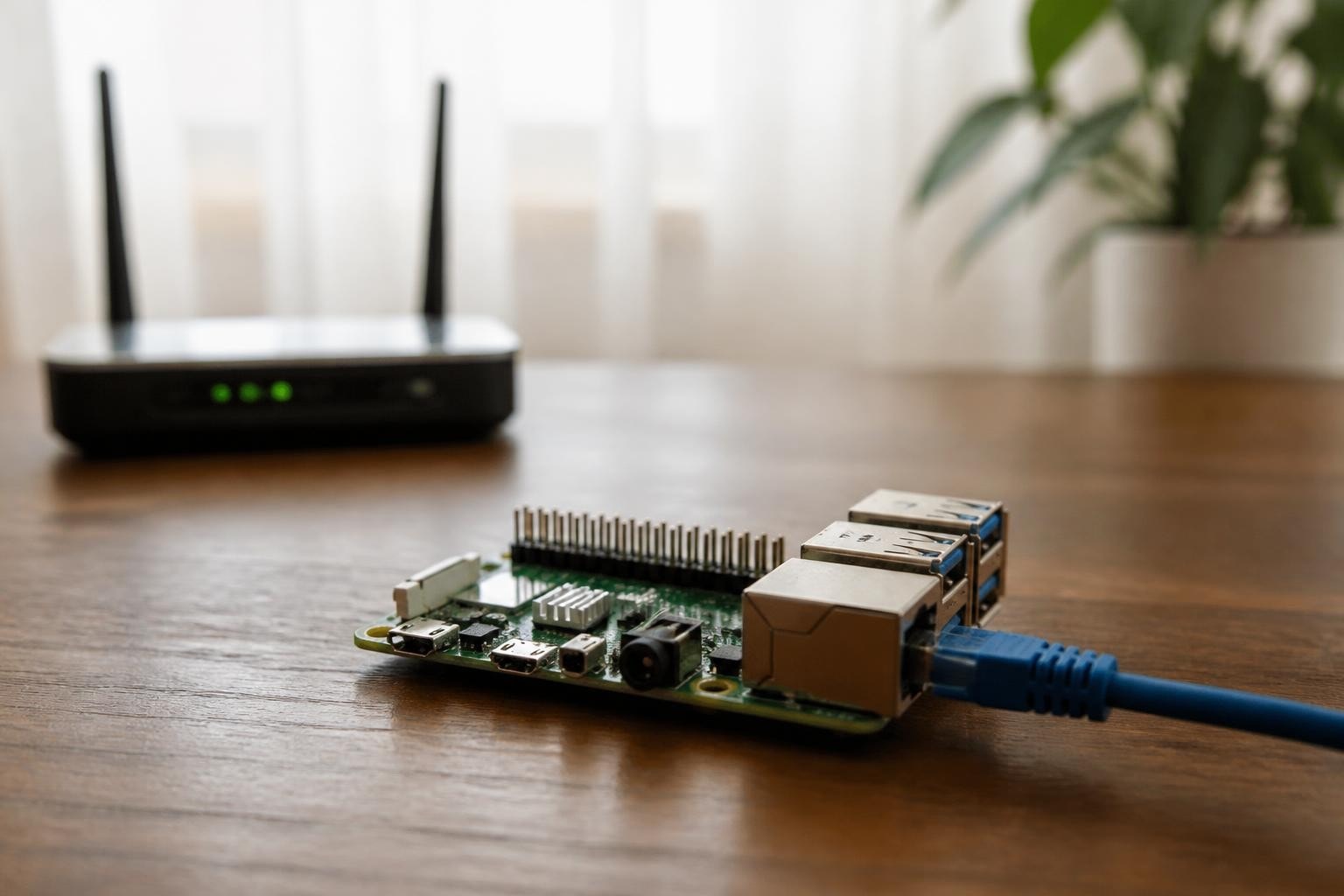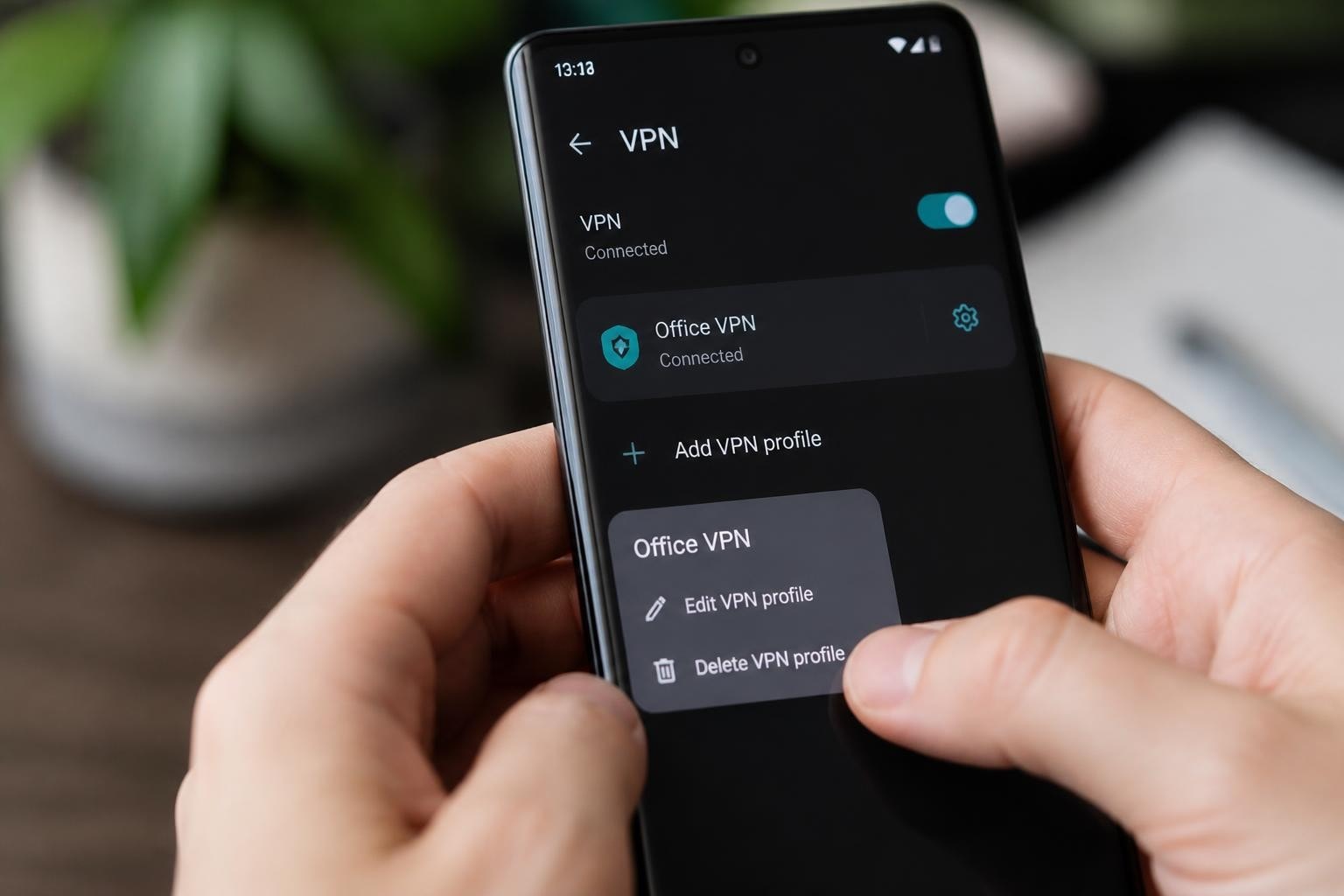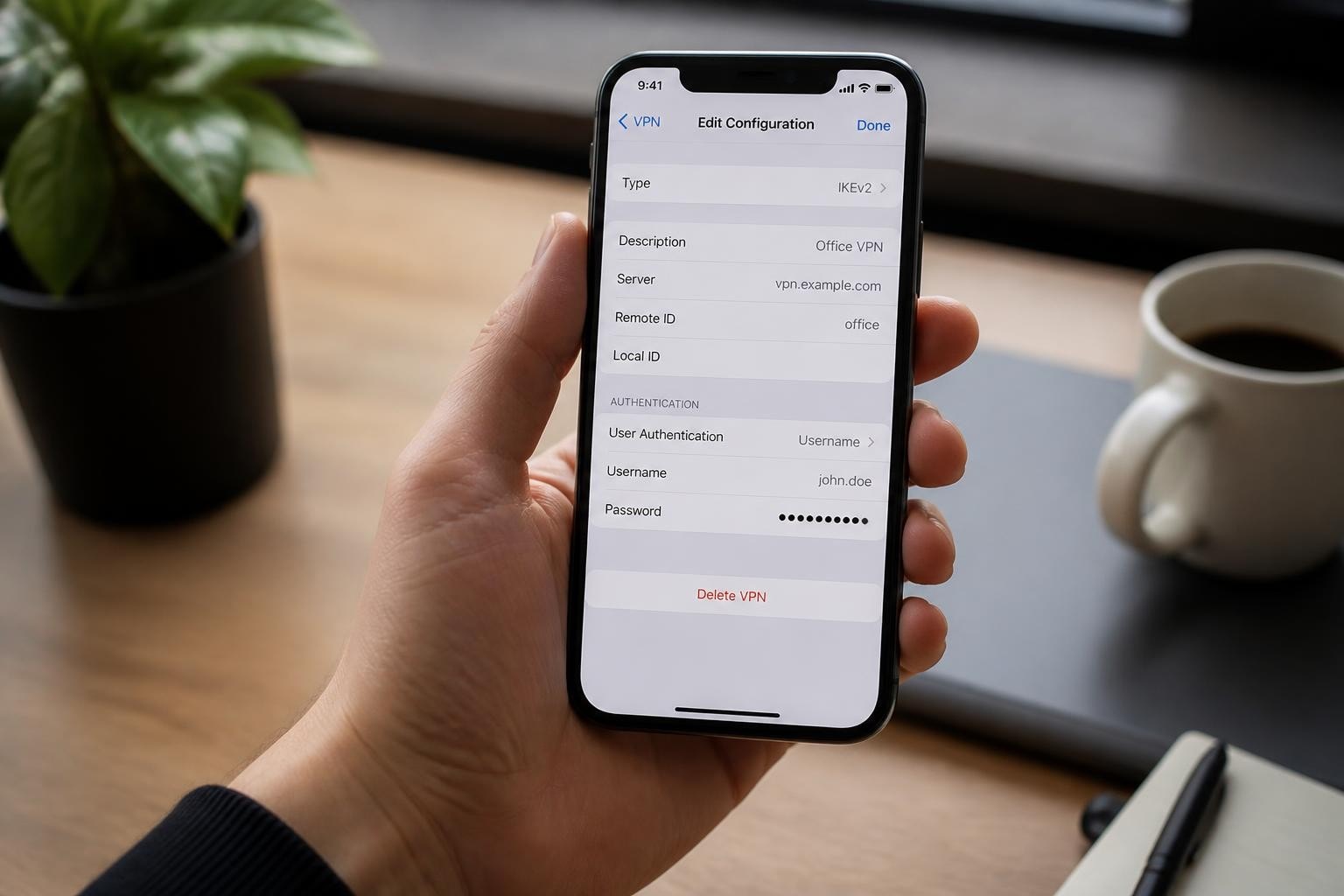
Understanding the relationship between routers and VPN technology has become essential for anyone serious about network security in 2026. When you configure a VPN directly on your router, every device that connects to your network automatically benefits from encrypted traffic and privacy protection. This approach offers significant advantages over installing VPN software on individual devices, particularly for households or small offices with multiple connected gadgets. The integration of routers and VPN creates a comprehensive security perimeter that shields your entire network from external threats, including sophisticated attacks from state-sponsored actors.
Understanding VPN Router Architecture
A VPN-enabled router functions as a gateway that encrypts all internet traffic before it leaves your network. This fundamental architecture differs from traditional routers that simply forward packets without encryption. When properly configured, the router establishes a secure tunnel to VPN servers, ensuring that your internet service provider cannot monitor your browsing activity or data transfers.
The hardware requirements for running routers and VPN configurations vary significantly based on the protocols you choose. Modern VPN protocols like WireGuard demand less processing power than older OpenVPN implementations, making them ideal for consumer-grade routers. However, the relationship between routers and VPN performance remains closely tied to the CPU capabilities of your hardware.
Hardware Considerations for VPN Routers
Selecting appropriate hardware for your VPN router deployment requires understanding several technical specifications:
- Processor speed: Minimum dual-core 800MHz for basic VPN throughput
- RAM capacity: At least 256MB for stable OpenVPN operation, 128MB acceptable for WireGuard
- Flash storage: 128MB minimum for custom firmware and VPN client software
- Network interfaces: Gigabit Ethernet ports to prevent bottlenecks
Research has shown that consumer-grade routers face significant performance tradeoffs when processing VPN encryption, particularly with OpenVPN configurations. The CPU becomes the primary bottleneck, often limiting throughput to 30-50% of the router's advertised speed.
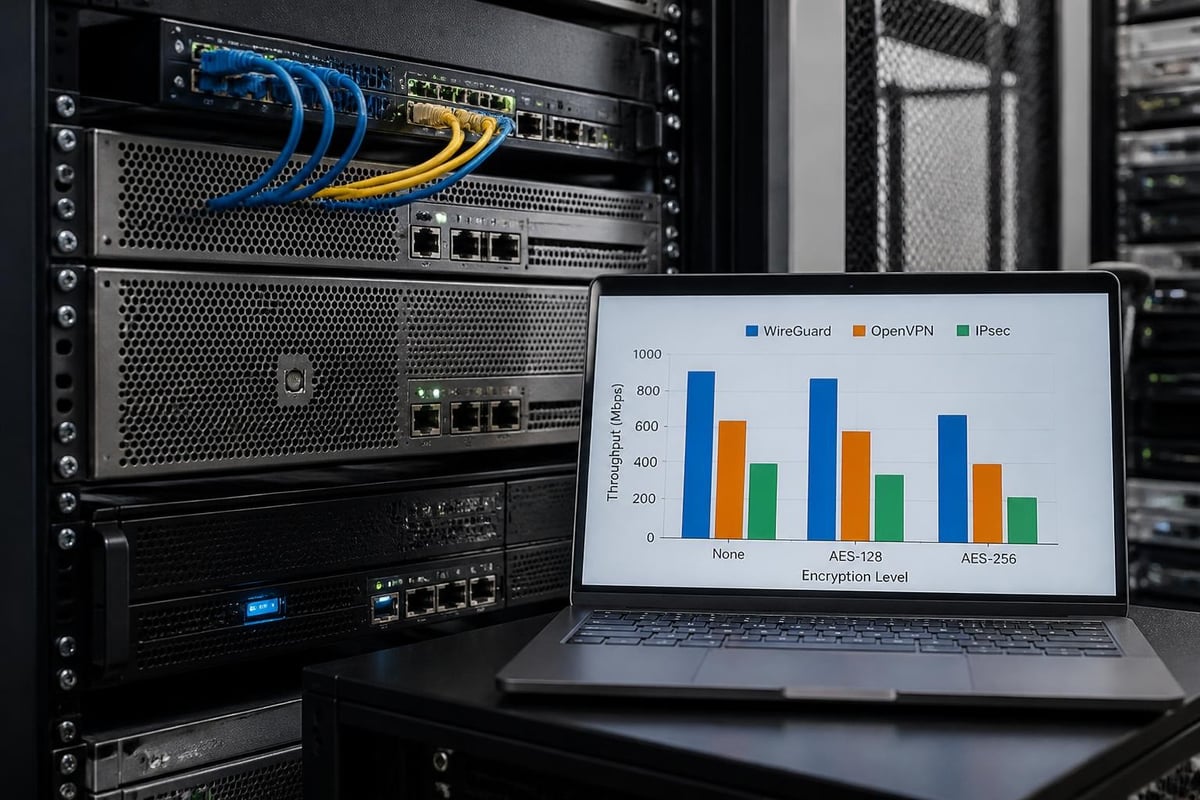
Many users discover that enterprise-grade solutions or purpose-built VPN routers deliver superior performance. Purpose-built devices typically include hardware acceleration for encryption operations, dramatically improving throughput when handling routers and VPN simultaneously.
Protocol Selection and Configuration
Choosing the right VPN protocol represents one of the most critical decisions when configuring routers and VPN together. Each protocol offers distinct advantages and limitations that affect security, speed, and compatibility.
WireGuard: The Modern Standard
WireGuard has emerged as the preferred protocol for router-based VPN deployments in 2026. The WireGuard protocol utilizes modern cryptographic primitives and maintains a lean codebase of approximately 4,000 lines, compared to OpenVPN's hundreds of thousands. This simplicity translates directly into better performance on routers and VPN configurations with limited processing power.
Installation on custom firmware platforms like OpenWrt is straightforward, and the protocol's efficient design means minimal battery drain for mobile devices connecting through your VPN router. Configuration requires generating public and private key pairs, but the process is well-documented and less error-prone than legacy protocols.
OpenVPN: The Flexible Veteran
OpenVPN remains widely deployed due to its flexibility and extensive configuration options. The OpenVPN community documentation provides comprehensive guidance for router implementations, covering both site-to-site and remote access scenarios.
When implementing routers and VPN using OpenVPN, you'll choose between TCP and UDP transport modes. UDP generally delivers better performance for most use cases, while TCP provides greater reliability in unstable network conditions. The protocol supports various authentication methods, certificate management approaches, and encryption ciphers.
| Protocol | Typical Throughput | CPU Usage | Setup Complexity | Mobile Battery Impact |
|---|---|---|---|---|
| WireGuard | 400-900 Mbps | Low | Moderate | Minimal |
| OpenVPN (UDP) | 100-250 Mbps | High | Complex | Moderate |
| IPsec/IKEv2 | 300-600 Mbps | Moderate | High | Low |
IPsec and IKEv2 Implementations
IPsec provides robust security particularly suited for site-to-site VPN connections between offices. When configuring routers and VPN using IPsec, you'll typically work with strongSwan or Libreswan implementations on custom firmware. The pfSense VPN documentation offers practical guidance for IPsec configurations alongside OpenVPN and WireGuard alternatives.
IKEv2 serves as the key exchange mechanism for modern IPsec deployments, offering automatic reconnection when network conditions change. This makes it particularly valuable for mobile users who need seamless transitions between Wi-Fi and cellular connections.
Firmware Options and Installation
Consumer routers ship with manufacturer firmware that rarely includes VPN client functionality. Installing custom firmware unlocks the ability to configure routers and VPN properly, transforming basic hardware into capable security appliances.
OpenWrt Platform
OpenWrt represents the most flexible custom firmware option for VPN router deployments. The OpenWrt VPN documentation provides step-by-step instructions for configuring OpenVPN, WireGuard, and IPsec on supported hardware.
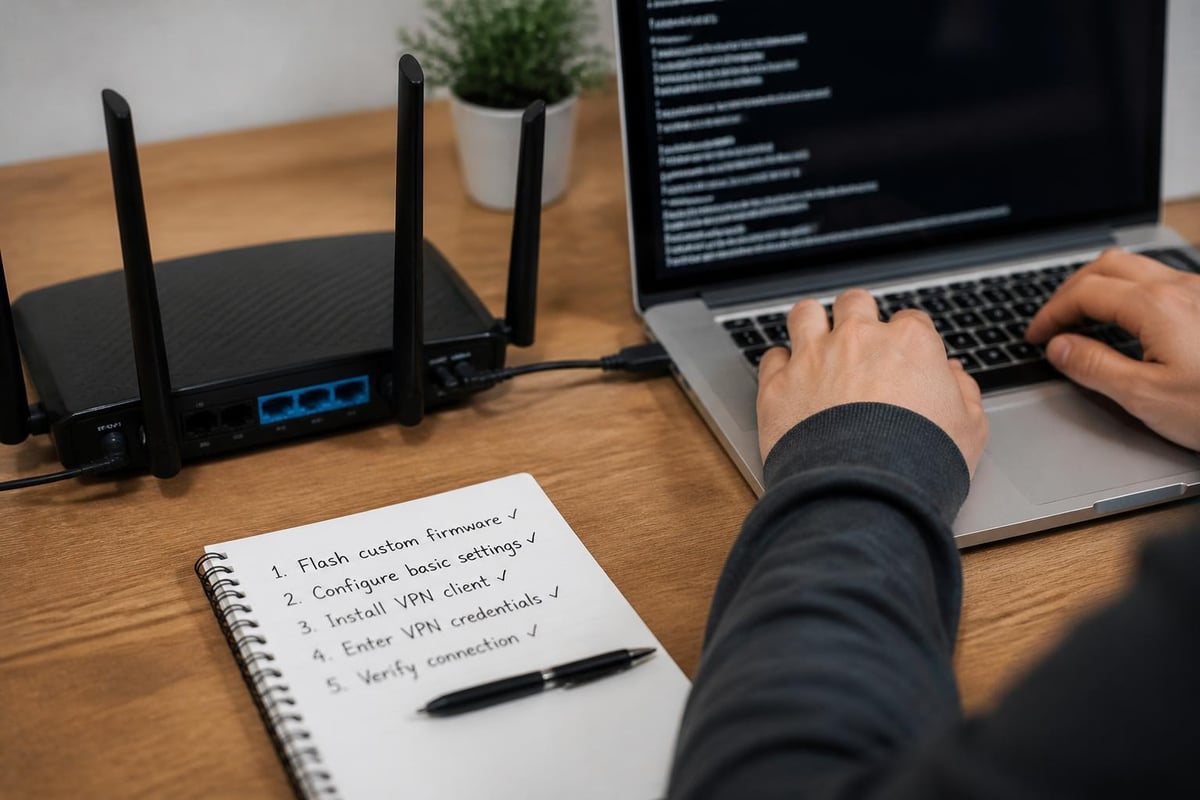
Installation involves:
- Verifying hardware compatibility on the OpenWrt device database
- Downloading the appropriate firmware image for your router model
- Backing up your current configuration and settings
- Flashing the new firmware via the manufacturer's web interface
- Accessing the OpenWrt LuCI interface to configure network settings
- Installing VPN packages through the package manager
- Configuring your chosen VPN protocol with server credentials
OpenWrt's package management system allows you to install only the components you need, keeping the firmware lightweight and responsive even on older hardware.
DD-WRT and Tomato Alternatives
DD-WRT offers a user-friendly interface that simplifies VPN configuration for less technical users. The firmware includes built-in support for multiple VPN protocols and provides wizards that guide you through the setup process. However, development has slowed compared to OpenWrt, and support for newer hardware may be limited.
Tomato firmware and its FreshTomato derivative prioritize simplicity and stability. These options work well for straightforward routers and VPN implementations where extensive customization isn't required.
Security Hardening for VPN Routers
Deploying routers and VPN creates new security considerations that demand attention. A compromised VPN router potentially exposes all traffic from every device on your network, making proper hardening essential.
Essential Security Practices
Following CISA guidance on securing network devices helps protect VPN routers from compromise. Government advisories emphasize regular firmware updates, strong authentication, and monitoring for suspicious activity.
Critical security measures include:
- Disable remote management except when absolutely necessary for legitimate administration
- Change default credentials immediately after installation to strong, unique passwords
- Enable automatic security updates where supported by your firmware platform
- Implement firewall rules that restrict management interface access to specific IP addresses
- Monitor VPN connection logs for unexpected connection attempts or traffic patterns
- Disable unnecessary services like UPnP, HNAP, and WPS that expand attack surface
The threat landscape in 2026 includes sophisticated actors targeting network infrastructure. Protecting your network from advanced persistent threats requires vigilance and proactive security measures. Services like ZioFree employ advanced security protocols specifically designed to counter targeted exploitation attempts.
Kill Switch Implementation
A VPN kill switch prevents data leakage if your VPN connection drops unexpectedly. When configuring routers and VPN, implementing a reliable kill switch requires careful firewall rule configuration.
The basic approach involves creating firewall rules that:
- Allow traffic only to VPN server IP addresses on the WAN interface
- Block all other outbound traffic from LAN devices
- Permit DNS queries only through the VPN tunnel
- Allow local network traffic for printer and file sharing
Most custom firmware platforms support these configurations through their firewall interfaces, though syntax and implementation details vary.
Performance Optimization Strategies
Achieving optimal performance from routers and VPN requires balancing security with throughput demands. Several factors influence the speed you'll experience when routing traffic through VPN tunnels.
Bandwidth and Latency Considerations
VPN encryption adds computational overhead that reduces available bandwidth. The extent of this reduction depends on:
| Factor | Impact on Performance | Mitigation Strategy |
|---|---|---|
| Encryption strength | 10-40% overhead | Choose appropriate cipher for your threat model |
| Protocol choice | 30-70% variation | Use WireGuard for best performance |
| Router CPU speed | Direct correlation | Upgrade to more powerful hardware |
| VPN server location | Increases latency | Select geographically close servers |
| Concurrent connections | Compounds overhead | Limit simultaneous streams during peak usage |
For users requiring maximum speed, fast VPN service becomes a priority consideration when selecting a provider. Server infrastructure and network capacity matter as much as router hardware.
Advanced Configuration Techniques
Fine-tuning your routers and VPN setup can yield significant performance improvements. Consider implementing these advanced techniques:
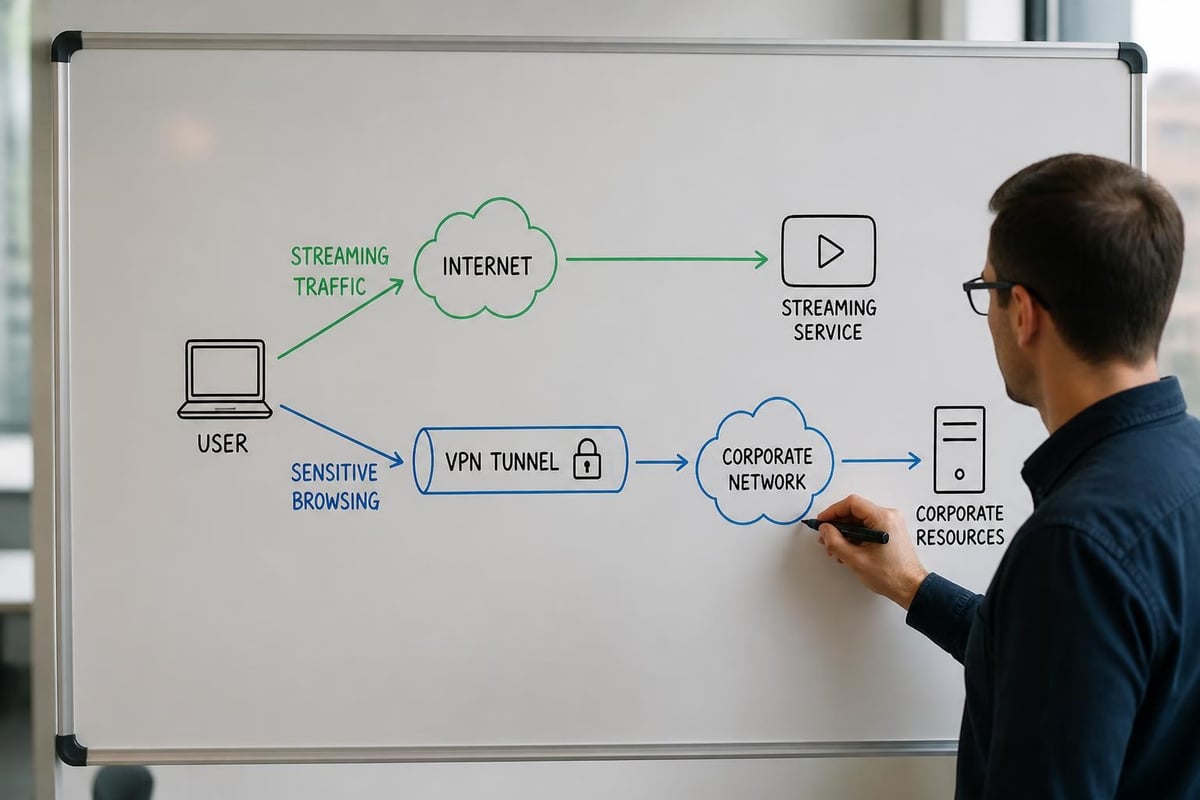
Split tunneling allows you to route only specific traffic through the VPN while sending other data directly to your ISP. This approach works well when you need VPN protection for sensitive applications but want maximum speed for streaming or gaming. Configure split tunneling through routing tables that direct traffic based on destination IP addresses or applications.
DNS optimization reduces latency by caching frequently accessed domain name resolutions. Running a local DNS resolver on your VPN router minimizes external DNS queries and can improve page load times noticeably.
MTU adjustment prevents packet fragmentation that occurs when VPN overhead pushes packets above the maximum transmission unit size. Reducing MTU by 50-100 bytes typically accommodates VPN headers without triggering fragmentation.
Privacy and Logging Considerations
The privacy implications of routers and VPN configurations extend beyond simple encryption. Understanding how your VPN provider handles data becomes critically important when all network traffic flows through their servers.
No-Logs VPN Providers
Selecting a VPN provider with a genuine no-logs policy ensures that your browsing history remains private even if the provider faces legal demands for data. When evaluating providers for router-based VPN deployment, examine:
- Jurisdiction location: Countries with strong privacy laws provide better protection
- Third-party audits: Independent verification of no-logs claims adds credibility
- Transparency reports: Regular disclosure of any legal requests demonstrates accountability
- Payment options: Cryptocurrency payment support enables anonymous service purchase
The relationship between routers and VPN privacy depends entirely on your provider's data handling practices. Even perfect router configuration cannot compensate for a provider that logs connection data or user activity.
DNS Leak Prevention
DNS leaks represent a common privacy vulnerability in routers and VPN configurations. These leaks occur when DNS queries bypass the VPN tunnel, revealing your browsing destinations to your ISP despite encrypted traffic.
Preventing DNS leaks requires:
- Configuring your router to use only VPN provider DNS servers
- Blocking outbound traffic on port 53 (DNS) to any destination except VPN servers
- Testing for leaks using online verification tools after configuration
- Implementing DNSSEC validation to prevent DNS spoofing attacks
Modern VPN providers typically offer their own DNS servers that support private internet security features like malware blocking and ad filtering.
Multi-Site and Business Deployments
Enterprise environments often require site-to-site VPN configurations connecting multiple office locations. Understanding routers and VPN in this context involves additional complexity around routing protocols, failover mechanisms, and centralized management.
Site-to-Site VPN Architecture
Site-to-site VPNs create permanent encrypted tunnels between geographically separated networks. Each location requires a VPN router or dedicated appliance that maintains persistent connections to other sites.
Implementation considerations include:
- Routing protocol selection: OSPF or BGP for dynamic route exchange between sites
- Redundancy planning: Multiple VPN concentrators prevent single points of failure
- Bandwidth provisioning: Sufficient internet capacity at each location to handle inter-site traffic
- Quality of Service: QoS policies prioritize business-critical applications over VPN tunnels
The pfSense platform excels at site-to-site deployments, offering enterprise features in open-source software that runs on commodity hardware.
Remote Access VPN Alternatives
While this article focuses on routers and VPN, remote access VPNs serve a complementary role in business environments. These configurations allow mobile workers to connect to office resources securely from any location.
Combining router-based site-to-site VPNs with client-based remote access creates comprehensive security architecture. Employees connecting through the remote access VPN gain secure access to resources across all connected sites through the site-to-site tunnels.
Troubleshooting Common Issues
Even properly configured routers and VPN installations occasionally experience connectivity problems or performance degradation. Systematic troubleshooting helps identify and resolve issues quickly.
Connection Stability Problems
VPN connections that frequently disconnect or fail to establish indicate configuration issues or network problems. Common causes include:
Authentication failures result from incorrect credentials, expired certificates, or time synchronization problems. Verify that your router's system clock is accurate and that VPN credentials match those provided by your VPN service.
MTU mismatches cause silent connection failures where the tunnel appears to establish but no traffic flows. Progressive MTU testing helps identify the maximum packet size your connection supports.
Firewall blocking at your ISP or network perimeter prevents VPN protocols from functioning. ISPs occasionally throttle or block VPN traffic, particularly in restrictive jurisdictions. Testing multiple protocols and server locations helps identify blocking.
Performance Degradation
Slow speeds through routers and VPN configurations frustrate users and reduce the utility of VPN protection. Methodical testing isolates the source of slowdowns:
- Test direct connection speed without VPN to establish baseline performance
- Connect to multiple VPN servers to identify geographic or infrastructure issues
- Monitor router CPU usage during VPN operation to identify hardware bottlenecks
- Verify that QoS settings aren't inappropriately limiting VPN traffic
- Check for firmware updates that may include performance improvements
Some VPN providers implement traffic shaping or bandwidth limits that affect router connections differently than individual client applications. Consulting your provider's FAQ often reveals known limitations or recommended settings.
Mobile Device Integration
Properly configured routers and VPN provide automatic protection for mobile devices when connected to your home network. However, users also need protection when traveling or using public Wi-Fi networks.
Seamless Multi-Platform Protection
The ideal security strategy combines router-based VPN for home network protection with client applications for mobile security. This layered approach ensures comprehensive coverage regardless of location.
When devices connect to your protected home network, the router-level VPN handles all encryption automatically. No client software activation is required, and users benefit from protection transparently. Away from home, mobile VPN applications provide equivalent security on untrusted networks.
Understanding what is a VPN and why you need one helps users grasp the complementary nature of router-based and client-based VPN protection.
Credential Management
Managing VPN credentials across routers and VPN client applications requires attention to security best practices. Avoid reusing passwords between router administration and VPN authentication. Store router configuration backups securely, as they contain VPN credentials and sensitive network information.
Many modern VPN providers support OAuth or certificate-based authentication that eliminates static password management. These authentication methods improve security while simplifying credential rotation.
Emerging Technologies and Future Trends
The landscape of routers and VPN continues evolving as new protocols and security threats emerge. Staying informed about developments helps maintain effective protection.
MASQUE Protocol Development
MASQUE (Multiplexed Application Substrate over QUIC Encryption) represents the next evolution in VPN technology. Cloudflare's engineering work demonstrates how MASQUE enables efficient tunneling over HTTP/3, making VPN traffic indistinguishable from normal web browsing.
While MASQUE implementation on consumer routers remains limited in 2026, the protocol's standardization through IETF processes signals eventual mainstream adoption. Forward-thinking network administrators should monitor MASQUE development for future router firmware integration.
Hardware Acceleration Adoption
Newer router hardware increasingly includes dedicated cryptographic accelerators that offload encryption from the main CPU. These specialized processors dramatically improve routers and VPN performance, enabling gigabit VPN throughput on consumer-grade devices.
When selecting hardware for long-term VPN router deployment, prioritize models with hardware AES acceleration or dedicated security co-processors. The performance benefits justify the moderate price premium over basic models.
Configuring routers and VPN together creates network-wide protection that defends against surveillance, data interception, and targeted exploitation. The technical considerations span hardware selection, protocol configuration, security hardening, and performance optimization, but the result is comprehensive privacy for every connected device. When you need a reliable VPN provider that combines strong encryption with a global server network and verified no-logs commitment, ZioFree delivers the infrastructure and security protocols your router-based VPN deployment requires.