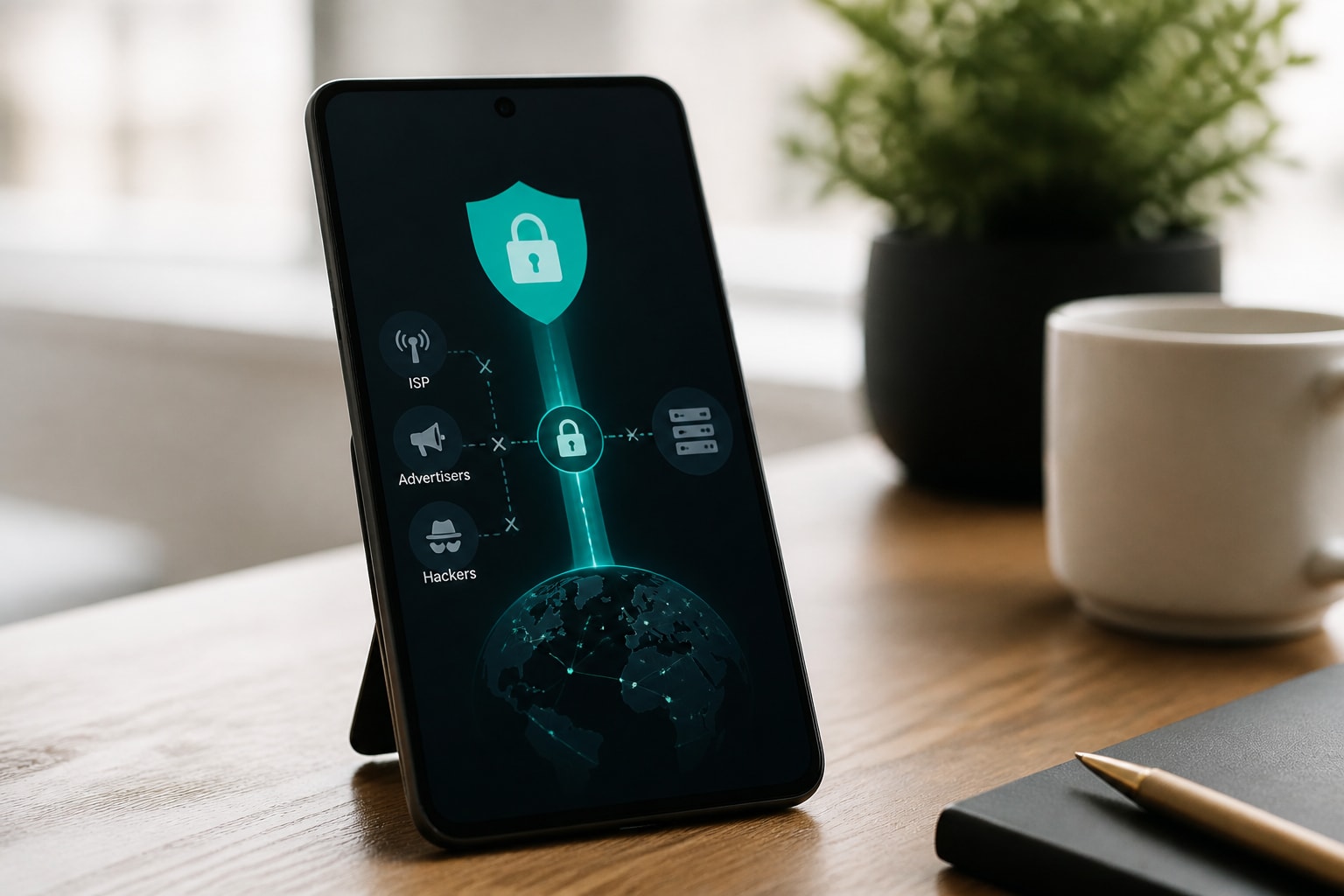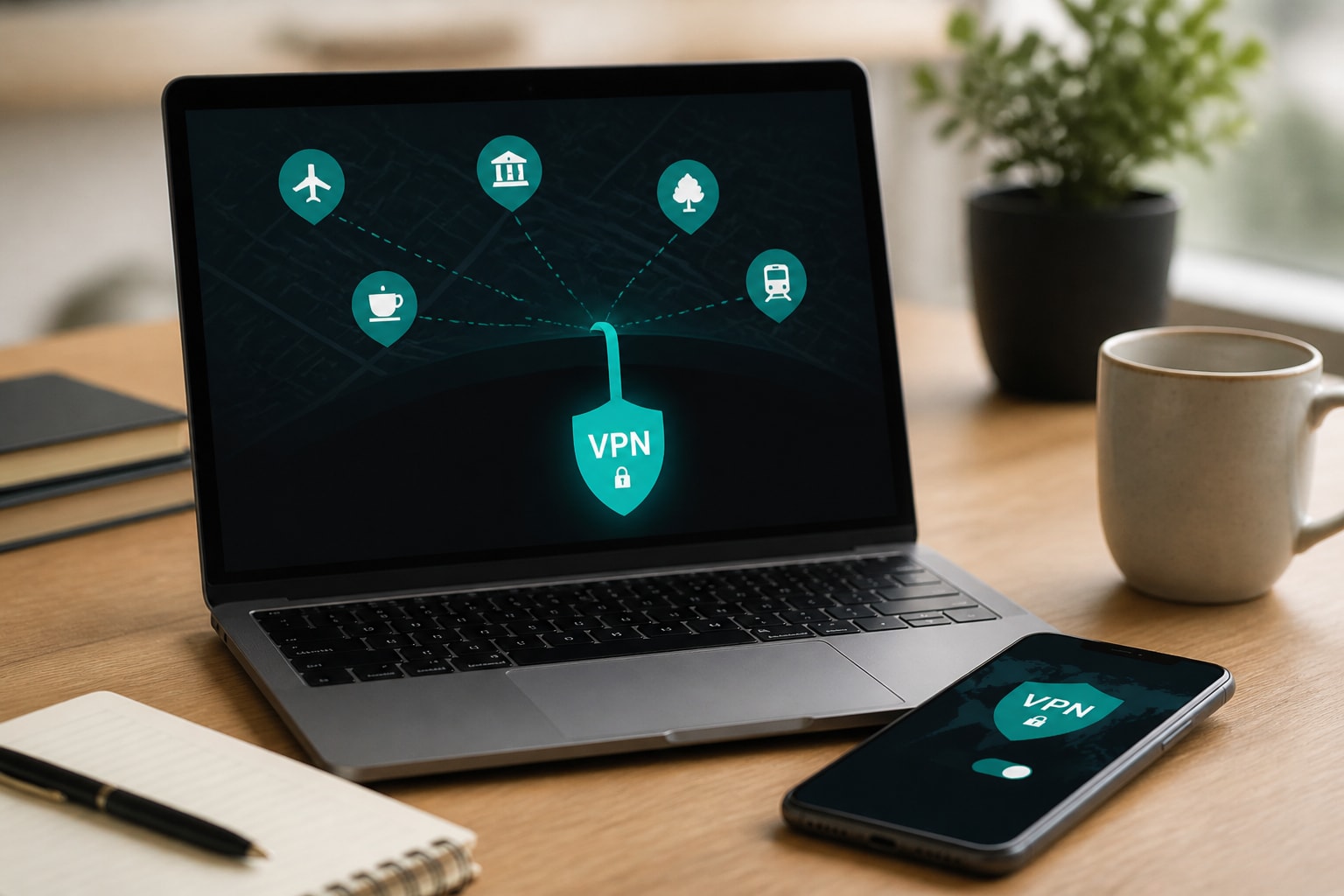





The best free VPN networks in 2026 are the ones from established providers that cap your data but do not sell it: Proton VPN's free tier, Windscribe's monthly allowance, PrivadoVPN's limited plan and Firefox's browser-only VPN. Each one protects a different slice of your traffic, and none matches a paid service for sustained privacy. If your goal is to stop internet providers, advertisers and hackers from tracking what you do online, the details of each free network matter more than the headline price of zero.
This guide explains how free VPN networks work, compares the main options by data cap and coverage, and shows how to judge whether a free service is safe enough for your browsing.
How Does a VPN Work, and Why Does It Matter for Free Networks?
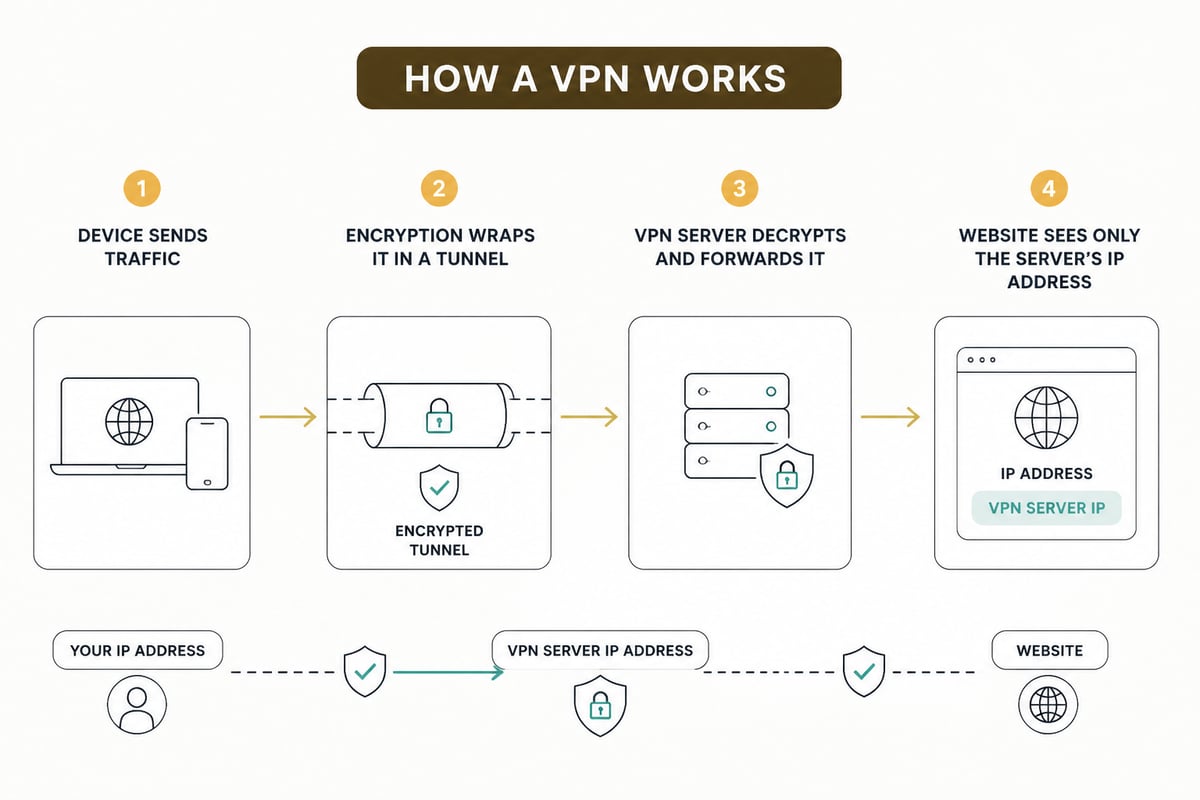
A VPN works by creating an encrypted tunnel between your device and a server operated by the VPN provider, so your internet provider and anyone on your local network sees only scrambled traffic going to one destination. Websites then see the VPN server's IP address instead of yours.
That basic design is the same for free and paid services. The difference lies in who runs the servers, what they record, and how they cover costs. Your traffic passes through the provider's infrastructure, which means the provider can see what your ISP would otherwise see. A VPN does not remove surveillance. It moves the point of trust from your ISP to the VPN company.
This is why the business model of a free VPN deserves as much scrutiny as its encryption. For a deeper explanation of the mechanics, see this overview of how a VPN network works.
What Makes Free VPN Networks Different From Paid Ones?
Free VPN networks differ from paid ones in four practical ways: data limits, server access, speed, and funding model.
- Data limits. Most reputable free tiers cap monthly traffic or daily usage.
- Server access. Free users are usually restricted to a handful of locations.
- Speed. Free servers carry more users per server, which means congestion at peak hours.
- Funding. A free tier from a legitimate provider is a marketing funnel for paid plans. Less reputable apps are funded by advertising, analytics or resale of user data.
Servers cost money to run. If a service gives away unlimited bandwidth with no ads and no paid plan behind it, the revenue is coming from somewhere else, and that somewhere is often your browsing data. A deeper comparison of the trade-offs appears in this breakdown of paid VPNs versus free ones.
Which Free VPN Networks Are Worth Considering in 2026?
Four free options stand out in 2026 for privacy-conscious users: Proton VPN Free, Windscribe Free, PrivadoVPN Free and the Firefox browser VPN. Each has a clear limit, so the right choice depends on how much you browse and how much of your device you need covered.
| Free option | Data allowance | Coverage | Main limitation |
|---|---|---|---|
| Proton VPN Free | No fixed data cap | Whole device | Few server locations, slower speeds at peak times |
| Windscribe Free | Monthly allowance | Whole device | Cap runs out quickly with video or large downloads |
| PrivadoVPN Free | Monthly cap on the free plan | Whole device | Limited locations and lower priority on the network |
| Firefox VPN | 50 GB per month | Firefox browser only | Other apps and system traffic stay unprotected |
Allowances change as providers adjust their plans, so check each provider's current page before you rely on a number.
Proton VPN Free
Proton VPN Free is a strong free choice for people who want to avoid a hard data wall. Its free plan is generally described as having no fixed monthly cap, which makes it practical for daily browsing. The trade-off is a short server list and slower speeds when many free users connect at once.
Windscribe Free
Windscribe's free plan offers a monthly allowance, which suits light browsing, email and messaging. Heavy video streaming can exhaust that allowance within days. It works best as a supplement for specific sessions, such as using public Wi-Fi at an airport.
PrivadoVPN Free
PrivadoVPN's free plan provides a monthly allowance and a small selection of servers. It performs reasonably for everyday tasks, though free users receive lower network priority than paying customers.
Firefox's Built-In VPN
Firefox's built-in VPN is worth knowing about because of its allowance. According to the Mozilla Firefox Blog, it offers 50 GB of browsing per month, but it protects traffic inside Firefox rather than all traffic on the device. Email clients, messaging apps and background services remain outside the tunnel. It is a useful browser safeguard, not a replacement for a device-wide VPN.
Does a VPN Slow Down Internet Speed?
Yes, a VPN typically slows your connection somewhat, because encryption adds processing work and your traffic takes a longer route through a VPN server. On a well-run paid network the loss is often modest and hard to notice during browsing. On free networks the slowdown is larger and more variable.
Three factors drive the difference:
- Server load. Free servers host far more simultaneous users, so bandwidth is shared more thinly.
- Distance. Connecting to a server on another continent adds latency, and free tiers often push you to whichever location has capacity.
- Protocol and hardware. Modern protocols such as WireGuard perform better than older ones, and under-resourced servers struggle regardless of protocol.
If speed matters for video calls or streaming, a free tier is where you will feel the limits first. This is also why many people compare paid options, such as in this look at VPN services for Netflix.
Can the FBI Track a VPN User?
A VPN does not make you untraceable. Law enforcement cannot see inside an encrypted tunnel, but it can request records from a VPN company, and what the company can hand over depends entirely on what it stores.
This is the reason a provider's logging practice is the most important feature to evaluate. A service that keeps connection timestamps, source IP addresses or session records has something to disclose when served with a legal request. A service that keeps nothing has nothing to produce. Independent audits and a track record of requests answered with empty results are the best evidence of a no-logs claim, far better than a marketing page.
Free providers with weak policies are the highest risk here, because they often keep data as a revenue source. If anonymity from legal or hostile tracking is a concern, read about VPNs and anonymity before you rely on any single tool.
What Are the Real Risks of Free VPN Networks?
The real risks of free VPN networks are data collection, weak security and misleading claims. Most problems trace back to the funding model.
- Logging and resale. Some free apps record browsing activity and sell it to advertisers or data brokers, which defeats the purpose of using a VPN.
- Embedded trackers and ads. Free apps may bundle third-party trackers that monitor you from inside the app itself.
- Weak encryption or leaks. Poorly built apps can leak your real IP address or DNS requests when a connection drops.
- Malicious apps. Fake VPN apps in app stores can contain malware or request excessive permissions.
- Ownership and jurisdiction. Some free apps are owned by companies in jurisdictions with weak privacy law, or by parent companies that also operate in advertising.
Before you install any free VPN, check who owns it, read its privacy policy for the words "log" and "third party", and look for independent security audits. If the app asks for permissions unrelated to networking, skip it.

How to Choose the Best Free VPN Networks for Privacy
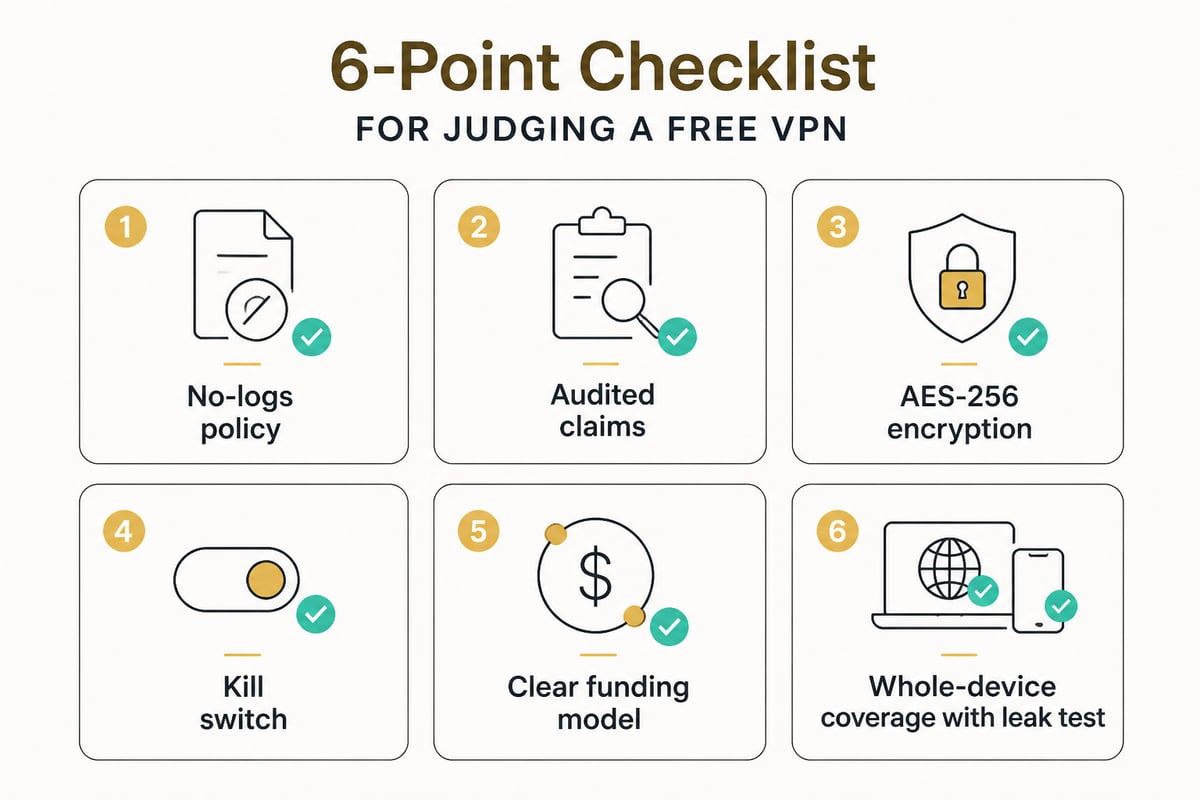
To choose among the best free VPN networks, test each candidate against a short checklist of privacy and security features rather than comparing speed claims or server counts.
- Confirm a no-logs policy that covers browsing activity, DNS queries and connection timestamps, ideally verified by an independent audit.
- Check the encryption standard. AES-256 or ChaCha20 with a modern protocol is the baseline.
- Look for a kill switch. This cuts your internet if the VPN drops, preventing accidental exposure.
- Review the funding model. A free tier that points to a paid plan is more trustworthy than an app with no visible revenue.
- Verify device coverage. Whole-device protection is stronger than browser-only protection.
- Test for leaks. Run a DNS and WebRTC leak test with the VPN on.
Platform support matters too. If you need a free option for a particular device, see guides on free VPN software for Android or top-rated free VPN options for Windows.
Is a Free VPN Enough for Public Wi-Fi and Everyday Browsing?
A free VPN is enough for occasional protection on public Wi-Fi, but it falls short as a permanent privacy layer. Short sessions at a cafe or airport usually fit comfortably inside a free monthly allowance, and encryption on an open network is genuinely valuable there.
The weaker case is daily use. A free VPN with a data cap leaves gaps once the allowance runs out, and a capped user often disconnects to save data, which means the protection is off at the moments it matters. For a closer look at open network risks, read about VPN use on public Wi-Fi.
A practical pattern for privacy-conscious users is to treat a free VPN as an emergency tool, not a default. Use it to cover a risky network, then rely on something with no cap for everything else.
When a Paid VPN Becomes the Better Choice
A paid VPN becomes the better choice when you want continuous protection, consistent speed and a verifiable no-logs commitment. The moment you need all three, the limits of free networks become the main problem.
ZioFree is built for that case. It runs RAM-only servers, so data is never written to disk and is wiped on reboot, and it applies AES-256 encryption to all VPN traffic. It commits to a strict no-logs policy. An automatic kill switch protects you if a connection drops, and split tunnelling lets you send only selected apps through the VPN. The Monthly plan includes unlimited bandwidth and access to all servers, so there is no allowance to watch. The ZioFree VPN Monthly plan offers that setup on a month-to-month basis.
ZioFree does not currently offer a free tier, and its macOS app is still in development, so Mac users should check back before planning around it.
Free VPN Red Flags to Avoid
Certain warning signs reliably separate risky free VPNs from legitimate ones. Treat any one of these as a reason to uninstall.
- Unlimited free data with no paid plan. Someone is paying for the servers, and it is probably advertisers.
- Vague or missing privacy policy. If you cannot find a clear statement about logging, assume the worst.
- Excessive permissions. A VPN has no reason to read your contacts or messages.
- Inflated claims. Phrases like "military-grade anonymity" or "100% untraceable" signal marketing over substance.
- No named company. Anonymous ownership makes accountability impossible.
- Repeated leak test failures. If your real IP appears while connected, the app is not doing its job.
FAQ
Which VPN gives 10GB free?
Windscribe's free plan offers a monthly data allowance and works across devices. That allowance suits light browsing and short sessions on public networks, but streaming and large downloads will use it up quickly. Check Windscribe's current plan page before signing up, since allowances can change.
Is a free VPN safe to use?
A free VPN from an established provider with a clear no-logs policy is reasonably safe for light use. Unknown free apps with no visible business model are riskier, because they often fund themselves by collecting and selling user data. Read the privacy policy and confirm who owns the service before installing.
Can I use a free VPN for streaming or torrenting?
Free tiers are poorly suited to both. Data caps run out fast, speeds drop at peak times, and many free plans restrict or block torrent traffic and streaming-friendly servers. Those uses are better served by a plan with unlimited bandwidth.
Start by running a DNS and WebRTC leak test on whichever VPN you use now, and uninstall it if your real IP address shows up. If you want protection with no data cap and a strict no-logs policy, choose the ZioFree VPN Monthly plan and Get Started Now with RAM-only servers, AES-256 encryption and an automatic kill switch.