



Public WiFi hotspots are free wireless networks offered in airports, libraries, cafés, hotels, transit hubs and many city centers, and you find them by checking the places below, using a hotspot-finder app or asking a venue for its network name. Access is usually free, but the network is shared with strangers, so what you do on it and how you protect your traffic matters as much as where you connect.
This guide lists the most reliable places to find free access, compares nine portable options for when public networks fall short, and explains how to keep your browsing private on any hotspot.
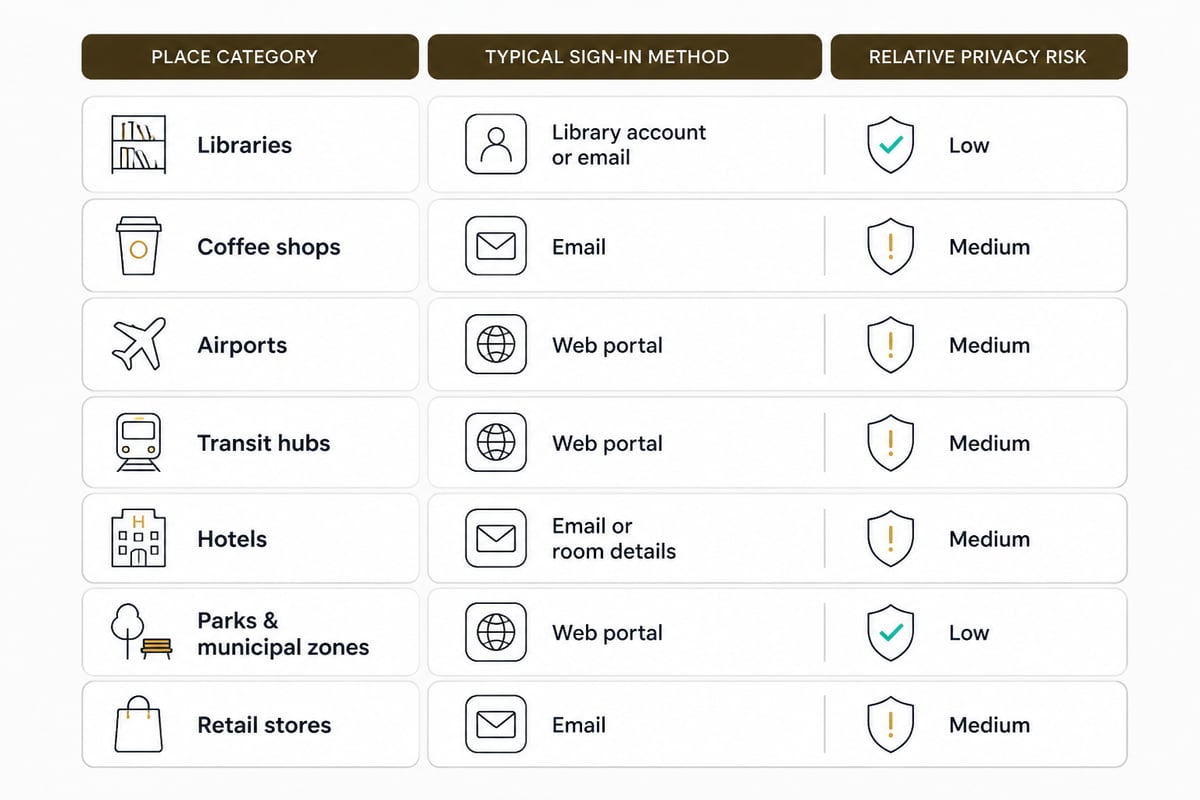
1. Libraries and Municipal Buildings
Libraries and government buildings are among the most dependable public WiFi hotspots because access is part of the service they provide.
- Typical access: Free, often with no purchase required
- Sign-in: Usually a short captive-portal page or a posted password
- Best use: Longer sessions, such as research or remote work, on a zero budget
- Limit: Opening hours restrict access, and some branches cap session length
Some cities also run outdoor municipal networks in parks and downtown districts. Local government websites normally list the covered areas.
Verdict: The most stable free option for extended sessions, provided you work within opening hours.
2. Coffee Shops and Restaurant Chains
Coffee shops and quick-service restaurants are the most common places to find free WiFi in daily life, since many national chains offer it to customers.
- Typical access: Free for customers, sometimes requiring a purchase or a code printed on the receipt
- Sign-in: Terms-of-service acceptance page
- Best use: Short check-ins and quick tasks while you are already nearby
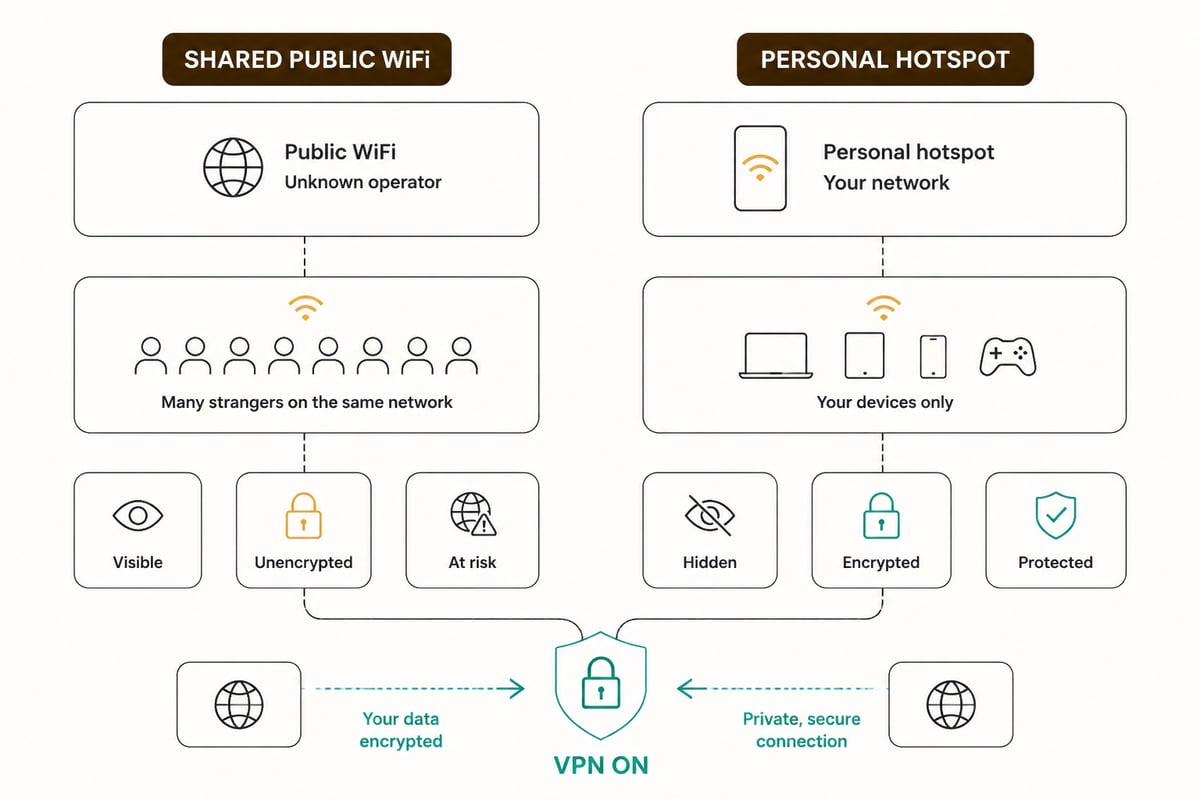
- Limit: Crowded networks slow down at peak hours, and the shared network exposes your traffic to other patrons
Confirm the exact network name with staff before connecting. Attackers sometimes broadcast a near-identical name to catch connections.
Verdict: Convenient and widespread, but the weakest option for privacy without a VPN.
3. Airports and Transit Hubs
Airports offer some of the most widely used public WiFi hotspots, and major terminals typically provide free access, sometimes time-limited or tied to a short registration step.
- Typical access: Often a free basic tier, sometimes with a paid faster tier
- Sign-in: Captive portal, sometimes requiring an email address
- Best use: Pre-flight messaging and itinerary checks
- Limit: High traffic volume attracts opportunistic snooping, and travelers are common targets
Train stations, bus terminals and some onboard services often follow a similar model.
Verdict: Useful for short waits, with the highest exposure risk of any location type.
4. Hotels and Retail Stores
Hotels and large retailers provide free access as an amenity, and the quality varies widely by property and chain.
- Typical access: Free to guests or customers, with room-number or loyalty-account login at hotels
- Sign-in: Portal page with terms acceptance, and sometimes a password
- Best use: Moderate-length browsing when you are already on the premises
- Limit: Shared guest networks mean other devices sit on the same segment as yours
Verdict: Dependable for casual use, but treat the network as untrusted regardless of the password.
5. How Do I Find Wi-Fi Hotspots Near Me?
You find Wi-Fi hotspots by combining your device's network list, a hotspot-finder app and a quick search of the area you are in.
- Check your device first. Open your WiFi settings and look for network names tied to nearby venues or ISPs.
- Use a hotspot-finder app or map. Community-maintained maps such as the WiFi Map page for New York and the San Francisco free hotspot map list venues with free access, though entries are user-submitted and may be outdated.
- Search by venue type. Libraries, cafés and chains tend to have consistent access. The BroadbandNow guide to finding free public WiFi covers municipal networks and ISP-run hotspots in more detail.
- Ask staff. A direct question to a venue confirms the real network name and avoids lookalike networks.
Verdict: Combining an app with direct confirmation from the venue gives the best mix of coverage and accuracy.
6. SIMO Solis Pro 5G Hotspot
The SIMO Solis Pro 5G Hotspot is a portable 5G hotspot that gives you your own wireless network for travel, so you are not relying on shared venue WiFi.
- Key specs: 5G hotspot; portable Wi-Fi access for travel
- Price: Not listed here; check the manufacturer for current pricing
- Best use: Travelers who want a private, portable connection instead of open networks in transit areas
- Limit: A dedicated device with its own data plan, so it adds cost and something more to carry
A personal hotspot reduces exposure to strangers on the same network, though the connection still passes through a carrier, so encryption on top remains worthwhile.
Verdict: A sensible choice for frequent travelers who want a portable 5G connection of their own.
7. GlocalMe Numen Air 5G
The GlocalMe Numen Air 5G is a portable hotspot built for international travel, offering cloud-based SIM coverage across a large number of countries.
- Key specs: 5G where supported; CloudSIM coverage in 200+ countries; connects up to 10 devices
- Price: Not listed here; check the manufacturer for current pricing
- Best use: International trips that cross several countries and require one device to serve multiple gadgets
- Limit: 5G speeds depend on local network support, and data costs vary by destination
Verdict: Strong for multi-country travel where finding reliable free access in each place is impractical.
8. ZioFree VPN 12 Months
ZioFree VPN 12 Months is a one-year subscription that protects your traffic on public WiFi hotspots, so the network operator and other users cannot read what you send.
- Key specs: AES-256 encryption for all VPN traffic; automatic kill switch; split tunnelling to route only selected apps; RAM-only servers that wipe data on reboot; strict no-logs policy covering browsing activity, traffic data, DNS queries, connection timestamps and IP addresses; unlimited bandwidth with access to all servers
- Price: About $3.60 per month, as of November 2026
- Best use: Regular use of cafés, airports, hotels and other shared networks, where encryption and a kill switch matter most
- Limit: A paid service rather than a free one
The kill switch matters on hotspots because a dropped connection is when traffic is most exposed, and it cuts traffic off instead of letting it leak out unprotected. For a deeper look at how this works, read how a VPN protects you on public WiFi.
Verdict: The better value for anyone who connects to shared networks weekly. Details are on the ZioFree VPN 12 Months page.
9. ZioFree VPN Monthly
ZioFree VPN Monthly gives you the same protection as the annual plan on a rolling month-to-month basis, which suits short trips or a trial period.
- Key specs: Same AES-256 encryption, automatic kill switch, split tunnelling, RAM-only servers, no-logs policy and unlimited bandwidth on all servers
- Price: About $5.83 per month, as of November 2026
- Best use: A single trip or temporary stay where a long commitment is unnecessary
- Limit: A higher monthly cost than the 12-month plan
Verdict: Flexible for short-term needs, though the annual plan costs less over time. Details are on the ZioFree VPN Monthly page.
Comparison Table
| Option | Type | Key spec | Best use |
|---|---|---|---|
| Libraries and municipal buildings | Free venue WiFi | Free, often no purchase | Long sessions on a zero budget |
| Coffee shops and chains | Free venue WiFi | Customer access, sometimes a code | Short check-ins |
| Airports and transit hubs | Free venue WiFi | Free basic tier, portal sign-in | Pre-flight tasks |
| Hotels and retail stores | Free venue WiFi | Guest or customer login | Casual browsing on site |
| SIMO Solis Pro 5G Hotspot | Portable hotspot | 5G, portable travel access | Travel with a private connection |
| GlocalMe Numen Air 5G | Portable hotspot | 200+ countries, up to 10 devices | Multi-country trips |
| ZioFree VPN 12 Months | VPN service | AES-256, kill switch, about $3.60/month | Regular use of shared networks |
| ZioFree VPN Monthly | VPN service | Same features, about $5.83/month | Short trips and trials |
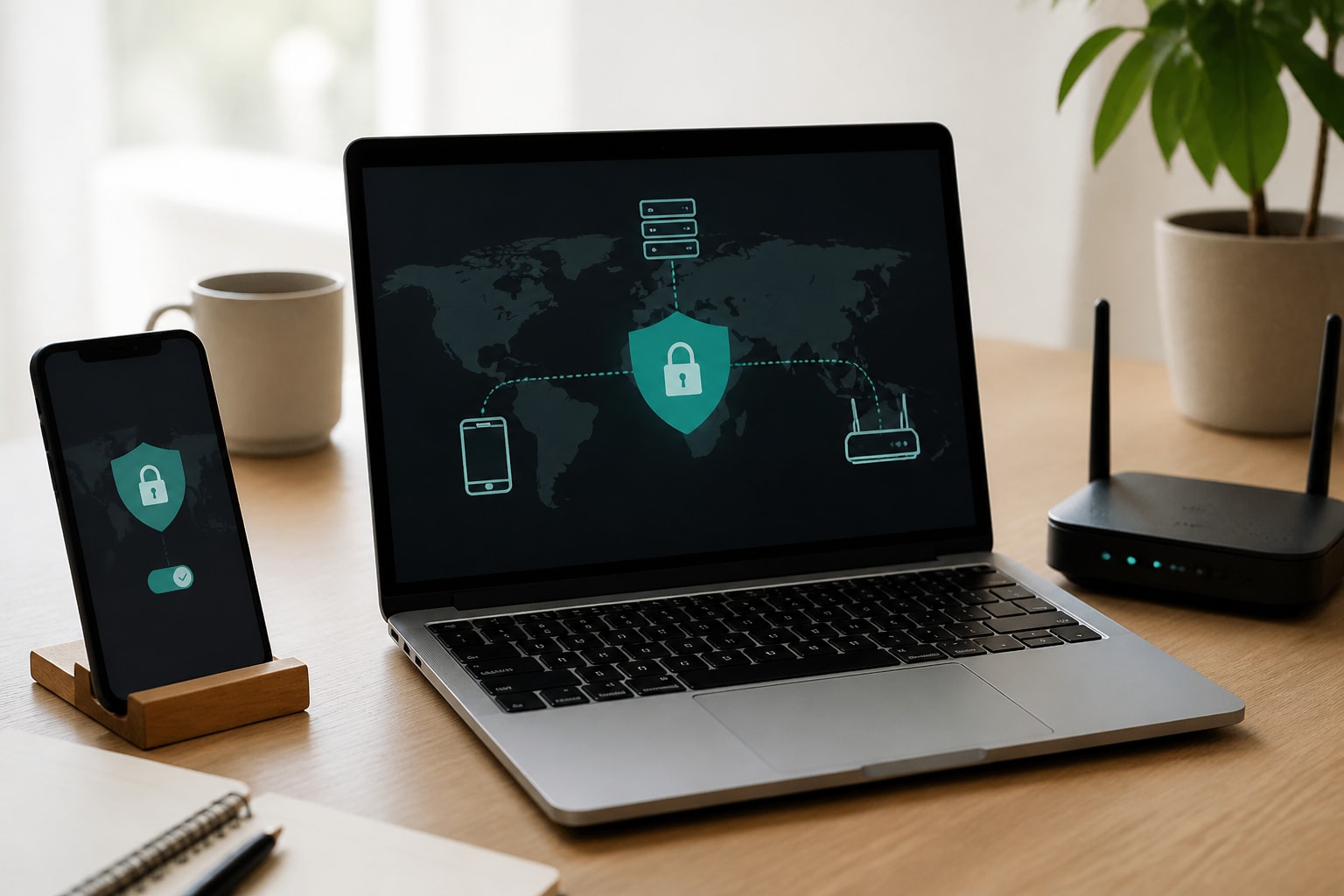
The options are not mutually exclusive. The first four rows cost nothing but give you no control over who shares the network, the two portable hotspots give you a private connection at the price of a device and a data plan, and the VPN rows add encryption on top of whichever connection you use. A practical pairing is a free venue network plus a VPN for a budget-conscious commuter, or a portable hotspot plus a VPN for someone moving through several countries. Over a full year, the 12-month plan costs less per month than the monthly plan, so the monthly option only wins when your need is a single trip.
Are Public WiFi Hotspots Safe to Use?
Public WiFi hotspots are safe enough for low-risk browsing, but they carry real risks because you share the network with unknown users and an operator you cannot verify.
The main threats are fake networks that imitate a venue, eavesdropping on unencrypted traffic and weak captive portals. Government security guidance on public Wi-Fi generally recommends verifying the network name, turning off auto-connect and avoiding sensitive transactions on open networks. For a closer look at warning signs, see these signs your public WiFi isn't as safe as you think.
A practical routine looks like this:
- Confirm the exact network name with staff before joining.
- Turn off auto-connect and file sharing.
- Prefer sites that load over HTTPS.
- Avoid banking and account changes unless you are protected.
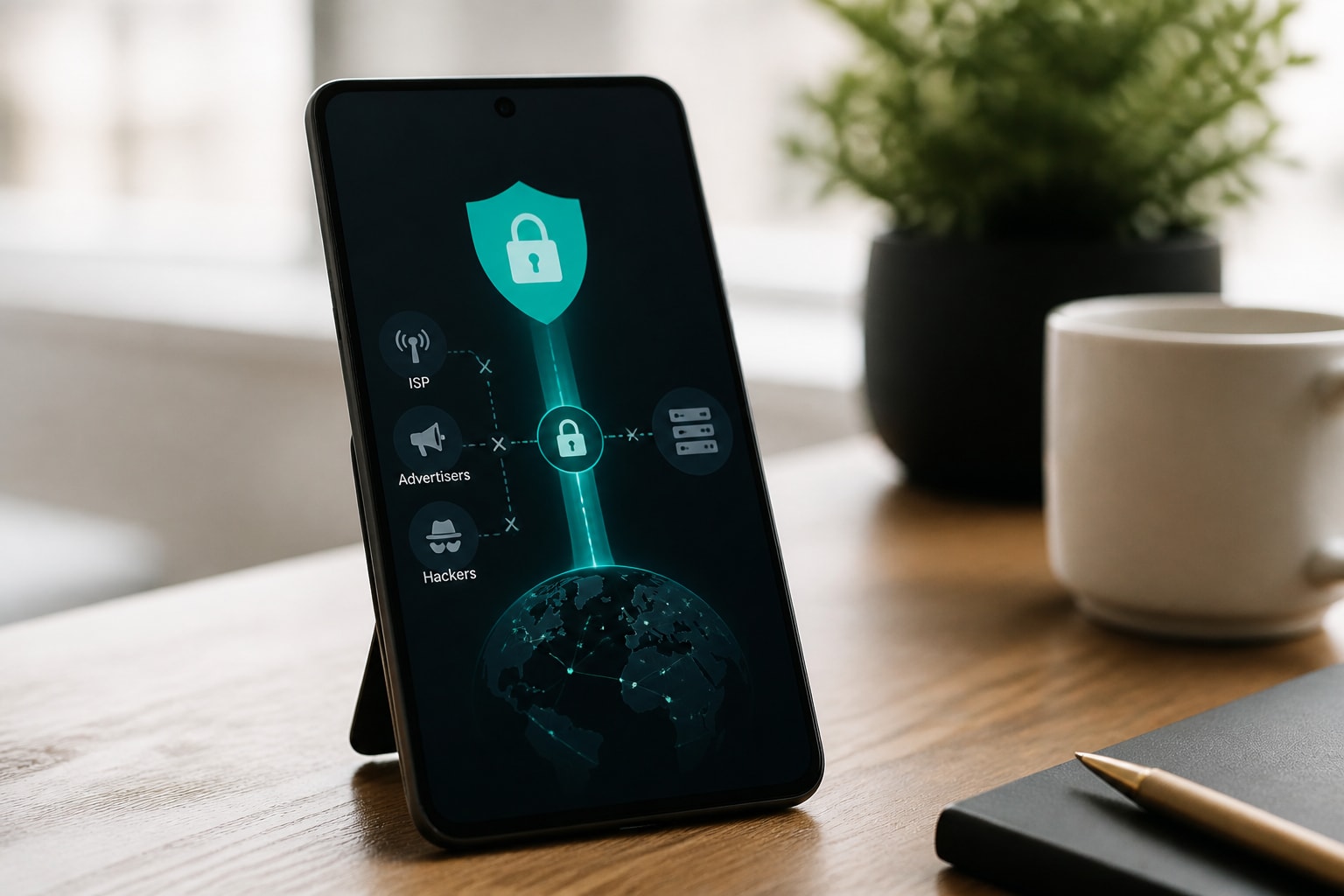
- Use a VPN so your traffic is encrypted before it leaves your device.
Our overview of the dangers of public WiFi explains each risk in more depth.
Are Wi-Fi Hotspots Worth It?
A personal Wi-Fi hotspot is worth it if you regularly work or travel where free networks are unreliable or unsafe, and it is not worth it if you rarely leave places with trusted WiFi.
Consider a portable hotspot when:
- You travel often and cannot count on stable venue networks.
- You handle work or account logins on the go.
- You need to connect several devices at once.
The device-count point matters on trips. One hotspot that connects several devices, such as the GlocalMe Numen Air 5G with up to 10 connections, avoids registering each device on a separate airport or hotel portal. On a trip that crosses borders, its CloudSIM coverage in 200+ countries means one device replaces a stack of local SIM cards. The SIMO Solis Pro 5G Hotspot suits shorter, simpler trips where the goal is portable 5G access of your own rather than a shared terminal network.
Free public access is enough when you only browse casually near home. Even then, a VPN adds a layer of privacy the network itself cannot offer, and it is the cheaper safeguard if a dedicated hotspot does not fit your travel pattern.
FAQ
How much is a hot spot for Wi-Fi?
Costs vary by device and data plan. The SIMO Solis Pro 5G Hotspot and GlocalMe Numen Air 5G are priced by their manufacturers, so check their pages for current figures. Phone-based tethering may cost nothing extra if your plan includes it.
Will a Wi-Fi hotspot work anywhere?
No. A hotspot depends on carrier coverage where you are, so signal strength varies by location. International devices with CloudSIM coverage widen your options, but 5G speeds still rely on local network support.
Before your next trip, list the airports, cafés and hotels you expect to use and decide now how you will protect your connection there. A VPN that encrypts your traffic and cuts the connection if it drops keeps those shared networks from becoming a privacy gap, and the ZioFree VPN 12 Months plan is the lower-cost way to cover regular use. You can Get Started Now with ZioFree and have encrypted, no-logs protection running before you join your next public network.