




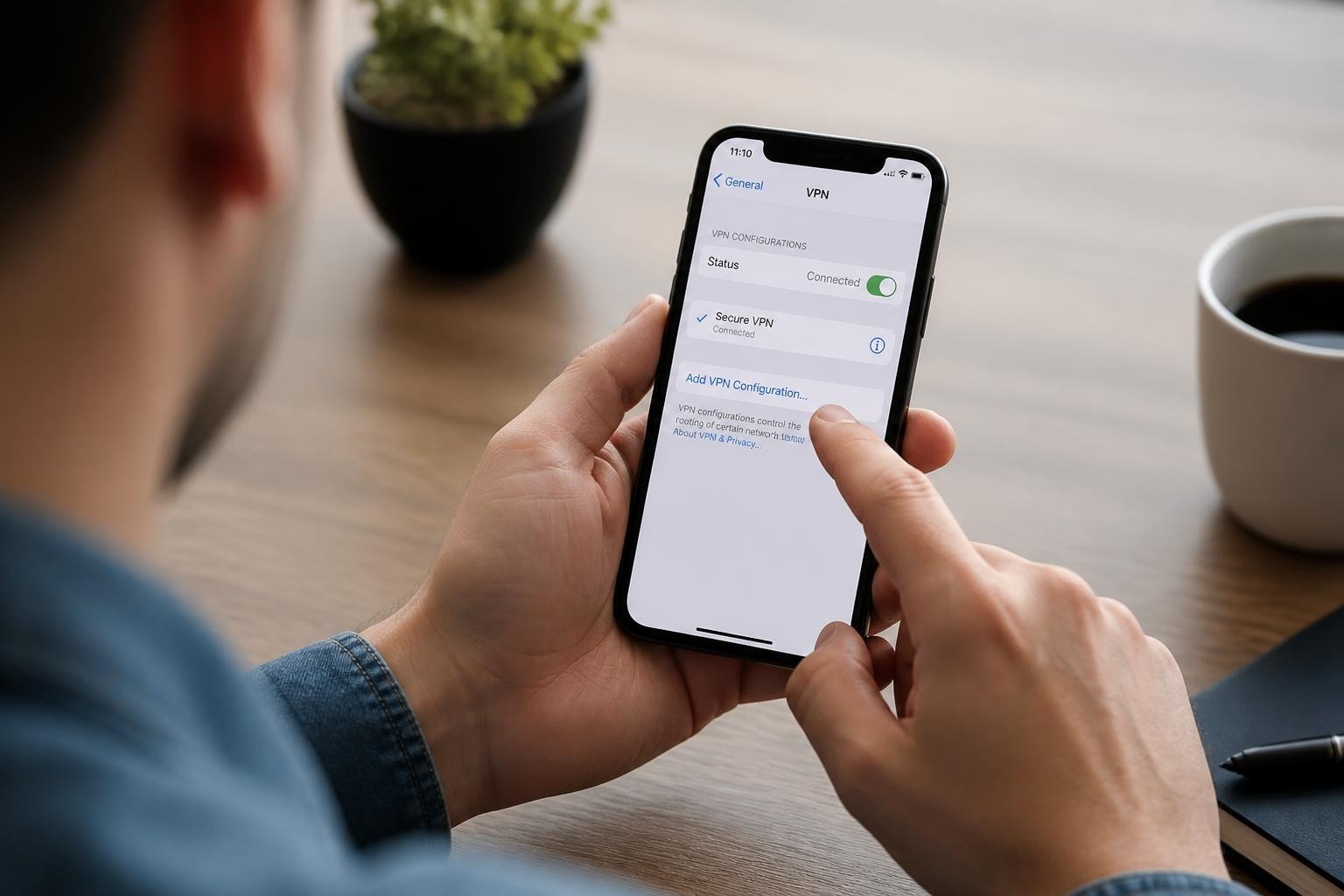
Understanding what a VPN configuration is on your iPhone represents a critical step toward protecting your digital privacy in 2026. As cyber threats continue to evolve and sophisticated hacking attempts become more prevalent, knowing how to properly configure VPN settings on iOS devices has become essential for both personal and professional security. When users search for "iphone what is vpn configuration," they're typically looking to understand not just the technical definition but also how to implement and manage these settings effectively on their devices.
Understanding iPhone VPN Configuration Fundamentals
iPhone VPN configuration refers to the collection of settings and parameters that define how your iOS device establishes and maintains a secure, encrypted connection to a VPN server. These configurations include protocol selection, server addresses, authentication credentials, and various connection rules that determine when and how the VPN activates.
At its core, an iPhone VPN configuration contains several key components:
- Protocol type (IKEv2, IPsec, OpenVPN, WireGuard)
- Server information (hostname or IP address, port numbers)
- Authentication credentials (username, password, certificates)
- Connection settings (automatic connection, on-demand rules, split tunneling)
- Encryption parameters (cipher suites, key exchange methods)
The iOS operating system supports multiple configuration methods, ranging from manual setup through the Settings app to automated deployment via configuration profiles. Apple's native support for VPN protocols is detailed in Apple's Platform Security guide, which explains how iOS handles VPN connections at the system level and the security measures built into the platform.
Why VPN Configuration Matters for iPhone Users
Your iPhone handles an enormous volume of sensitive data daily, from banking transactions to personal communications. Without proper VPN configuration, this information travels across networks in ways that can be intercepted, monitored, or manipulated by malicious actors.
Organizations and individual users benefit from properly configured VPNs in distinct ways. Businesses deploy VPN configurations to ensure remote workers access corporate resources securely, while individuals use them to protect privacy on public Wi-Fi networks and bypass geographic restrictions.
Native VPN Configuration Options on iOS
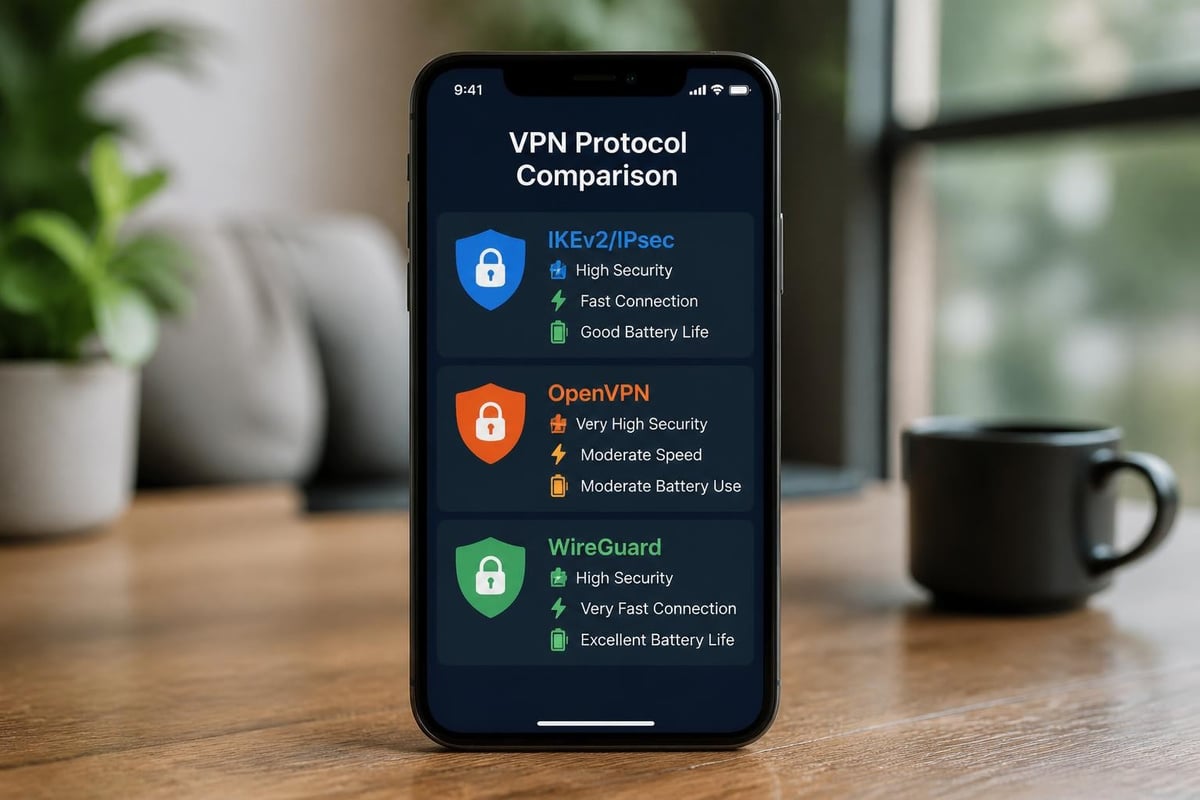
Apple provides built-in VPN support through the iOS Settings interface, allowing users to configure connections without third-party apps. When exploring iphone what is vpn configuration through native options, you'll encounter protocols that Apple has vetted for security and performance.
IKEv2/IPsec: Apple's Preferred Protocol
IKEv2 (Internet Key Exchange version 2) paired with IPsec represents Apple's recommended VPN protocol for iOS devices. This combination delivers robust security with excellent mobility support, making it ideal for users who frequently switch between Wi-Fi and cellular networks.
The protocol automatically reconnects when your network connection drops, a feature called MOBIKE (Mobility and Multihoming Protocol). This seamless reconnection happens without user intervention, maintaining your protected session even as you move between networks. The IKEv2 specification defines the cryptographic framework that ensures secure key exchange and data protection.
Benefits of IKEv2/IPsec on iPhone:
- Battery efficiency: Optimized for mobile devices with minimal power consumption
- Fast connection establishment: Typically connects in under two seconds
- Strong encryption: Supports AES-256-GCM and ChaCha20-Poly1305
- Native integration: No third-party apps required for basic setup
- Stability: Excellent performance on unstable cellular connections
Third-Party Protocol Support
While iOS natively supports IKEv2/IPsec and legacy L2TP, modern VPN services often implement OpenVPN or WireGuard through dedicated apps. These apps use Apple's NetworkExtension framework, specifically the NETunnelProviderManager API, to create system-level VPN connections that function similarly to native protocols.
Third-party VPN apps create configuration profiles that integrate directly with iOS networking, appearing in the VPN settings alongside manually configured connections. This integration allows for sophisticated features like automatic connection based on network conditions, split tunneling for specific apps, and custom DNS settings.
Manual VPN Configuration Process
Setting up a VPN manually on your iPhone provides maximum control over connection parameters and helps you understand exactly what's happening when you connect. This knowledge becomes particularly valuable when troubleshooting connection issues or optimizing performance.
Step-by-Step Manual Setup
To configure a VPN manually on your iPhone:
- Open Settings and navigate to General > VPN & Device Management
- Tap VPN and select Add VPN Configuration
- Choose your protocol type (IKEv2, IPsec, or L2TP)
- Enter configuration details provided by your VPN service
- Input server address, remote ID, and local ID fields
- Configure authentication method (username/password or certificate)
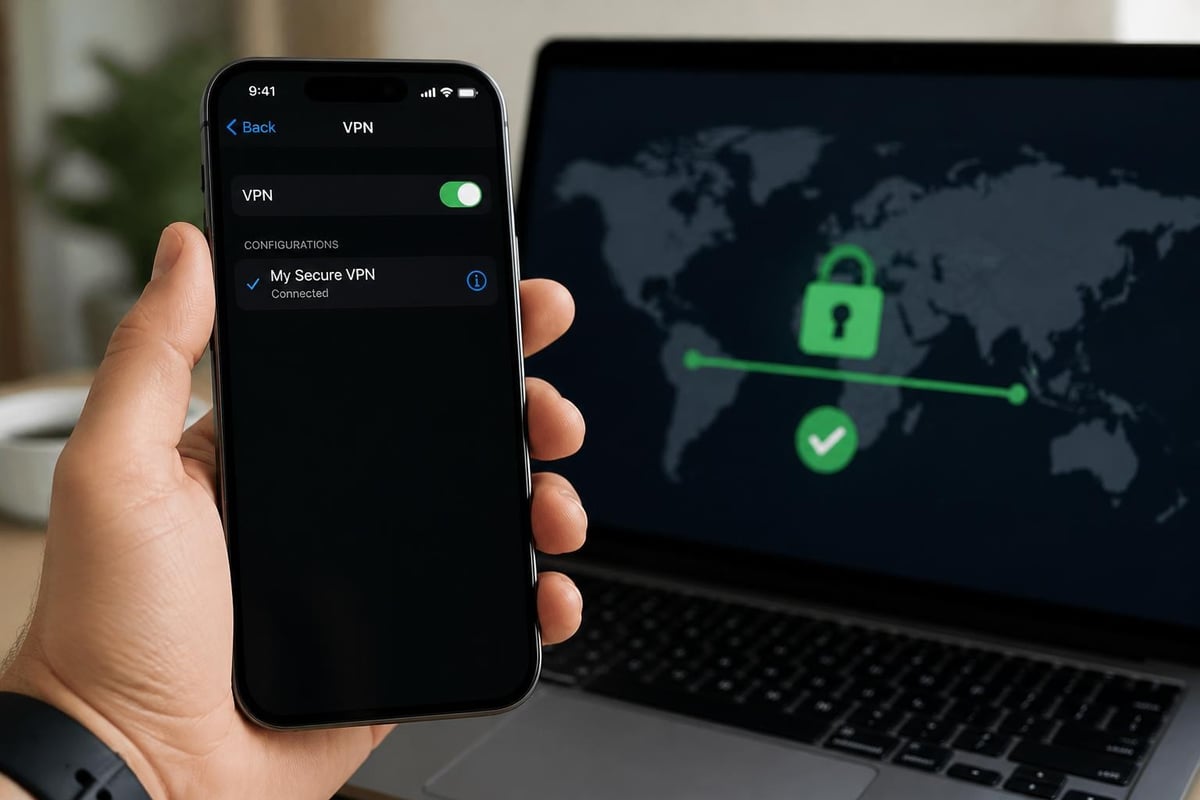
- Save the configuration and toggle the VPN switch to connect
The manual configuration process requires specific information from your VPN provider. For ZioFree users, detailed VPN setting instructions for iPhone are available to streamline this process and ensure optimal security settings.
| Configuration Field | Purpose | Example Value |
|---|---|---|
| Description | Connection name | ZioFree Primary |
| Server | VPN server address | vpn.ziofree.com |
| Remote ID | Server identifier | vpn.ziofree.com |
| Local ID | Client identifier | user@email.com |
| Authentication | Credential type | Username/Password |
| Proxy | Optional routing | Off (typically) |
Authentication Methods Explained
iPhone VPN configurations support multiple authentication approaches, each with distinct security characteristics. Username and password authentication offers simplicity but requires careful credential management. Certificate-based authentication provides stronger security by using cryptographic keys instead of passwords, eliminating the risk of credential theft through phishing.
For enterprise deployments, shared secret authentication combined with user credentials creates a two-factor approach. The shared secret acts as a pre-shared key that both client and server must possess, while user credentials verify individual identity. This dual-layer approach is commonly deployed through Microsoft Intune VPN profiles in corporate environments.
Enterprise VPN Deployment and Configuration Profiles
Organizations managing multiple iPhones face different challenges than individual users when addressing iphone what is vpn configuration questions. Enterprise VPN deployment typically relies on Mobile Device Management (MDM) systems that push configuration profiles to devices automatically.
Configuration Profile Architecture
Configuration profiles are XML-based files with a .mobileconfig extension that contain all necessary VPN settings. These profiles can be signed cryptographically to verify their authenticity and prevent tampering. When a user installs a configuration profile, iOS reads the VPN payload and automatically creates the connection without manual data entry.
The structure and implementation of these profiles is documented in the NIST macOS Security Compliance Project, which explains how configuration profiles work across Apple platforms. While focused on macOS, the underlying profile structure applies equally to iOS devices.
Configuration profiles enable advanced features including:
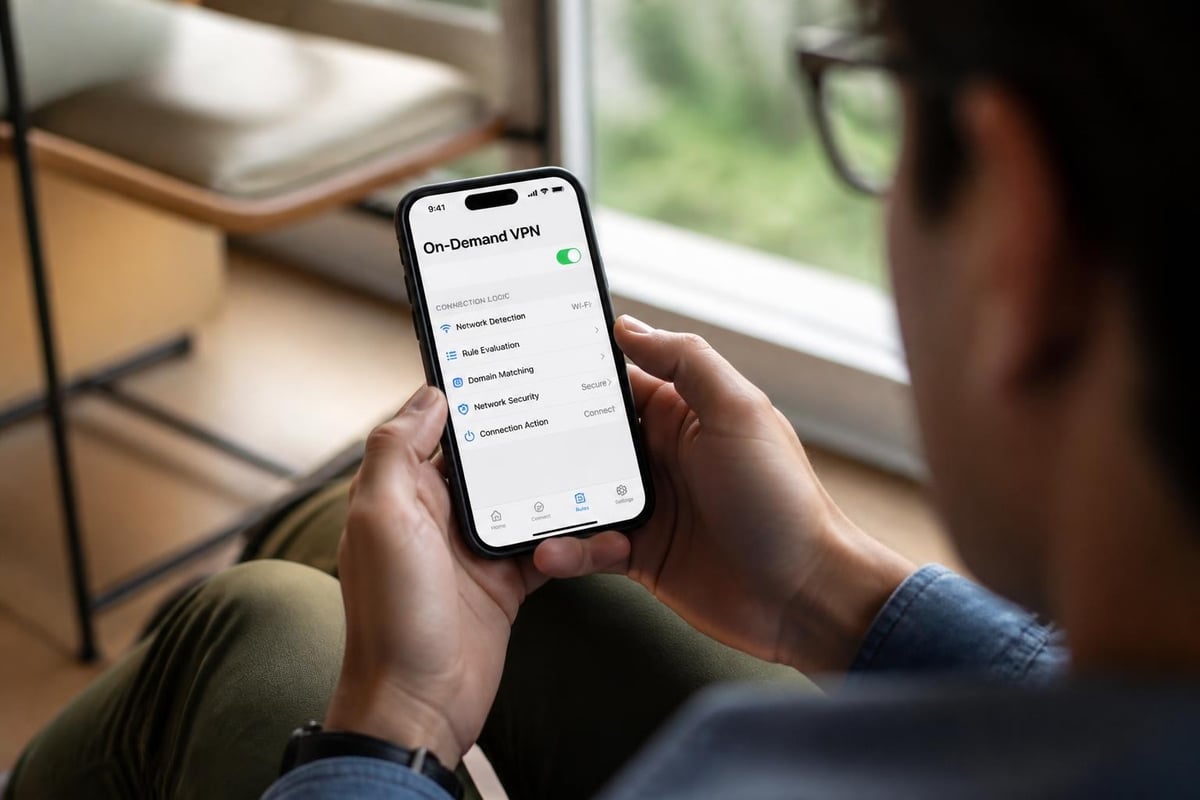
- On-Demand VPN: Automatically connects based on network conditions
- Per-App VPN: Routes only specific apps through the tunnel
- Always-On VPN: Maintains persistent connection with no user bypass
- DNS settings: Custom DNS servers for enhanced privacy
- Split tunneling: Selective routing for internal vs. external traffic
Per-App VPN for Enhanced Security
Per-App VPN represents one of the most powerful enterprise VPN features on iOS, allowing organizations to route only managed apps through the VPN tunnel. This approach minimizes VPN overhead while ensuring sensitive corporate apps maintain secure connections.
When configured properly, Per-App VPN creates isolated tunnels for designated applications while allowing other traffic to use direct internet connections. This selective routing improves battery life and network performance while maintaining security where it matters most. Understanding how VPN networks work helps administrators design effective Per-App VPN policies that balance security with usability.
Advanced VPN Configuration Features
Modern iPhone VPN configurations extend far beyond basic server connections, incorporating sophisticated rules and conditions that automate security based on your environment and usage patterns.
On-Demand VPN Rules
On-Demand VPN transforms your iPhone into an intelligent security device that automatically protects your connection when needed and stays dormant when unnecessary. This feature uses rules based on network characteristics, domain names, and other criteria to trigger VPN connections automatically.
Common On-Demand VPN rule configurations:
| Rule Type | Trigger Condition | Use Case |
|---|---|---|
| Connect | Joining public Wi-Fi | Coffee shop protection |
| Disconnect | Connecting to home network | Trusted environment |
| Evaluate Connection | Accessing specific domains | Corporate resource access |
| Ignore | Cellular network detection | Data usage management |
These rules can be combined into complex logic that adapts to your movement throughout the day. For example, your iPhone might automatically connect to a VPN when joining any Wi-Fi network except your home and office, disconnect when on cellular to preserve data, and always connect when accessing banking apps regardless of network type.
DNS Configuration and Privacy
VPN configurations can specify custom DNS servers that handle domain name resolution, adding another privacy layer beyond encrypted traffic. When you configure custom DNS settings through your VPN, all DNS queries travel through the encrypted tunnel, preventing your internet service provider from seeing which websites you're visiting based on DNS lookups.
Modern privacy-focused DNS options include DNS-over-HTTPS (DoH) and DNS-over-TLS (DoT), which encrypt DNS queries independently of VPN connections. However, combining encrypted DNS with VPN configuration provides comprehensive protection against multiple surveillance vectors. The CISA mobile communications guidance discusses how these technologies work together to protect mobile privacy.
Security Considerations and Best Practices
Configuring a VPN on your iPhone represents just the first step toward comprehensive mobile security. The effectiveness of your VPN configuration depends heavily on proper protocol selection, credential management, and ongoing monitoring.
Choosing the Right Protocol
When deciding which protocol to configure on your iPhone, consider the balance between security, speed, and battery life. IKEv2/IPsec generally offers the best all-around performance for mobile devices, but specific use cases may benefit from alternative protocols.
Protocol selection guidelines:
- Maximum security + compliance: IKEv2/IPsec with certificate authentication
- Best performance: WireGuard through third-party apps
- Corporate requirements: Protocol specified by IT department
- Legacy system compatibility: L2TP/IPsec (not recommended for new deployments)
The OWASP Mobile Security Testing Guide provides detailed methodology for validating VPN implementation security, including how to test for DNS leaks, proper encryption implementation, and vulnerability to network-based attacks. Security professionals use these guidelines when auditing VPN configurations for compliance and effectiveness.
Credential and Certificate Management
Secure credential storage represents a critical element of iPhone VPN configuration security. iOS stores VPN credentials in the Keychain, Apple's encrypted credential storage system. However, the strength of this protection depends on your device passcode and biometric settings.
For certificate-based authentication, ensure certificates are properly installed in the iOS certificate store and protected with appropriate access controls. Enterprise deployments should use MDM systems to deploy and manage certificates, preventing users from accidentally deleting or exporting critical authentication materials.
Troubleshooting Common Configuration Issues
Understanding iphone what is vpn configuration includes knowing how to diagnose and resolve common problems that prevent successful connections. Connection failures typically stem from incorrect server information, authentication problems, or network restrictions.
Connection Failures and Diagnostics
When your iPhone VPN fails to connect, systematic troubleshooting helps identify the root cause. Start by verifying basic connectivity to the VPN server's hostname or IP address, then progress through authentication and protocol-specific issues.
Systematic troubleshooting approach:
- Verify internet connectivity without VPN active
- Confirm server address spelling and format
- Check username and password for typos or expiration
- Test connection on different networks (Wi-Fi vs. cellular)
- Review iOS VPN logs in Settings > VPN
- Contact VPN provider for server status and configuration verification
Network restrictions on corporate or public Wi-Fi sometimes block VPN protocols entirely. IKEv2 uses UDP port 500 and 4500, which some firewalls restrict. If you encounter persistent connection failures on specific networks, consider whether the network administrator has implemented VPN blocking policies.
Performance Optimization
VPN configuration impacts iPhone performance through battery consumption, connection speed, and data usage. Optimizing these factors requires balancing security requirements against practical usability concerns.
Split tunneling configuration allows certain apps or destinations to bypass the VPN tunnel, reducing encryption overhead for traffic that doesn't require protection. However, implementing split tunneling requires careful consideration of which traffic truly needs protection. Understanding public Wi-Fi VPN security helps inform decisions about when to route all traffic through the tunnel versus selective routing.
Mobile Device Management and Scale Deployment
Organizations deploying VPN configurations to hundreds or thousands of iPhones require enterprise management tools that automate profile creation, distribution, and ongoing maintenance. MDM platforms provide centralized control over VPN settings while allowing for user-specific customization.
Profile Distribution Methods
IT administrators can deploy VPN configuration profiles through multiple channels, each with distinct advantages for different organizational structures and security requirements. Over-the-air profile distribution through MDM platforms provides the most scalable approach, automatically configuring devices as soon as they enroll in management.
The Microsoft Intune VPN settings reference documents every configurable field available in iOS VPN profiles, enabling administrators to design precise configurations that meet specific security policies. These detailed references prove invaluable when implementing complex scenarios like Per-App VPN or advanced On-Demand rules.
Enterprise deployment options include:
- MDM automatic enrollment: Devices receive profiles during initial setup
- Self-service portal: Users download profiles from company intranet
- Email distribution: Profiles sent as attachments (less secure)
- Configuration web service: Automated profile generation based on user identity
- Apple Business Manager integration: Zero-touch deployment for corporate devices
Compliance and Monitoring
After deploying VPN configurations, organizations must verify ongoing compliance and monitor for configuration drift. MDM platforms typically provide reporting dashboards showing which devices have active VPN profiles, when they last connected, and whether any configuration changes have occurred.
The NIST mobile device security guidance recommends specific monitoring practices for mobile VPN deployments, including regular audits of installed profiles, connection logging for security investigations, and automated remediation when devices fall out of compliance. These practices help organizations maintain security posture across distributed mobile device fleets.
Privacy and No-Logs Policies
When configuring VPN on your iPhone, the technical setup represents only one aspect of privacy protection. The VPN provider's logging policies and data handling practices fundamentally determine whether your configuration actually protects privacy or simply shifts surveillance from your ISP to the VPN company.
Understanding VPN Logging Practices
A VPN provider's logging policy defines what information they collect, store, and potentially share with third parties. No-logs policies commit providers to avoid collecting identifiable information about user activities, connection times, or browsing destinations. However, some minimal logging may be necessary for service operation, such as aggregate bandwidth usage for capacity planning.
When evaluating VPN services for iPhone configuration, scrutinize logging policies carefully. Some providers claim no-logs policies while collecting extensive connection metadata that can identify users and their activities. True privacy requires both technical VPN configuration excellence and trustworthy provider policies. Learning about no-log VPN principles helps you evaluate provider claims critically.
Jurisdiction and Legal Considerations
The legal jurisdiction where your VPN provider operates significantly impacts privacy protection, regardless of how well you configure your iPhone settings. Providers based in countries with mandatory data retention laws or extensive surveillance agreements may face legal obligations to log and retain user data.
Key jurisdictional considerations:
- Data retention laws: Mandatory logging requirements in provider's country
- Intelligence sharing agreements: Participation in Five Eyes, Nine Eyes, Fourteen Eyes
- Legal process requirements: Subpoena and warrant compliance obligations
- Whistleblower protections: Legal framework for reporting government overreach
Comparing Free vs. Paid VPN Configurations
The question of iphone what is vpn configuration often leads to choices between free and paid VPN services. While configuration processes remain similar, the underlying service quality, security implementation, and privacy protection differ substantially between free and premium providers.
Free VPN services frequently monetize through data collection, selling anonymized browsing information to advertisers and data brokers. This business model fundamentally contradicts VPN privacy promises, transforming your VPN from a protection tool into a surveillance mechanism. Additionally, free services typically offer limited server options, slower speeds, and data caps that restrict practical usability.
Premium VPN providers invest in infrastructure, security audits, and privacy protections that free services cannot match. The subscription model aligns provider incentives with user privacy, since customers pay directly for service rather than becoming the product. For comprehensive comparison of these approaches, review the analysis of paid VPN versus free alternatives to understand the full cost-benefit calculation.
Regional VPN Configuration Requirements
Geographic location influences both VPN configuration needs and technical requirements. Users in regions with extensive internet censorship require VPN configurations with obfuscation features that disguise VPN traffic as regular HTTPS connections, preventing network administrators from blocking VPN usage.
Censorship Circumvention Techniques
Advanced VPN configurations for censorship circumvention employ several technical approaches that modify how encrypted traffic appears to network monitoring systems. These techniques require specific server and protocol support beyond standard iPhone VPN configuration.
Anti-censorship configuration features:
- Obfuscation protocols: Disguise VPN traffic as regular web browsing
- Port flexibility: Use ports 443 or 80 to mimic HTTPS/HTTP traffic
- Shadowsocks integration: Proxy protocol designed for censorship evasion
- Bridge servers: Entry points that aren't publicly listed
- Domain fronting: Route connections through permitted domains
Users requiring VPN access in restrictive regions need providers with infrastructure specifically designed for these challenges, including servers optimized for obfuscation and responsive technical support for rapidly changing blocking techniques.
Understanding iPhone VPN configuration empowers you to take control of your mobile privacy and security in an increasingly hostile digital environment. Whether you're protecting sensitive communications from surveillance, securing your connection on public networks, or accessing restricted content safely, proper VPN configuration represents your first line of defense. ZioFree provides high-speed VPN access with strong encryption and a global server network, backed by a strict no-logs policy and advanced security protocols designed to protect you from sophisticated threats. Visit ZioFree today to secure your iPhone with professionally configured VPN protection that puts your privacy first.