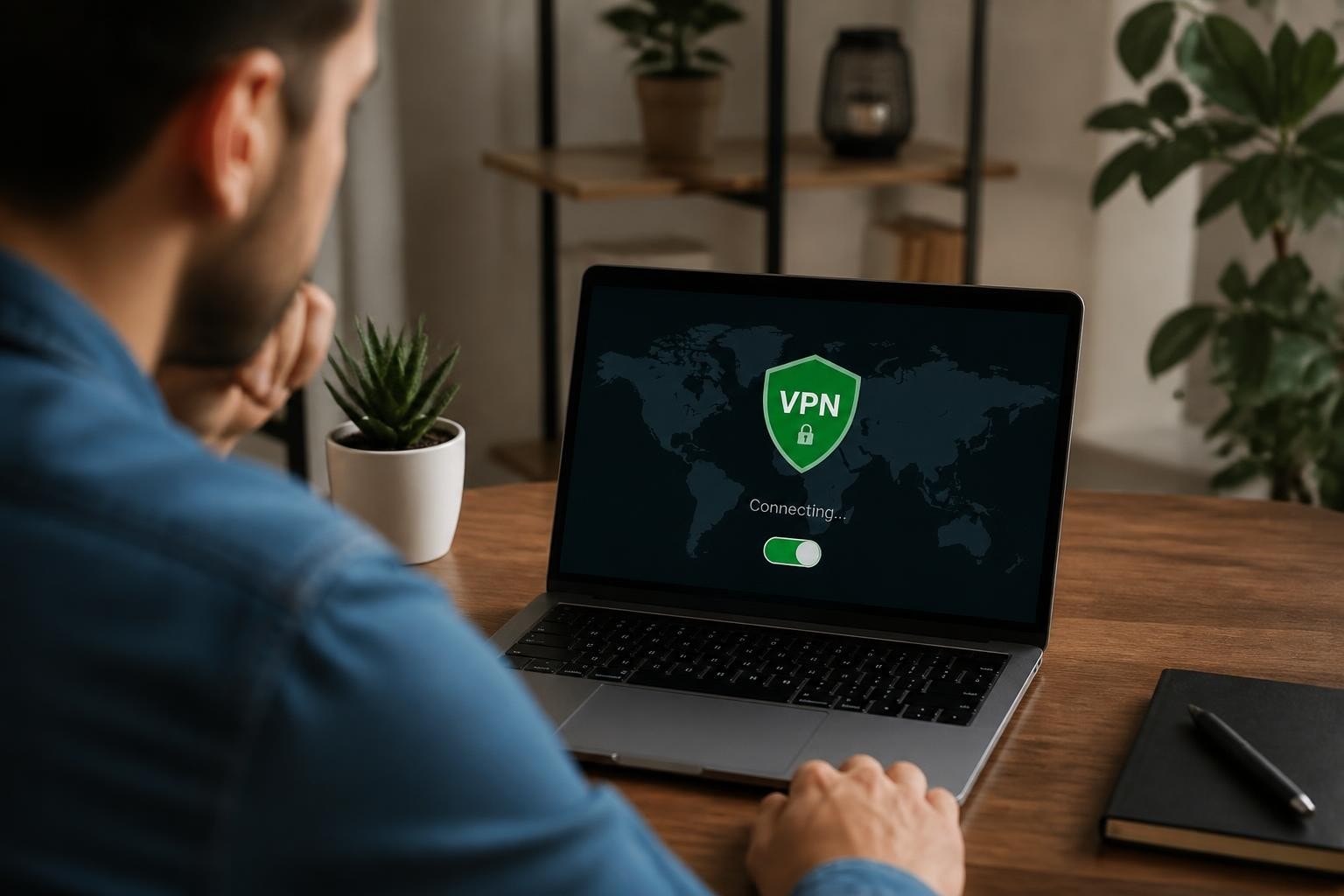
Finding the best freeware VPN for PC requires balancing security, performance, and privacy without spending a dime. While free virtual private networks offer basic protection for Windows users, understanding their limitations and capabilities is essential before trusting your digital privacy to these services. The VPN landscape in 2026 presents both opportunities and risks, especially for PC users seeking cost-effective solutions to protect their online activities from surveillance, data collection, and potential threats including sophisticated hacking attempts.
Understanding Free VPN Limitations for PC Users
Free VPNs operate under fundamentally different business models than premium services, which directly impacts their capabilities and trustworthiness. Most freeware VPN providers monetize through data collection, advertising, or by offering limited features to encourage upgrades. According to Consumer Reports' guidance on choosing VPNs, many free services log browsing data, inject advertisements, or sell anonymized user information to third parties.
Common restrictions in free PC VPN software include:
- Monthly data caps ranging from 500MB to 10GB
- Limited server locations (typically 3-5 countries)
- Reduced connection speeds during peak hours
- Single-device or single-connection limits
- Absence of advanced protocols like WireGuard
- No customer support or limited troubleshooting resources
The Electronic Frontier Foundation's VPN guide emphasizes that these limitations aren't merely inconveniences but can represent genuine security compromises. When evaluating the best freeware VPN for PC, understanding what you're sacrificing helps determine whether free solutions meet your specific needs.

Security Protocols and Encryption Standards
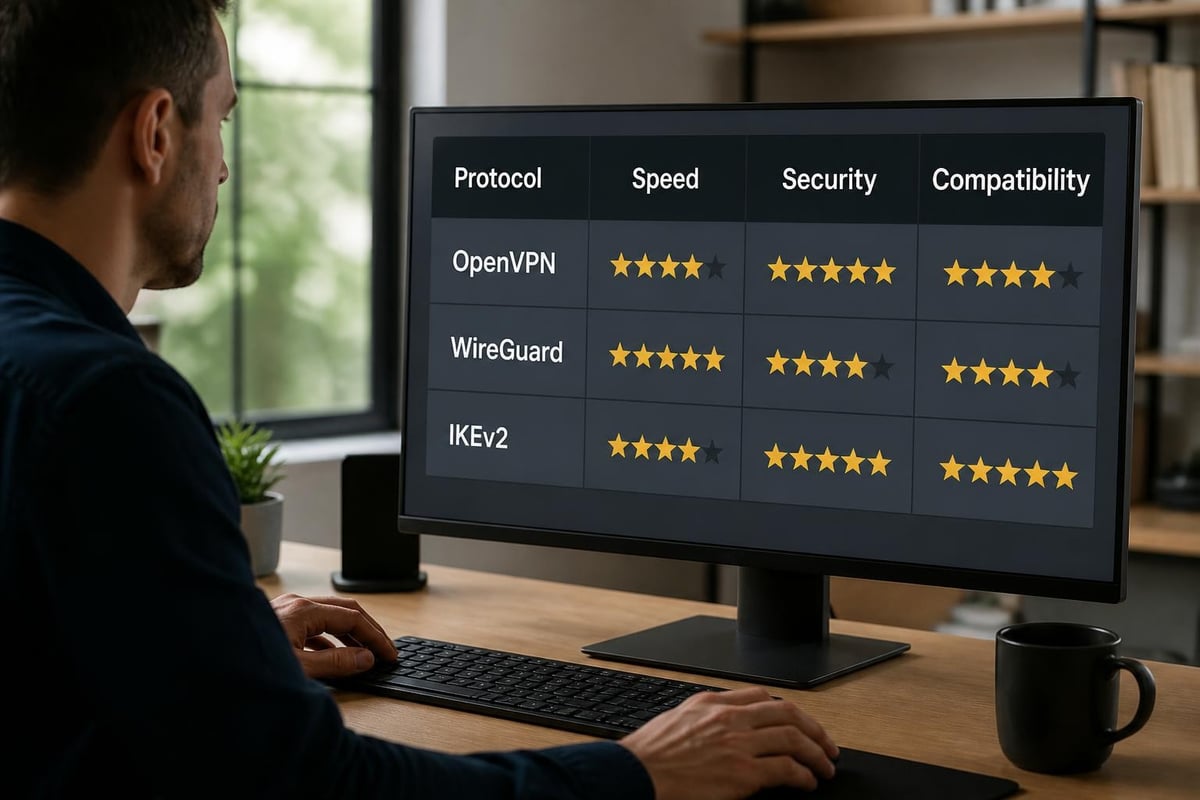
The best freeware VPN for PC must support modern encryption standards regardless of price. According to NIST's VPN security guidelines, secure VPN implementations require strong cryptographic algorithms and proper protocol implementation. Most reputable free VPNs utilize OpenVPN or IKEv2/IPsec protocols with AES-256 encryption, providing military-grade security for your PC connections.
However, some questionable free services employ outdated protocols like PPTP or L2TP without proper encryption layers. These legacy protocols contain known vulnerabilities that sophisticated attackers can exploit. When comparing secure VPN options, verify that your chosen freeware solution implements current security standards rather than deprecated technologies.
Recent academic research on VPN vulnerabilities demonstrates that even properly configured VPNs can leak identifying information through DNS requests, WebRTC, or IPv6 traffic. The best freeware VPN for PC includes built-in leak protection mechanisms that prevent your real IP address from being exposed during connection drops or protocol failures.
Evaluating Privacy Policies and Data Practices
Privacy policies reveal whether a free VPN truly protects your information or exploits it for profit. Many users overlook this critical document when selecting the best freeware VPN for PC, yet it defines exactly what data gets collected, stored, and potentially shared. Ohio's Attorney General guidance on VPNs recommends carefully reviewing privacy policies before installation.
| Privacy Factor | Best Practice | Red Flags |
|---|---|---|
| Logging Policy | Minimal connection metadata only | Activity logs, browsing history stored |
| Data Retention | 24-48 hours maximum | Indefinite storage periods |
| Third-Party Sharing | None or anonymized analytics | Advertising networks, data brokers |
| Jurisdiction | Privacy-friendly countries | Five/Fourteen Eyes nations |
| Transparency Reports | Published annually | No accountability documentation |
A genuinely private VPN maintains a strict no-logs policy verified through independent audits. Free services claiming "zero logs" should substantiate these claims with third-party verification or transparent operational practices. Unfortunately, many freeware VPN providers cannot afford comprehensive security audits, leaving users to trust unverified promises.
Performance and Speed Considerations
Free VPN services typically implement speed throttling to encourage premium upgrades, making performance a significant concern when identifying the best freeware VPN for PC. Bandwidth limitations affect not just download speeds but also streaming quality, video conferencing, and general browsing responsiveness. Testing your chosen VPN with a bandwidth assessment reveals real-world performance under typical usage conditions.
Server proximity dramatically impacts connection speeds. Free VPNs offering servers in your region provide better performance than those requiring connections to distant countries. However, geographic diversity matters for accessing region-restricted content or routing around censorship. The balance between speed and server availability distinguishes adequate free VPNs from exceptional ones.
Connection stability represents another performance dimension often compromised in free offerings. Premium services maintain robust server infrastructure with minimal downtime, while budget-constrained free VPNs may experience frequent disconnections, especially during peak usage periods when server loads increase substantially.
Top Free VPN Options for Windows PC
Selecting the best freeware VPN for PC requires comparing specific offerings against your security requirements and usage patterns. PCWorld's comprehensive review highlights several reliable free options that balance usability with reasonable privacy protections for Windows users.
ProtonVPN Free stands out for unlimited bandwidth without data caps, a rarity among free VPN services. This Swiss-based provider offers servers in three countries with strong encryption and a verified no-logs policy. The free tier includes only basic server access and doesn't support P2P traffic, but for general browsing and privacy protection, it delivers consistent performance without hidden costs.
Windscribe Free provides 10GB monthly data across multiple server locations when you confirm your email address. Their privacy policy explicitly states they don't log browsing activity or connection timestamps, recording only monthly bandwidth usage. The Windows client includes built-in ad-blocking and tracker prevention, adding value beyond basic VPN functionality.
Hide.me Free offers 10GB monthly with servers in five locations and supports all major VPN protocols including WireGuard. Their service maintains a strict no-logs policy and allows torrenting even on free accounts. The Windows application provides split-tunneling capabilities, letting you route specific applications through the VPN while others connect directly.
Installation and Configuration Best Practices
Properly configuring the best freeware VPN for PC maximizes both security and performance. Before installation, verify you're downloading from the official provider website rather than third-party software repositories that might bundle malware or modified versions. Windows Defender and reputable antivirus software should remain active during installation to catch potential threats.
- Download verification: Check digital signatures and file hashes against official sources
- Permission review: Examine requested Windows permissions during installation
- Protocol selection: Choose OpenVPN or WireGuard over legacy protocols when available
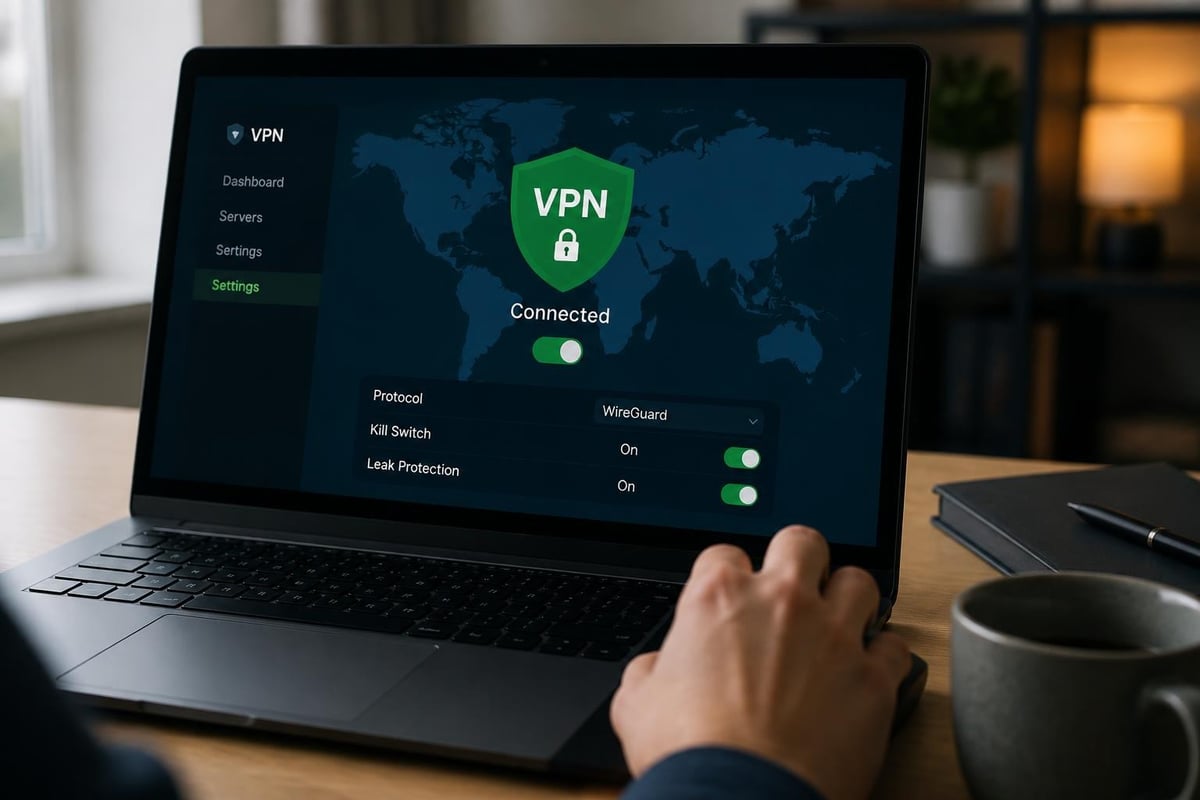
- Kill switch activation: Enable automatic disconnection if VPN drops unexpectedly
- DNS leak protection: Verify proper DNS configuration prevents information leakage
- Auto-connect settings: Configure automatic VPN connection on Windows startup
- Split tunneling: Designate which applications require VPN protection
After installation, test your VPN connection using multiple leak-detection websites to confirm your real IP address remains hidden and DNS requests route through VPN servers. Understanding how to hide your IP address on PC provides additional context for verifying proper VPN operation beyond simply connecting to a server.
Security Risks and Mitigation Strategies
Not all free VPNs deserve trust with your data. TechRadar's analysis documents numerous free VPN applications caught injecting tracking scripts, logging sensitive information, or containing malware. The best freeware VPN for PC comes from established companies with transparent operations rather than unknown developers with suspicious privacy practices.
Warning signs indicating problematic VPN services:
- Requests for excessive Windows system permissions
- Lacks clear privacy policy or terms of service
- Requires invasive personal information for registration
- Contains overwhelmingly negative reviews citing malware
- Ownership structure remains deliberately obscured
- Displays intrusive advertising within the application
- Originates from jurisdictions with poor privacy protections
The AV-Comparatives security survey reveals that 38% of consumers worry about VPN providers themselves compromising privacy. This concern proves particularly valid with free services operating under opaque ownership structures. When comparing paid vs free VPN options, security transparency often justifies premium pricing.
Complementary Privacy Tools for PC
The best freeware VPN for PC works most effectively when combined with additional privacy measures creating layered defenses. While VPNs encrypt your connection and mask your IP address, they don't prevent browser fingerprinting, cookie tracking, or application-level data collection. Understanding the difference between VPN and incognito mode clarifies these distinct protection mechanisms.
| Privacy Tool | Function | VPN Interaction |
|---|---|---|
| HTTPS Everywhere | Forces encrypted website connections | Complements VPN encryption |
| uBlock Origin | Blocks trackers and malicious scripts | Reduces tracking beyond IP masking |
| Privacy Badger | Learns and blocks invisible trackers | Works independently of VPN |
| Firefox Multi-Account Containers | Isolates browsing contexts | Separates identities using same VPN |
| DNS-over-HTTPS | Encrypts DNS lookups | Adds layer to VPN DNS protection |
Browser extensions and privacy-focused applications strengthen your overall security posture without relying exclusively on VPN protection. These complementary tools address different attack vectors and tracking methods, creating comprehensive privacy coverage across your PC usage patterns.
Use Cases and Practical Applications
Different usage scenarios determine which features matter most when selecting the best freeware VPN for PC. Casual browsing requires minimal data and basic encryption, while streaming video demands higher bandwidth allocations and reliable server connections. Remote workers need stable connections with professional-grade security, whereas travelers prioritize server diversity for accessing region-restricted services.
Public Wi-Fi protection represents the most critical VPN application for many PC users. Coffee shops, airports, hotels, and coworking spaces operate networks where malicious actors can intercept unencrypted traffic. Even basic free VPNs provide substantial protection against these threats by encrypting all data leaving your computer. Learning about secure Wi-Fi VPN usage ensures you maintain protection across various network environments.
Bypassing geographic restrictions enables access to content unavailable in your region, though free VPNs often struggle with popular streaming platforms. Services like Netflix, Hulu, and BBC iPlayer actively block known VPN IP addresses, making this use case challenging without premium providers. However, unblocking YouTube and accessing region-restricted news sites typically succeeds with reputable free VPNs.
Browsing Anonymously and Avoiding Surveillance
Achieving genuine anonymity requires more than simply connecting to the best freeware VPN for PC. While VPNs mask your IP address from websites and your internet service provider, comprehensive anonymous browsing demands additional precautions including disabling JavaScript, using privacy-focused browsers, and avoiding logging into personal accounts while connected.
Sophisticated adversaries can correlate browsing patterns even when IP addresses change, particularly if you maintain consistent browsing habits or visit unique combinations of websites. The Tor network provides stronger anonymity guarantees than VPNs, though with significant performance penalties. For most users, a properly configured VPN offers sufficient protection against routine surveillance and data collection without Tor's usability compromises.
Privacy extends beyond technical measures to behavioral patterns. Logging into Google, Facebook, or other services that maintain persistent user profiles undermines VPN anonymity by directly identifying you regardless of IP address. Separating private browsing sessions from authenticated activities maximizes the protection your VPN provides.
Alternative Solutions and Hybrid Approaches
When free VPN limitations become too restrictive, several alternative approaches provide enhanced security without substantial costs. Some premium VPN providers offer limited-time trials or money-back guarantees allowing full-featured testing before commitment. These trials deliver professional-grade performance while you evaluate whether premium features justify ongoing expenses.
Self-hosted VPN solutions using cloud infrastructure provide complete control over your VPN server at minimal monthly costs. Services like AWS, DigitalOcean, or Vultr enable deploying OpenVPN servers for $5-10 monthly, eliminating third-party trust concerns while offering dedicated bandwidth. However, this approach requires technical knowledge and doesn't provide geographic diversity without maintaining multiple server instances.
Browser-based privacy extensions offer lightweight alternatives for specific use cases. These tools lack comprehensive PC-wide protection but require zero bandwidth allocation and impose no speed penalties. When combined with selective VPN usage for sensitive activities, browser extensions create efficient hybrid privacy strategies.
For users needing reliable protection without free tier limitations, exploring affordable VPN alternatives reveals professional services starting under $3 monthly with annual commitments. These budget-friendly options deliver substantially better performance, support, and privacy guarantees than even the best freeware VPN for PC can offer.
Making Your Final Decision
Choosing the best freeware VPN for PC ultimately depends on your specific requirements, risk tolerance, and usage patterns. Evaluate candidates based on concrete criteria rather than marketing claims, and test selected services in realistic scenarios before relying on them for critical privacy protection. Tom's Guide's safety analysis provides additional perspective on distinguishing trustworthy free VPNs from potentially dangerous alternatives.
Decision framework for selecting your VPN:
- Define your primary use cases (browsing, streaming, public Wi-Fi)
- Determine minimum acceptable bandwidth requirements
- Identify necessary server locations for your needs
- Research provider reputation and privacy practices
- Verify protocol support and encryption standards
- Test connection speed and stability
- Confirm leak protection through independent testing
- Review terms of service and data policies
- Assess upgrade paths if free tier proves insufficient
- Monitor performance and privacy over initial usage period
Remember that the best freeware VPN for PC today might change as providers modify their offerings, adjust data caps, or alter privacy policies. Periodic reassessment ensures your chosen solution continues meeting your evolving security needs without introducing new risks or limitations.
Selecting reliable VPN protection for your PC doesn't require expensive subscriptions, though free solutions demand careful evaluation of privacy practices and limitations. Whether you choose freeware options or invest in professional-grade services, protecting your digital privacy from threats including sophisticated hacking attempts remains essential in 2026's connected environment. ZioFree delivers the security, speed, and privacy you need with strong encryption, global server coverage, and a verified no-logs policy ensuring your data stays protected without compromise.