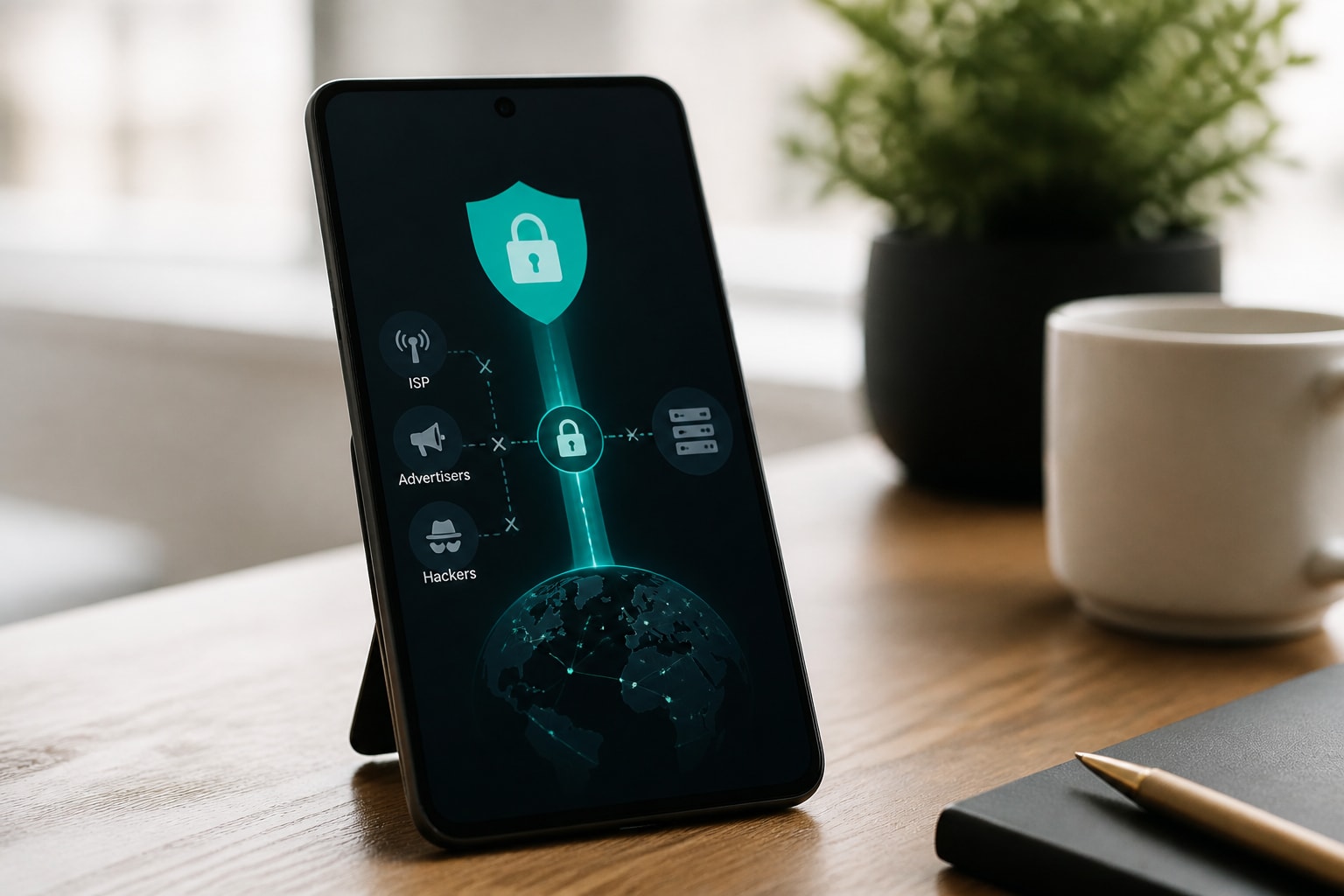




Using a VPN with Netflix is legal in most countries and works best when the goal is privacy rather than unlocking another country's catalog. A VPN encrypts your connection so your ISP, advertisers and anyone on the same network cannot see what you stream, but Netflix actively blocks many VPN addresses, so results depend on the service you choose and how you set it up.
This guide covers the legal position, how Netflix detects VPNs, how to connect safely on each device, what to do when errors appear, and how to keep your viewing private.
Is Using a VPN for Netflix Legal?
Using a VPN for Netflix is legal in the United States and most other countries, because a VPN is a standard privacy tool. What can be restricted is the way you use it. Netflix's Terms of Use state that members may access content primarily in the country where they established their account, and only where their plan and the content are licensed.
In practice, that creates two separate questions:
- Law: Connecting through a VPN is not a crime in the US, Canada, the UK or most of Europe. A small number of countries restrict or ban VPN use, so check local rules before you travel.
- Service terms: Using a VPN to watch titles licensed for another region can breach Netflix's terms. The usual consequence is a blocked stream or an error message, not legal action.
A privacy-focused approach avoids most of this friction. If you use a VPN to shield your traffic from your ISP and from hackers on public networks, and you keep watching the catalog your account is licensed for, you stay well inside the terms.
How Netflix Detects and Blocks VPN Traffic
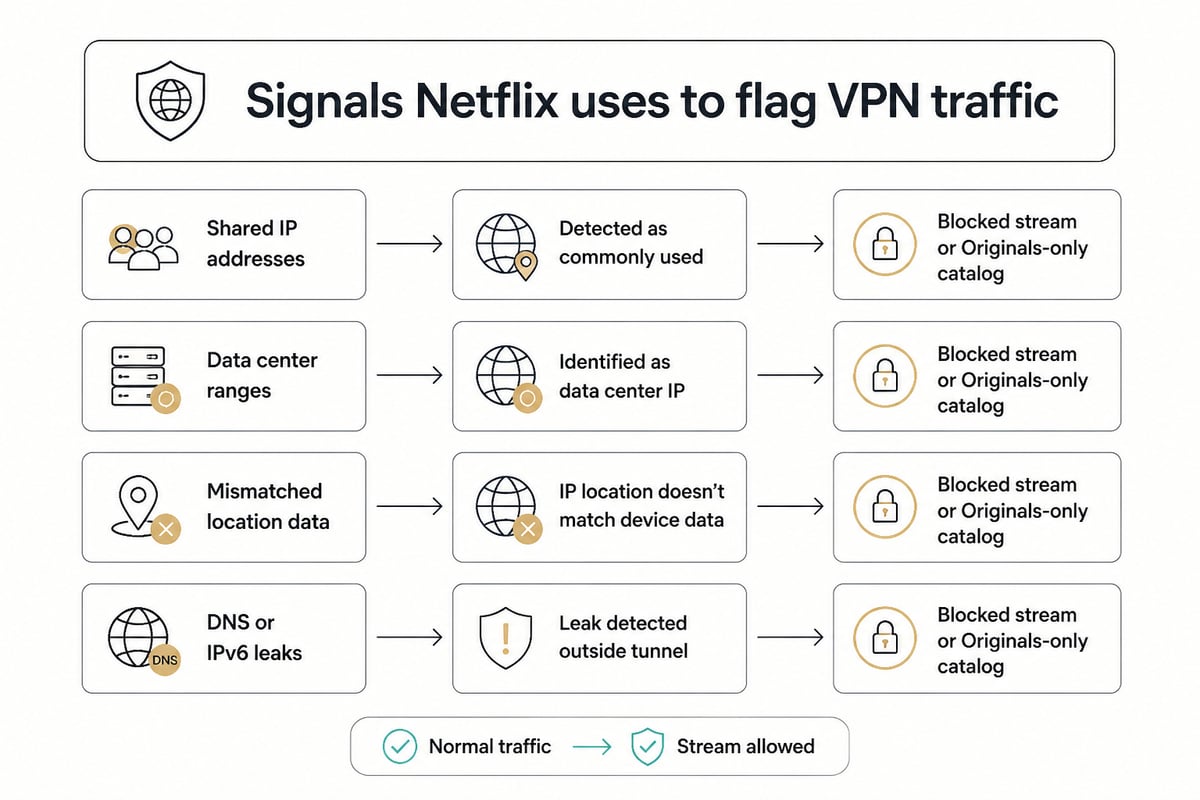
Netflix detects VPNs by flagging IP addresses that are shared by many users or that belong to known data centers. A VPN server can give many people the same address, and Netflix can spot that pattern.
Several signals trigger a block:
- Shared IP addresses. Many accounts streaming from one address looks unlike a normal household.
- Data center ranges. Commercial hosting addresses are easy to identify and list.
- Mismatched location data. A billing country, device language and IP address that disagree raise a flag.
- DNS and IPv6 leaks. If your real location leaks around the tunnel, Netflix can see it.
Netflix also acknowledges that mistakes happen. Its ISP support documentation lists incorrectly flagged VPN or proxy IP addresses as a type of streaming issue that internet service providers can report. A blocked server is not always a sign that your VPN is broken.
When a VPN is detected, Netflix says that a viewer may see only TV shows and movies available globally on Netflix, according to its Help Center. That is why you may see a smaller catalog while connected.
Why Privacy-Conscious Viewers Use a VPN with Netflix
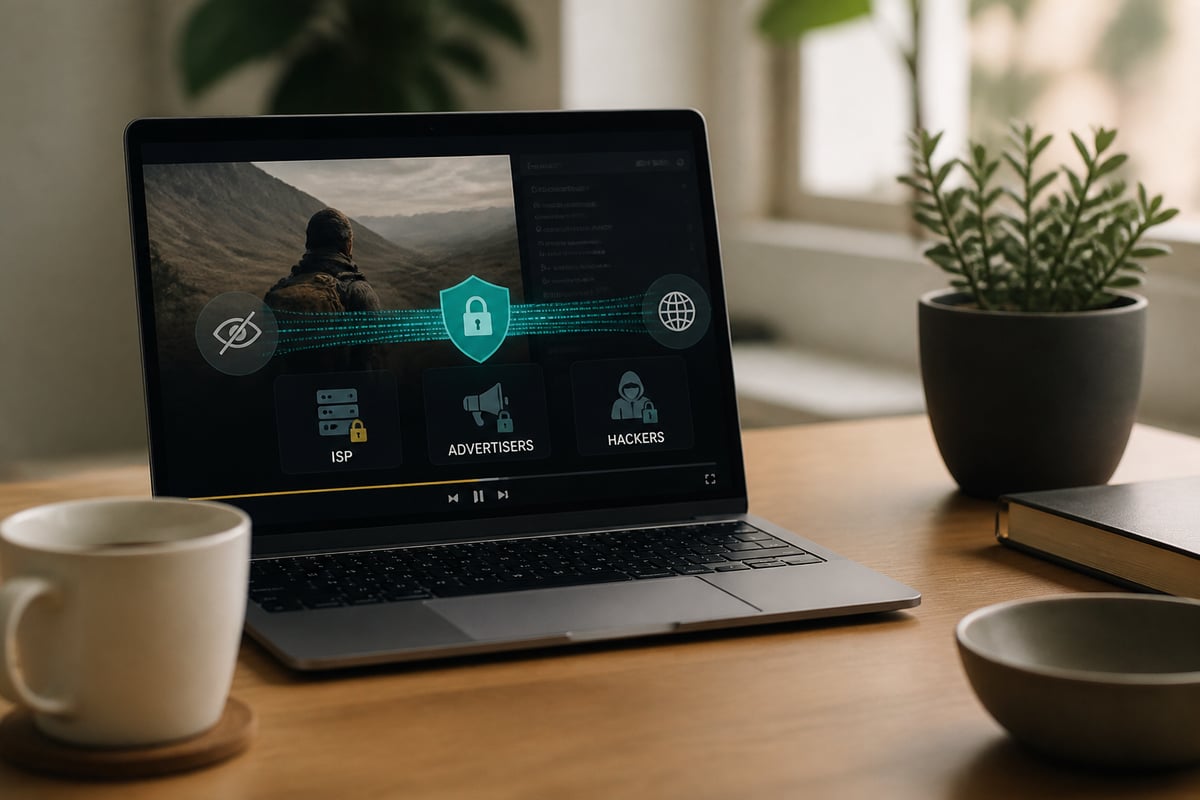
Privacy-conscious viewers use a VPN with Netflix mainly to stop their ISP from logging streaming habits and to secure their connection on untrusted networks. Netflix encrypts the video stream itself, but your ISP can still see which services you connect to, when, and for how long.
A VPN changes what outsiders can observe:
- ISP visibility. Your provider sees only an encrypted tunnel to the VPN server, not the destination.
- Advertiser profiling. Hiding your real IP address makes it harder to tie viewing sessions to your household.
- Public Wi-Fi protection. In hotels, airports and cafes, a VPN prevents other users on the network from intercepting your traffic. See our guide on using a VPN on public Wi-Fi for setup details.
- Throttling resistance. Some ISPs slow streaming traffic. Encrypting the connection can hide the signals they use to do it.
None of this requires changing your Netflix region. You can connect to a server in your own country and still gain the privacy benefits.
What to Look for in a VPN for Netflix
A good VPN for Netflix combines fast, stable servers with strong privacy protections, because streaming demands both. Weak encryption or leaky connections defeat the purpose, and slow servers cause buffering.
Check these features before you commit:
- Speed and unlimited bandwidth. HD and 4K streams consume large amounts of data. Data caps and throttled plans cause buffering and interruptions.
- Strong encryption. AES-256 is the standard for protecting traffic in transit.
- A verified no-logs policy. If a provider keeps connection records, your streaming history is still stored somewhere.
- A kill switch. If the tunnel drops, the kill switch cuts traffic so your real IP is never exposed.
- Split tunneling. This lets you route only chosen apps through the VPN while others use your normal connection.
- Server breadth. More servers in more locations means more clean IP addresses when one is blocked.
ZioFree offers high-speed VPN access with strong encryption, a global server network and a strict no-logs policy. The monthly plan, ZioFree VPN Monthly, includes unlimited bandwidth and access to all servers.
Be cautious about free tools. They often fund themselves through data collection and limit speeds, which undermines both privacy and streaming quality. Our comparison of paid versus free VPNs explains the trade-offs.
How to Set Up Netflix with a VPN, Step by Step
Setting up a VPN for Netflix takes about five minutes: install the app, choose a server, connect, then open Netflix. The steps are nearly identical on every platform.
- Subscribe and install. Create an account and download the VPN app for your device.
- Enable safety features. Turn on the kill switch and confirm the protocol is set to the recommended default.
- Pick a server. Choose a location that matches the catalog you want. For privacy alone, choose a server in your own country.
- Connect and verify. Once connected, check that your visible IP address has changed.
- Clear stale data. Restart the Netflix app or clear your browser cache so it reads your new connection.
- Start streaming. Sign in and play a title.
For a deeper walkthrough of the service side, see our overview of VPN services for Netflix.
Using a VPN with Netflix on Different Devices
You can use a VPN with Netflix on computers, phones, tablets, streaming sticks and consoles, though the method differs by device. Computers and phones run a VPN app directly. Many TVs and consoles cannot, so they need a different route.
Windows, Android and iPhone
Install the VPN app, connect, then open Netflix in your browser or the Netflix app. iPhone users can review the VPN setting for iPhone if the connection will not stay active. Note that ZioFree's macOS app is still in development, so Mac users should wait for its release.
Smart TVs, Fire TV and game consoles
Most smart TVs lack native VPN support. Two reliable workarounds exist: install the VPN on your router so every connected device is covered, or share a VPN connection from a computer. Routers also protect devices that cannot run apps. Our guides on setting up a VPN with a router and a VPN router for PS5 cover both approaches.
Use split tunneling for streaming apps
Split tunnelling lets you send only selected apps through the VPN. You can route Netflix through the encrypted tunnel while banking apps or local services use your regular connection, which avoids location flags on sensitive accounts.
How to Use Netflix When Traveling
To use Netflix when traveling, connect to a VPN server in your home country so your account sees a familiar location. Travel often triggers the problem in reverse: your catalog changes, or a hotel network blocks streaming.
Follow these steps on the road:
- Connect before you open Netflix. Starting the VPN first prevents the app from caching your foreign location.
- Choose a server at home. This restores the library tied to your account.
- Protect hotel and airport Wi-Fi. Shared networks expose unencrypted traffic. A VPN adds encryption on top of it.
- Keep the kill switch on. Weak signals can drop your tunnel, and the kill switch stops any unprotected traffic.
Netflix itself notes that available titles vary by location and can change over time, so some differences are normal when you cross borders. Travelers heading to countries with heavy filtering should read about Netflix with a VPN in China.
Does the Netflix VPN Trick Still Work?
The Netflix VPN trick still works only intermittently, because Netflix continually blocks the server addresses VPNs use. A connection that streams perfectly today may be blocked next week.
Netflix does not guarantee that a particular title will be available at any given time. Its Terms of Use say content and features may be temporarily unavailable because of demand, technical constraints or maintenance. That makes it hard to tell whether a failure is a VPN block or an ordinary outage.
Set realistic expectations. A VPN is a reliable privacy tool and an unreliable region switcher. If your goal is encrypted, untracked viewing in your own country, the approach works consistently. If your goal is another country's library, expect to switch servers often.
How to Fix Netflix VPN Errors
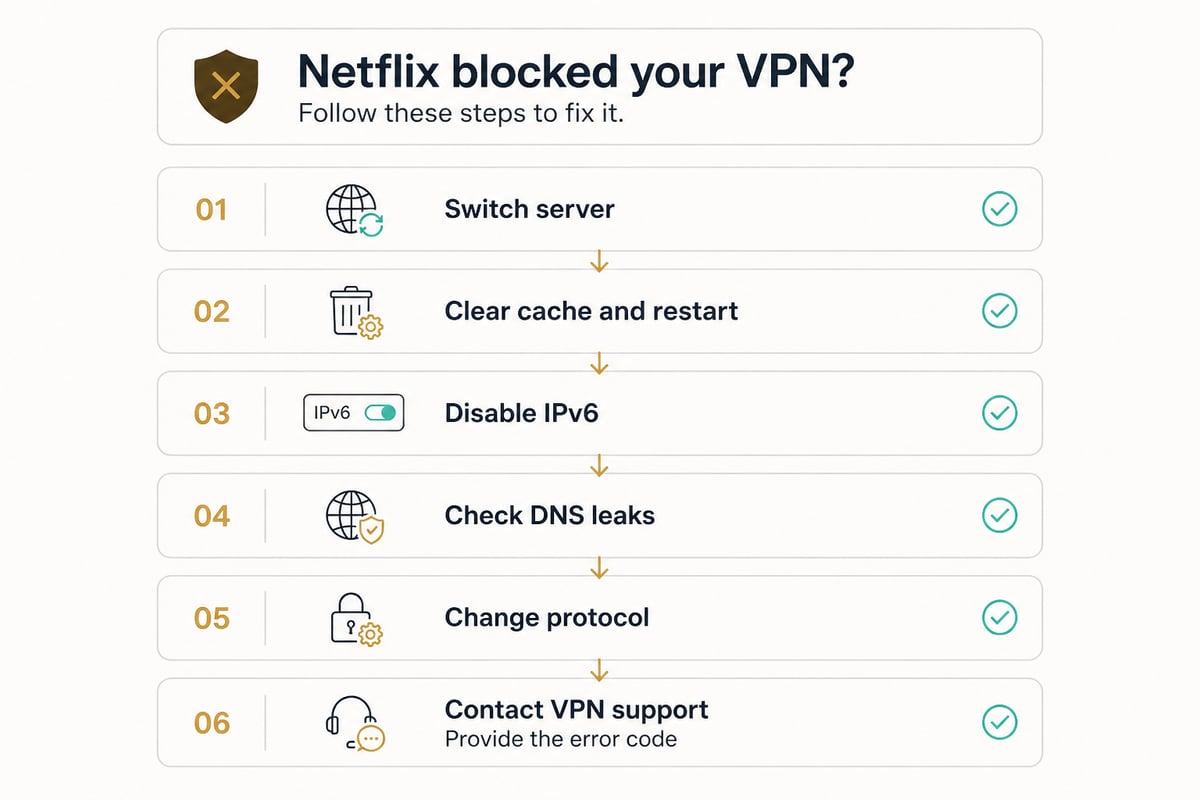
To fix a Netflix VPN error, start by switching servers, since the most common cause is a blocked IP address. Work through these fixes in order.
- Connect to a different server. Another address in the same country is often clean.
- Restart and clear data. Close the Netflix app, clear the browser cache and cookies, and reconnect.
- Disable IPv6. An IPv6 leak can reveal your real location around the tunnel.
- Check for DNS leaks. Confirm your DNS requests go through the VPN, not your ISP.
- Switch protocols. Try another connection protocol in the VPN settings.
- Contact support. Provide the exact error code so they can recommend a working server.
The most common messages follow the same pattern:
| Message | Likely meaning | First fix |
|---|---|---|
| "You seem to be using a VPN or proxy" | Your server IP is flagged | Switch servers |
| "Pardon the Interruption" | Connection looks unusual | Clear cache, reconnect |
| "This title is not available to watch in your area" | Title not licensed for your server's region | Choose a server where the title is licensed |
| Smaller catalog appears | VPN detected, global catalog shown | Try a different server |
Avoid free VPN extensions as a quick fix. They are the first addresses Netflix blocks and carry the highest data risk.
Staying Safe: Privacy Practices for Streaming Through a VPN
Streaming through a VPN safely means protecting the connection itself, not just hiding your location. A few habits close the gaps that most often expose viewers.
- Never turn off the kill switch. It is the safeguard that keeps your real IP hidden if the tunnel fails.
- Choose RAM-only servers. Data held in memory is wiped on reboot, so nothing persists on a disk.
- Verify the no-logs claim. A real policy means the provider does not keep records of your activity, so ask what is and is not collected.
- Avoid free VPNs. Services with no clear revenue source usually monetize your data.
- Use a VPN on every network. Home Wi-Fi is not immune to ISP tracking, and public networks are riskier still.
- Keep apps updated. Security patches close known vulnerabilities.
Providers also differ in where they are based and how they handle security. For broader context on what a VPN does, read about how a VPN network works.
FAQ
How can I watch Stranger Things without Netflix?
Stranger Things is a Netflix Original, so legitimate viewing is limited to Netflix itself. A VPN will not make it available elsewhere. If your own Netflix region or plan lacks access, check your subscription tier before trying other methods.
Will a VPN slow down my Netflix streams?
A VPN adds some overhead, but a fast provider with unlimited bandwidth keeps the difference minor on a normal broadband connection. Choose a nearby server, because distance has the largest effect on speed. If you still see buffering, switch protocols or servers.
Can Netflix ban my account for using a VPN?
Netflix typically responds to VPN use by blocking the stream or limiting your catalog, not by closing accounts. The risk grows if you repeatedly try to access titles licensed for other regions. Using a VPN for privacy in your own country carries the lowest risk.
Your next step is to test a VPN on the device you stream with most, connecting to a server in your own country and confirming that Netflix plays without errors. ZioFree supports this setup with AES-256 encryption, an automatic kill switch, split tunnelling and RAM-only servers, and ZioFree VPN Monthly gives you unlimited bandwidth and every server on a single plan. Check the current plan details and Get Started Now with ZioFree to keep your streaming private from ISPs, advertisers and hackers.