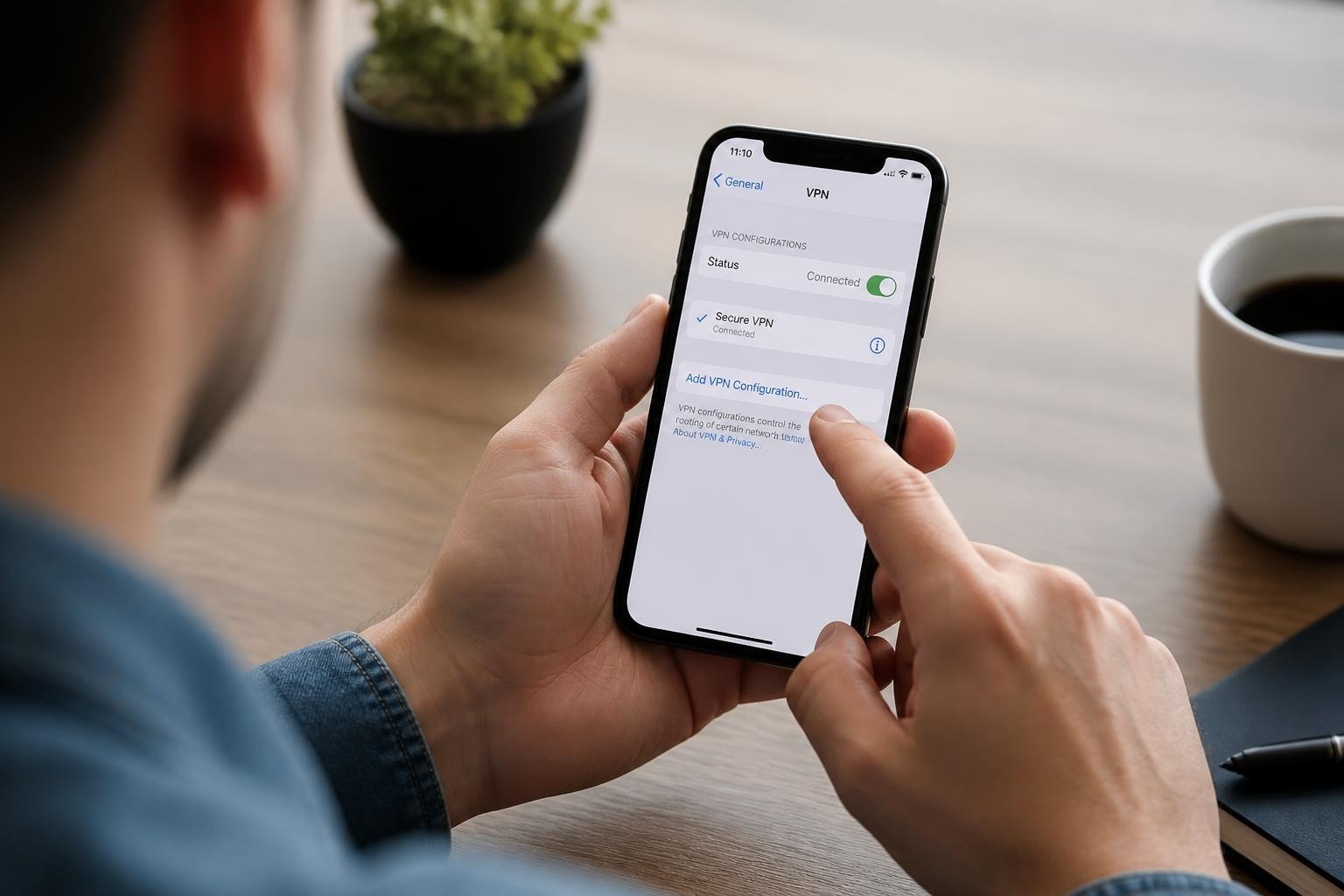




MacBook users increasingly recognize the importance of protecting their online activities, whether working from coffee shops, streaming geo-restricted content, or simply maintaining digital privacy. Finding the best free VPN for MacBook requires understanding both the capabilities of macOS security features and the limitations inherent in free VPN services. While premium VPN solutions offer comprehensive protection, free options can serve specific use cases when selected carefully. This guide examines what makes a VPN service suitable for MacBook users, evaluates the tradeoffs of free services, and helps you make an informed decision about your online security.
Understanding VPN Requirements for MacBook Users
MacBook devices run on macOS, which has built-in VPN support for several protocols. According to Apple's security documentation, Mac systems support IKEv2, L2TP/IPSec, and Cisco IPSec protocols natively, though third-party applications can extend this to include OpenVPN and WireGuard.
The best free VPN for MacBook should integrate seamlessly with macOS while providing reliable security. Mac users typically prioritize several key factors:
- Native macOS compatibility without requiring complicated configuration
- Minimal performance impact on system resources
- Strong encryption standards that protect data from interception
- User-friendly interface consistent with macOS design principles
- Reliable connection stability during extended use
macOS-Specific Security Considerations
MacBooks benefit from Apple's security architecture, but VPNs add another layer of protection. The operating system's network stack can handle VPN connections efficiently, though users should understand how VPN configuration works on Mac to troubleshoot issues.
When evaluating the best free VPN for MacBook, consider how the service handles DNS requests, whether it supports IPv6 traffic, and if it includes a kill switch feature. These elements become particularly important when using public networks, where security threats multiply.
The Reality of Free VPN Services
Free VPN providers face a fundamental business challenge: operating servers worldwide costs money, yet they charge users nothing. Understanding how free services generate revenue is essential when selecting the best free VPN for MacBook.
Research from Top10VPN's investigations reveals concerning patterns among free VPN services. Many monetize through data collection, advertising partnerships, or selling anonymized browsing information to third parties. Some free VPNs inject ads into web pages, while others impose severe bandwidth restrictions.
| Revenue Model | User Impact | Privacy Risk |
|---|---|---|
| Ad-supported | Slower speeds, ad injection | Medium |
| Data selling | Privacy compromised | High |
| Freemium upselling | Limited features, caps | Low |
| Cross-subsidization | Restricted servers | Low-Medium |
Common Limitations of Free VPNs
Anyone searching for the best free VPN for MacBook must accept certain tradeoffs. Free services typically implement restrictions to encourage upgrades to paid tiers:
Data caps limit monthly usage to anywhere from 500MB to 10GB, which barely suffices for casual browsing. A single hour of HD video streaming can consume 3GB of data.
Speed throttling reduces connection speeds to make premium tiers more attractive. Free users often experience slower download rates and higher latency.
Server limitations restrict access to only a handful of server locations, preventing users from accessing content from multiple regions.
Queue-based access means free users wait for server availability during peak times, causing frustrating delays.
As explained in resources about choosing a VPN for privacy and security, understanding these limitations helps set realistic expectations.
Evaluating Security and Privacy Standards
The best free VPN for MacBook must prioritize security despite being free. Encryption standards, logging policies, and jurisdiction all affect how well a VPN protects your data.
Encryption Protocols Matter
Strong encryption prevents third parties from intercepting your data. Look for services offering AES-256 encryption, which remains the industry standard. Some newer VPNs implement ChaCha20, which can offer better performance on mobile devices.
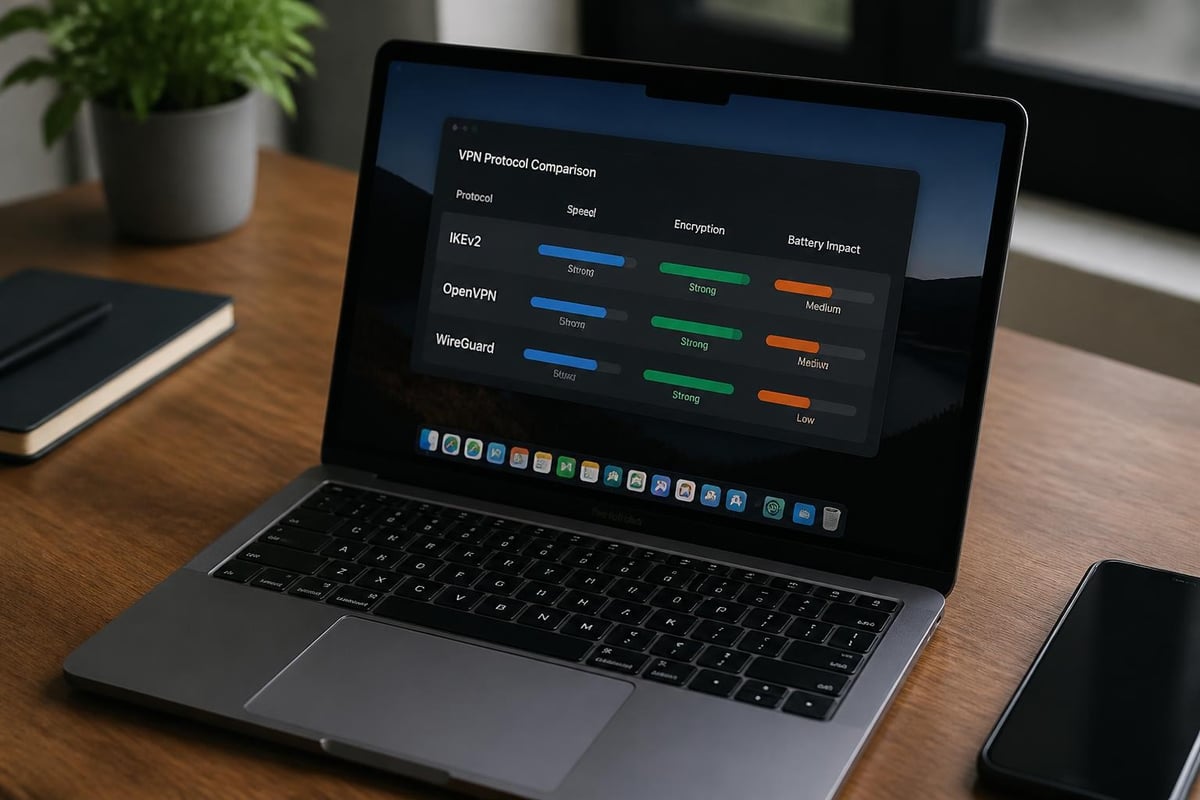
The protocol matters as much as encryption strength. OpenVPN provides excellent security with wide compatibility, while WireGuard offers faster speeds with a leaner codebase. IKEv2 works well for MacBook users due to its native macOS support and stability when switching networks.
Understanding how VPN networks work helps you evaluate whether a free service implements these protocols correctly.
Privacy Policies and Logging Practices
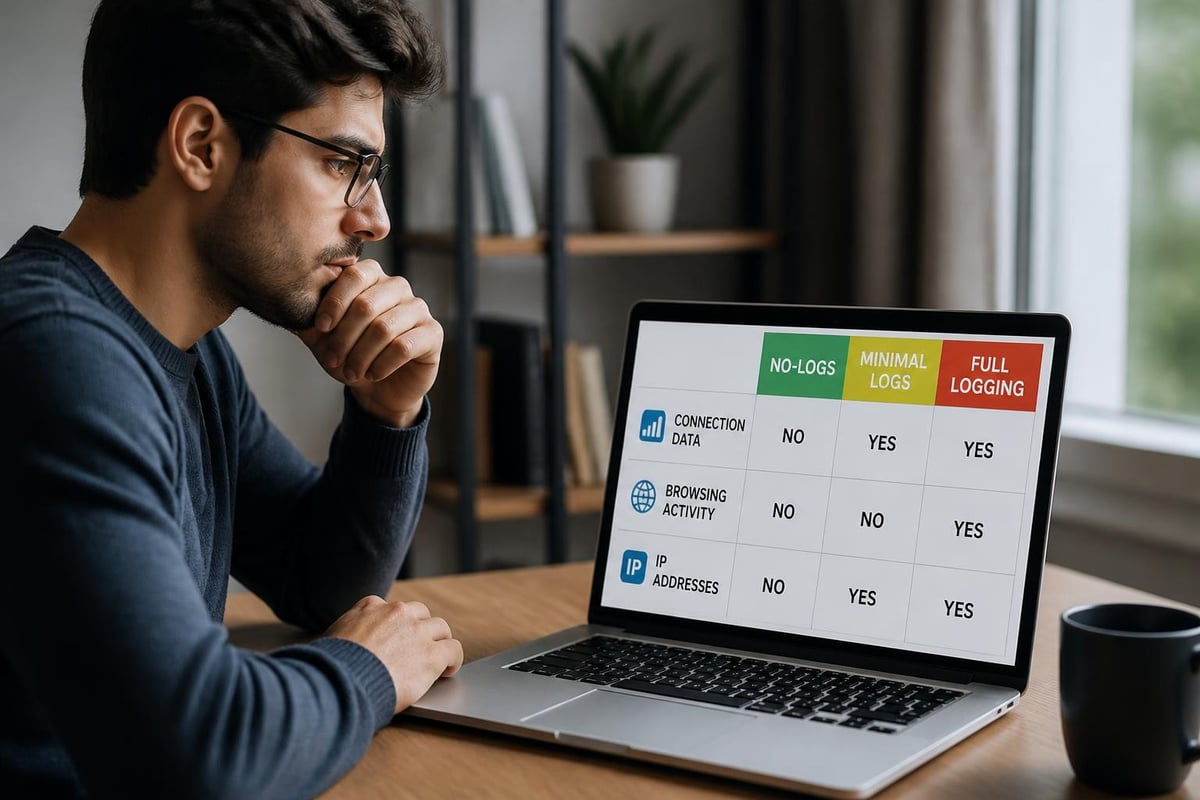
A VPN provider's logging policy determines what information they collect and potentially share. The best free VPN for MacBook should maintain a strict no-logs policy, though verifying these claims presents challenges.
Many free VPNs claim to avoid logging but include vague language in their privacy policies. Watch for terms like "minimal logging" or "necessary metadata collection," which often mean the service tracks connection times, bandwidth usage, or originating IP addresses.
Third-party audits provide the most reliable verification of no-logs claims. Independent security firms can examine a VPN's infrastructure and confirm whether logs exist. Unfortunately, few free VPN services invest in these expensive audits. For more on this topic, understanding VPN and anonymity provides valuable context.
Performance Considerations for MacBook
MacBook users expect fast, responsive performance from their devices. The best free VPN for MacBook should deliver adequate speeds without draining battery life or overwhelming system resources.
Speed and Server Infrastructure
Free VPNs typically operate fewer servers than premium services, leading to overcrowding and reduced speeds. When hundreds of free users share a single server, connection speeds plummet. This becomes particularly noticeable during video calls, streaming, or downloading large files.
Server proximity affects speed significantly. A VPN server in the same country or region provides faster connections than one halfway around the world. Free services often limit server locations, forcing users to connect to distant servers with higher latency.
Testing methodology affects speed measurements. Running multiple tests at different times provides a more accurate picture than a single speed test. Network congestion, server load, and time of day all influence results.
Battery Life and Resource Usage
VPN applications run continuously in the background, consuming CPU cycles and battery power. Well-optimized VPN software minimizes this impact, while poorly coded applications can significantly reduce battery life.
The best free VPN for MacBook should use efficient protocols and avoid unnecessary background processes. WireGuard generally offers better battery performance than OpenVPN due to its streamlined design. Some VPNs include battery-saving modes that reduce encryption strength to extend runtime, though this compromises security.
Features Essential for MacBook Users
Beyond basic VPN functionality, several features enhance the experience for MacBook users. The best free VPN for MacBook should include at least some of these capabilities.
Kill Switch Protection
A kill switch automatically blocks internet traffic if the VPN connection drops unexpectedly. This prevents data leaks during brief disconnections. While this feature is standard in premium VPNs, many free services omit it to differentiate their paid tiers.
MacBook users who frequently switch between WiFi networks benefit greatly from kill switch protection. Without it, your real IP address and browsing activity become exposed whenever the VPN connection falters.
Split Tunneling Capabilities
Split tunneling allows you to route some applications through the VPN while others connect directly to the internet. This proves useful when you want to protect sensitive activities while accessing local network resources simultaneously.
Most free VPNs exclude split tunneling, considering it a premium feature. However, for MacBook users managing both cloud services and local file servers, this limitation creates workflow complications. Learning about WireGuard split tunneling can help you understand this feature's benefits.
Multi-Device Support
Free VPN plans typically limit simultaneous connections. You might only protect one device at a time, meaning you must choose between your MacBook, iPhone, and iPad. This restriction becomes problematic for users with multiple Apple devices syncing through iCloud.
The best free VPN for MacBook should allow at least two or three simultaneous connections, enabling protection across your primary devices.
Public WiFi Protection for MacBook Users
MacBook users frequently connect to public WiFi networks in coffee shops, airports, and hotels. These networks present significant security risks, making VPN protection particularly valuable.
Understanding Public WiFi Threats
Unencrypted public networks allow anyone with basic technical knowledge to intercept data transmitted between your MacBook and the router. Attack methods include man-in-the-middle attacks, session hijacking, and malware distribution.
The best free VPN for MacBook creates an encrypted tunnel that protects your data even on compromised networks. Your browsing activity, passwords, and personal information remain secure regardless of the network's security status. For comprehensive coverage of this topic, explore how VPNs protect you on public WiFi.
| Threat Type | Risk Level | VPN Protection |
|---|---|---|
| Data interception | High | Complete |
| Session hijacking | High | Complete |
| Malicious hotspots | Medium | Partial |
| DNS spoofing | Medium | Complete |
| Malware injection | Low-Medium | None |
When working from cafes or coworking spaces, establishing a VPN connection before accessing sensitive information should become automatic. Even checking email or logging into social media accounts warrants protection.
Streaming and Content Access
Many MacBook users want VPNs for accessing geo-restricted streaming content. The best free VPN for MacBook should provide reliable access to popular streaming platforms, though free services often struggle in this area.
Streaming services actively block VPN connections to enforce regional licensing agreements. Netflix, Hulu, and BBC iPlayer maintain databases of known VPN server IP addresses and prevent access from those addresses.
Premium VPNs invest heavily in acquiring new IP addresses and rotating servers to bypass these blocks. Free VPNs lack the resources for this constant cat-and-mouse game. Most free services can't reliably access major streaming platforms. If streaming matters to you, research options for the best VPN for streaming video.
Alternative Content Access Strategies
Rather than relying on free VPNs for streaming, consider them suitable for:
- Accessing region-locked news websites
- Bypassing workplace or school network restrictions
- Testing content availability before committing to a paid VPN
- Occasional access to less sophisticated geo-restrictions
The best free VPN for MacBook excels at basic privacy protection rather than consistent streaming access.

Security Risks of Free VPN Services
While searching for the best free VPN for MacBook, understanding the potential dangers of free services is critical. Not all free VPNs operate with user interests in mind.
Research examining free web proxies and security failures reveals troubling patterns that extend to free VPN services. Some applications contain malware, track user activity despite privacy claims, or sell bandwidth to third parties.
Red Flags to Avoid
Certain warning signs indicate a free VPN service may compromise your security:
Unclear ownership structure or company registration in privacy-hostile jurisdictions raises concerns about data handling and government access.
Excessive permissions in the application installation process suggest data collection beyond what's necessary for VPN functionality.
No privacy policy or vague, generic terms indicate the company hasn't invested in establishing clear user protections.
Poor reviews mentioning crashes, data leaks, or unexpected behavior from actual users provide valuable warnings.
Impossible promises like "unlimited bandwidth forever" or "fastest speeds guaranteed" suggest the service is unsustainable or misleading.
Understanding online privacy protection helps you recognize legitimate security claims versus marketing hype.
Comparing Free vs. Paid VPN Services
When evaluating the best free VPN for MacBook, comparing free and paid options clarifies what you're actually saving versus what you're sacrificing.
Cost-Benefit Analysis
Free VPNs eliminate monthly expenses but introduce limitations that may cost you in other ways. Slower speeds waste time. Data breaches risk identity theft. Sold browsing data enables targeted advertising and potential discrimination.
Paid VPNs require monthly or annual fees but provide comprehensive protection, better speeds, and stronger privacy guarantees. For MacBook users who rely on their devices for work or handle sensitive information, the investment often proves worthwhile. Detailed comparisons of paid VPN vs free options can inform this decision.
| Feature | Free VPN | Paid VPN |
|---|---|---|
| Monthly cost | $0 | $3-12 |
| Server locations | 3-5 | 50-90+ |
| Speed caps | Often present | Rarely |
| Data limits | 500MB-10GB | Unlimited |
| Customer support | Limited/none | 24/7 support |
| Security audits | Rare | Common |
The best free VPN for MacBook serves as a temporary solution or covers light, occasional use. Heavy users, remote workers, and privacy-conscious individuals typically benefit from upgrading to paid services.
Installation and Configuration on macOS
Setting up VPN services on MacBook should be straightforward. The best free VPN for MacBook provides simple installation and intuitive configuration options.
Application-Based Setup
Most VPN services offer dedicated macOS applications available through their websites or the Mac App Store. These applications handle all configuration automatically, requiring only account credentials to establish connections.
Download the application from the official provider website rather than third-party sources to avoid modified or malicious versions. Verify the developer signature before installation to ensure authenticity.
After installation, the VPN application typically places an icon in your menu bar for quick access. Clicking this icon lets you connect to available servers, change settings, and monitor connection status.
Manual VPN Configuration
Advanced users can configure VPNs manually through macOS system preferences. This approach works well for VPN services that don't offer dedicated applications or when you prefer minimal software installation.
The process involves entering server addresses, authentication credentials, and protocol settings into macOS network preferences. While more complex, manual configuration gives you complete control over VPN settings and reduces reliance on third-party applications.
Maximizing Free VPN Value
If you've chosen the best free VPN for MacBook for your needs, several strategies help maximize its limited features.
Strategic Usage Patterns
Reserve your data allowance for situations requiring maximum protection. Use the VPN exclusively on public networks, for sensitive transactions, or when accessing potentially monitored content. Disable it for routine activities on trusted networks to conserve your monthly data cap.
Schedule large downloads or streaming sessions for times when you're not using the VPN. This preserves your allocation for security-critical activities.
Combining Multiple Free Services
Some users register for multiple free VPN services to extend their total available data. When one service reaches its monthly limit, switch to another. This approach requires managing multiple accounts and applications but can effectively multiply your free data allowance.
Be cautious with this strategy, as running multiple VPN applications simultaneously can create conflicts or security gaps. Never connect to two VPNs at once unless you fully understand the networking implications.
Upgrading Strategically
Many free VPNs offer paid tiers with significantly better features. If you find a free service that meets your privacy standards and provides good performance within its limits, upgrading to that same provider's paid plan often proves more satisfactory than switching to an unfamiliar service.
Look for promotional offers, annual discounts, or bundle deals that reduce the cost of premium access. Some services offer discounted rates for long-term commitments.
Alternative Security Measures
While finding the best free VPN for MacBook addresses one aspect of online security, comprehensive protection requires additional measures.
MacOS includes built-in security features that complement VPN protection. FileVault encrypts your entire hard drive, protecting data if your MacBook is lost or stolen. The firewall blocks unwanted incoming connections. Gatekeeper prevents installation of malicious software.
Browser extensions like HTTPS Everywhere force encrypted connections to websites whenever possible. Privacy-focused browsers or browser profiles configured for maximum security reduce tracking even without VPN protection.
Understanding how to protect your privacy online encompasses VPN usage alongside broader security practices.
Router-Level VPN Configuration
Rather than installing VPN software on each device, some users configure VPNs at the router level. This protects all devices on the network simultaneously, though it requires a VPN-compatible router and more technical knowledge.
Free VPNs rarely support router configuration due to simultaneous connection limits and technical complexity. This approach works better with paid services offering dedicated router applications or detailed setup guides.
Making Your Decision
Selecting the best free VPN for MacBook ultimately depends on your specific needs, risk tolerance, and usage patterns. Casual users seeking occasional protection on public WiFi have different requirements than remote workers handling sensitive client data daily.
Consider free VPNs as entry points to understand VPN benefits rather than permanent solutions. They introduce you to VPN functionality, help you identify which features matter most, and demonstrate how VPN protection fits into your workflow.
Free services work well for:
- Students on tight budgets needing occasional secure connections
- Travelers requiring temporary protection in specific locations
- Users testing VPN functionality before committing to paid services
- Light browsing protection without streaming or heavy downloads
Free services fall short for:
- Remote workers handling confidential business information
- Content creators uploading large files regularly
- Streaming enthusiasts accessing multiple platforms
- Privacy advocates requiring verified no-logs policies
When free VPNs prove insufficient, exploring options like ZioFree that offer robust security with transparent pricing models becomes the logical next step.
Finding the best free VPN for MacBook requires balancing security needs against the inherent limitations of free services. While free VPNs serve specific use cases effectively, comprehensive protection demands stronger guarantees than most free providers offer. When you're ready for high-speed connections, global server access, and ironclad privacy protection backed by a strict no-logs policy, ZioFree delivers professional-grade VPN service with advanced security protocols designed specifically to protect against sophisticated threats while maintaining the performance your MacBook deserves.