Your IP address functions as a digital fingerprint, revealing your location, internet service provider, and browsing habits to websites, advertisers, and potential attackers. Every time you connect to the internet, this unique identifier broadcasts information about you across networks. Understanding how to hide IP address has become essential for protecting privacy, avoiding targeted surveillance, and maintaining security in an increasingly monitored digital landscape. This guide explores proven methods to conceal your IP address effectively in 2026, from enterprise-grade VPN solutions to browser-based privacy tools.
Why Your IP Address Matters for Privacy
Every device connected to the internet receives an IP address from its network provider. This identifier serves as a return address for data packets, but it simultaneously creates a persistent tracking mechanism. Corporate surveillance systems leverage connection data to build detailed profiles of user behavior, linking IP addresses to browsing patterns, purchase history, and personal preferences.
Geographic targeting represents one immediate privacy concern. Websites instantly determine your approximate location through IP geolocation databases, enabling region-based price discrimination and content restrictions. Beyond commercial tracking, exposed IP addresses create security vulnerabilities that sophisticated actors exploit for targeted attacks.
Threats Posed by IP Address Exposure
The risks extend beyond simple location disclosure:
- Targeted cyberattacks: Hackers use IP addresses to launch distributed denial-of-service attacks or probe for network vulnerabilities
- Government surveillance: Authorities can subpoena ISPs to link IP addresses with specific subscribers and their activity logs
- Data broker profiling: Marketing companies aggregate IP-based browsing data to create shadow profiles sold across advertising networks
- Content censorship: Regional restrictions block access based on IP geolocation, limiting information availability
Law enforcement and intelligence agencies regularly request IP address records from service providers. These logs can reveal years of connection history, timestamps, and associated account information. For individuals in regions with aggressive monitoring programs, learning how to hide IP address becomes a fundamental security practice.

VPN Services: Comprehensive IP Masking
Virtual Private Networks represent the most robust solution for hiding your IP address across all internet activity. A VPN creates an encrypted tunnel between your device and a remote server, routing all traffic through that server's IP address instead of your own. Websites see only the VPN server's location while your true IP remains concealed.
Modern VPN protocols deliver strong encryption alongside IP masking. ZioFree employs military-grade AES-256 encryption to protect data in transit, ensuring that even your internet service provider cannot monitor which sites you visit. This combination of IP replacement and traffic encryption provides comprehensive privacy protection.
Key VPN Features for IP Protection
| Feature | Privacy Benefit | Technical Implementation |
|---|---|---|
| Kill Switch | Prevents IP leaks if VPN disconnects | Firewall rules block non-VPN traffic |
| DNS Leak Protection | Stops DNS queries revealing activity | Routes all DNS through VPN tunnel |
| Multi-hop Routing | Double-encrypts through two servers | Chains VPN connections sequentially |
| IPv6 Blocking | Prevents IPv6 address leakage | Disables IPv6 or tunnels it properly |
The effectiveness of a VPN for hiding your IP depends entirely on the provider's no-logs policy. Services that retain connection logs, timestamps, or IP address records can be compelled to hand over user data. ZioFree maintains a strict zero-logs architecture, ensuring no connection history exists to compromise user privacy even under legal pressure.
When selecting a VPN service, verify the provider's jurisdiction and transparency practices. Understanding what makes a VPN truly secure helps distinguish marketing claims from genuine privacy protection. Look for independently audited no-logs policies and providers located outside intelligence-sharing agreements.
Proxy Servers and Their Limitations
Proxy servers offer a simpler alternative for IP masking, acting as intermediaries that forward your requests using their own IP addresses. The fundamental difference between VPNs and web proxies lies in scope and security: proxies typically work only for browser traffic and rarely encrypt data.
Common proxy types include:
- HTTP/HTTPS proxies: Handle web traffic only, visible to network administrators
- SOCKS proxies: Support multiple protocols but still lack encryption
- Transparent proxies: Cache content without hiding your IP at all
- Elite/anonymous proxies: Conceal proxy usage but offer inconsistent reliability
Free proxy services present significant security risks. Many log user activity extensively, inject advertisements, or operate as honeypots collecting sensitive data. Without encryption, your ISP and network administrators observe all traffic content even when routing through a proxy.
When Proxies Make Sense
Proxies serve specific use cases where full VPN protection isn't necessary:
- Bypassing simple geographic content blocks on streaming platforms
- Testing website behavior from different locations
- Routing specific applications through alternative IP addresses
- Quick IP changes for non-sensitive browsing tasks
For activities involving passwords, financial data, or personal information, proxies provide inadequate protection. The lack of end-to-end encryption means packet inspection can reveal transmitted data regardless of IP masking.
The Tor Network for Maximum Anonymity
Tor (The Onion Router) delivers the highest level of IP address anonymization by routing traffic through multiple volunteer-operated nodes. Your connection bounces through at least three random servers before reaching its destination, with each hop encrypting the next layer like an onion. The exit node sees only the previous relay's IP, never your original address.
Using Tor Browser safely requires understanding its operational constraints. Connection speeds suffer significantly due to multi-hop routing and volunteer bandwidth limitations. Websites frequently block Tor exit nodes, and exit node operators can potentially monitor unencrypted traffic leaving the network.

Tor Network Advantages and Drawbacks
| Aspect | Advantage | Limitation |
|---|---|---|
| Anonymity | Multiple encryption layers, no single point knows source and destination | Exit nodes see unencrypted traffic |
| Cost | Completely free and open-source | Relies on volunteer infrastructure |
| Accessibility | Bypasses most censorship systems | Many websites block Tor connections |
| Speed | Not applicable | 2-10x slower than direct connections |
Combining Tor with a VPN creates defense-in-depth privacy protection. Connecting to a VPN before accessing Tor prevents your ISP from knowing you use Tor, while the VPN provider cannot see your Tor destinations. This "VPN over Tor" or "Tor over VPN" strategy maximizes IP address concealment for users facing advanced threats.
Browser-Based Privacy Tools
Modern browsers include features that limit IP-based tracking without requiring external services. These built-in protections work best alongside other methods to hide IP address but offer convenience for everyday browsing.
Privacy-enhancing browser features:
- Private/Incognito modes: Prevent local tracking but don't hide IP addresses from websites
- WebRTC blocking: Stops JavaScript from leaking your real IP even when using VPNs or proxies
- DNS over HTTPS (DoH): Encrypts DNS queries to prevent ISP monitoring of visited domains
- Fingerprint resistance: Reduces unique browser signatures that can identify users
Testing your browser's fingerprint reveals how much information leaks beyond your IP address. Even with IP masking, browser fingerprinting can uniquely identify users through font lists, screen resolution, installed plugins, and WebRTC configurations. The EFF's Cover Your Tracks tool demonstrates these tracking techniques and tests for common leaks.
DNS Privacy and IP Address Concealment
DNS queries frequently leak identifying information separate from HTTP traffic. When you type a domain name, your device asks a DNS server for the corresponding IP address. By default, these queries go to your ISP's DNS servers in plain text, revealing every website you visit regardless of HTTPS encryption.
Oblivious DNS over HTTPS separates the knowledge of who is asking from what is being asked. This protocol prevents DNS resolvers from linking queries to specific IP addresses, adding another layer to your privacy stack. Configuring encrypted DNS on your device or router enhances protection when combined with VPN-based IP masking.
IPv6 Privacy Considerations
The transition from IPv4 to IPv6 introduces new privacy challenges for anyone learning how to hide IP address. IPv6's vast address space theoretically allows every device to receive a permanent, globally unique identifier that tracks users across networks and time.
Fortunately, RFC 8981 specifies privacy extensions that generate temporary IPv6 addresses. These addresses rotate regularly, preventing long-term tracking even within IPv6 networks. Modern operating systems enable privacy addresses by default, but verification remains important.
Check your IPv6 privacy settings:
- Open network adapter properties or system preferences
- Locate IPv6 configuration settings
- Verify "temporary addresses" or "privacy extensions" are enabled
- Confirm addresses rotate at regular intervals (typically daily)
Many VPN services, including ZioFree's high-speed network, handle IPv6 traffic properly by routing it through the VPN tunnel or disabling IPv6 entirely to prevent leaks. Operational security considerations for IPv6 emphasize the importance of coordinated IPv4 and IPv6 privacy controls.
Mobile Device IP Protection
Smartphones and tablets present unique challenges for IP address concealment. Mobile operating systems connect through cellular networks, Wi-Fi hotspots, and sometimes both simultaneously. Each connection type exposes different IP addresses and tracking vectors.
Mobile-Specific Considerations
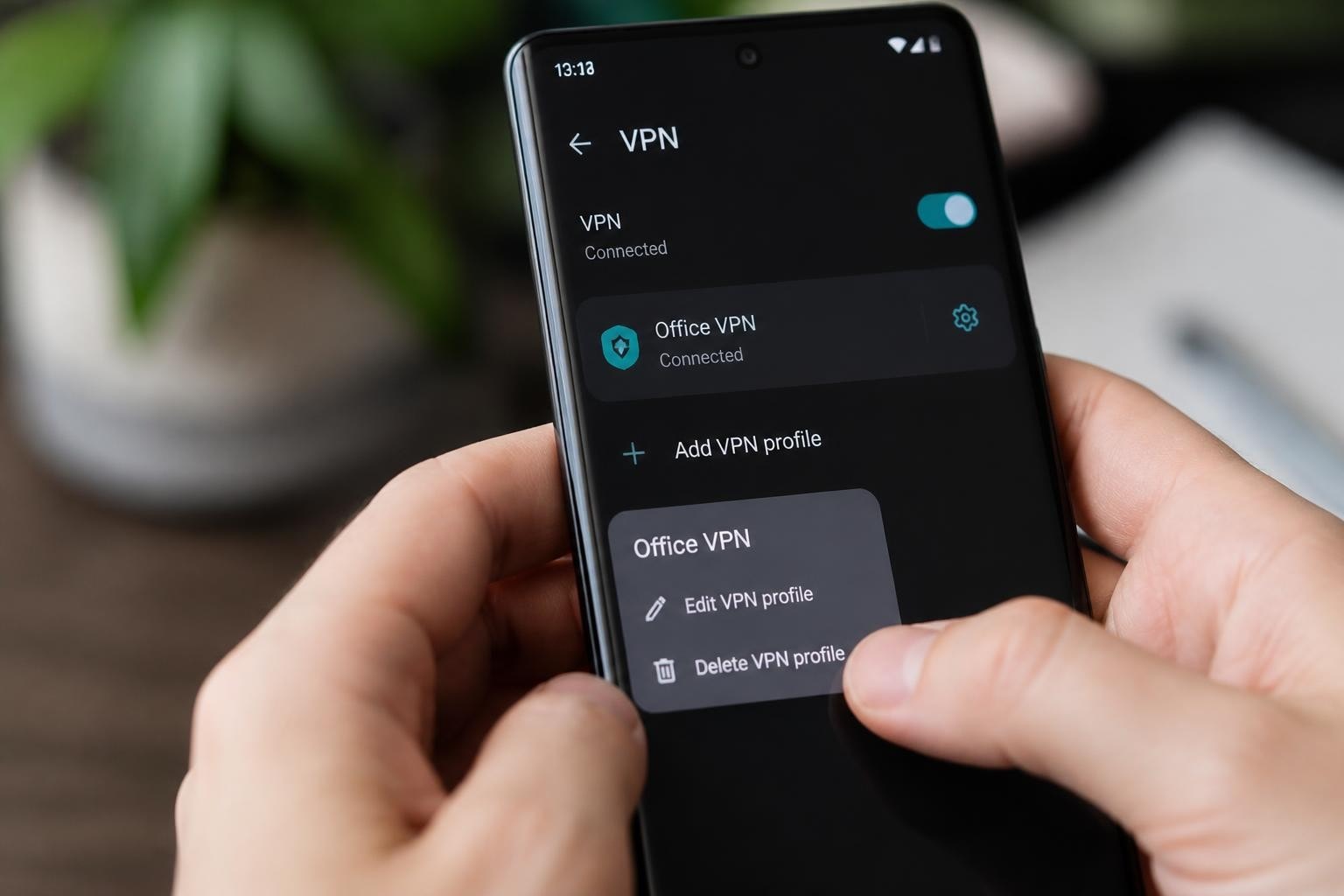
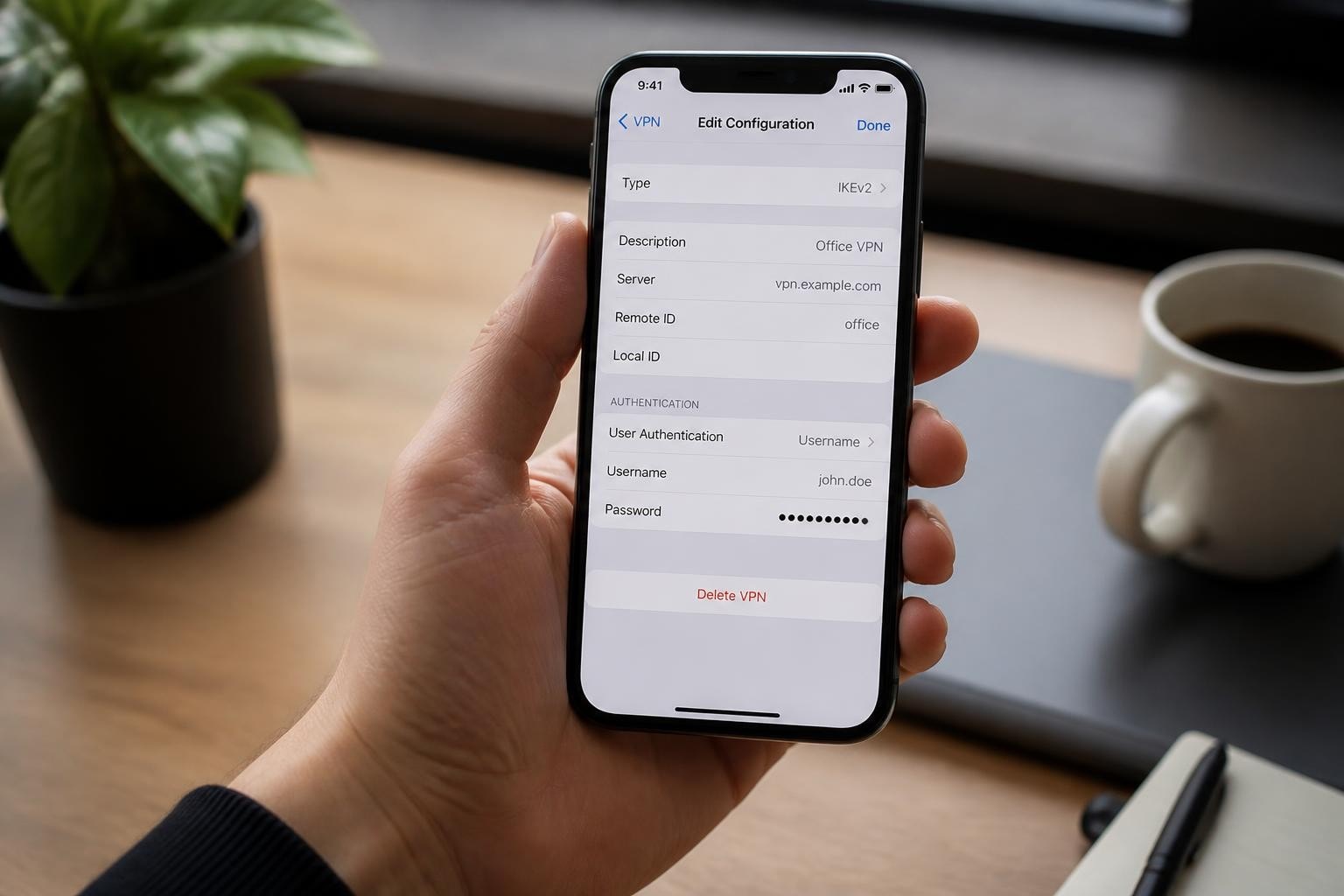
Installing a VPN application on mobile devices protects cellular and Wi-Fi connections equally. Configure the VPN to connect automatically when joining new networks, preventing accidental exposure on public Wi-Fi. Mobile VPN apps should include:
- Always-on VPN: Maintains connection across network switches and app transitions
- Per-app VPN rules: Routes only selected apps through the tunnel for flexibility
- Battery optimization: Efficient protocols that minimize power consumption
- Mobile protocol support: WireGuard or IKEv2 for seamless handoffs between cell towers
Mobile browsers offer less control over privacy settings than desktop equivalents. Third-party privacy-focused browsers provide better tracking protection, but system-level VPN coverage ensures comprehensive IP masking regardless of which apps access the internet.
Carrier-grade NAT (CGNAT) used by mobile networks shares single public IP addresses across multiple subscribers. While this provides incidental IP obfuscation, carriers maintain detailed logs mapping internal addresses to specific accounts and timestamps.
Server and Website IP Protection
Website operators face inverse IP privacy challenges: hiding origin server addresses from visitors and attackers. Exposed origin IP addresses allow attackers to bypass CDN protections and launch direct attacks against hosting infrastructure.
Server IP protection strategies:
- CDN/proxy services: Route all traffic through distributed edge servers
- DNS configuration: Point domains only to proxy IPs, never origin servers
- Firewall restrictions: Accept connections exclusively from CDN IP ranges
- Email header sanitization: Strip origin server IPs from outbound messages
Historical DNS records and email headers commonly leak origin IPs. Attackers search DNS history databases and analyze mail headers to discover the real server address hidden behind proxy services. Comprehensive origin IP protection requires auditing all potential exposure vectors.
Comparing IP Hiding Methods
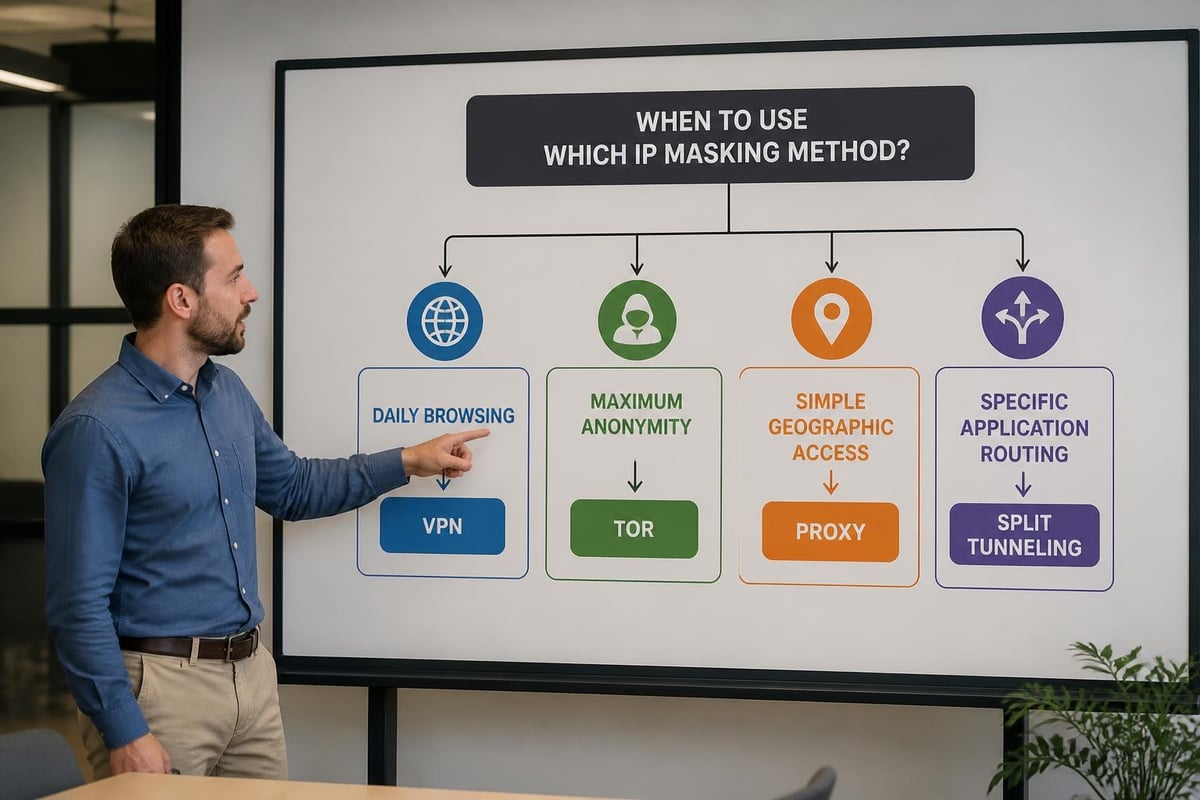
Selecting the right approach to hide IP address depends on your threat model, technical requirements, and usability preferences. Each method offers distinct advantages for specific scenarios.
| Method | Privacy Level | Speed Impact | Ease of Use | Cost | Best For |
|---|---|---|---|---|---|
| VPN | High | Minimal (5-15%) | Very Easy | $3-12/month | Daily browsing, streaming, security |
| Tor | Maximum | Severe (70-90%) | Moderate | Free | Journalism, activism, censorship bypass |
| Proxy | Low-Medium | Minimal | Easy | Free-$10/month | Simple geo-blocks, testing |
| Public Wi-Fi | Low | Variable | Easy | Free | Temporary anonymity (high risk) |
| Mobile Hotspot | Low | Variable | Easy | Data costs | Quick IP rotation |
Combining multiple methods creates stronger protection. Using a fast VPN service as your primary defense, supplemented by browser privacy tools and occasional Tor access for sensitive activities, provides balanced security and usability.
Public Wi-Fi offers incidental IP concealment by using the hotspot's shared address, but creates severe security risks. Unencrypted public networks expose all traffic to monitoring and man-in-the-middle attacks. Never rely on public Wi-Fi alone for privacy; always layer VPN protection when using shared networks.
Advanced IP Masking Techniques
Sophisticated users employ multi-layered approaches to hide IP address more completely. These advanced configurations balance privacy, performance, and operational security requirements.
Nested privacy protocols:
- VPN chains route traffic through multiple VPN servers in sequence
- Tor over VPN adds onion routing on top of encrypted VPN tunnels
- Proxy chains combine multiple proxy servers for redundant IP masking
- Virtual machines isolate privacy-sensitive activities in separate network stacks
Operating system-level network namespaces allow different applications to use separate VPN connections simultaneously. This split-tunneling approach routes sensitive apps through secure VPN connections while allowing local traffic to bypass the tunnel for performance.
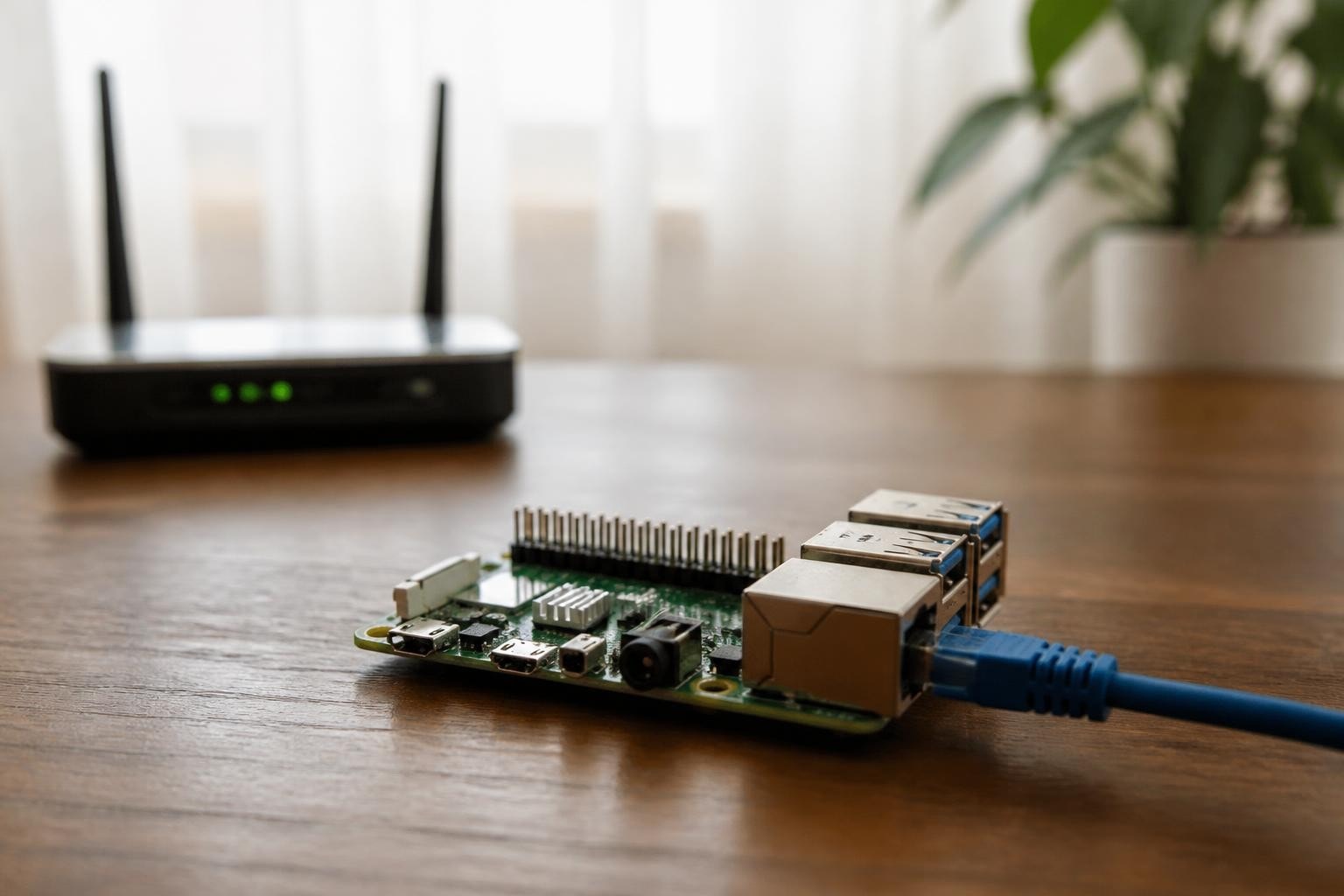
Running VPN services on router firmware protects all connected devices automatically. DD-WRT, OpenWrt, and Tomato firmware support VPN client configurations that mask IP addresses for every device on your network without per-device setup.
Testing for IP Leaks
Regular leak testing verifies that your IP masking methods function correctly:
- Check your IP address before connecting to privacy tools at multiple test sites
- Connect your VPN, proxy, or Tor and verify the displayed IP changes
- Test for DNS leaks using dedicated leak test websites
- Verify WebRTC doesn't expose your real IP through browser-based tests
- Confirm IPv6 traffic routes through the tunnel or is disabled
False confidence in broken IP protection creates dangerous exposure. Monthly leak testing with tools like Panopticlick ensures your privacy configuration remains effective as software updates and network configurations change.
Legal and Ethical Considerations
Understanding how to hide IP address includes recognizing the legal framework surrounding privacy tools. VPN and proxy use remains legal in most jurisdictions, though some countries restrict or ban these technologies entirely.
Jurisdictions with VPN restrictions:
- China: Requires government approval for VPN services
- Russia: Bans VPNs that don't comply with content filtering
- Iran: Heavily restricts VPN access with periodic crackdowns
- UAE: Prohibits VPN use for illegal activities with broad interpretation
- Turkey: Blocks many VPN providers and Tor access
Even where legal, hiding your IP address doesn't grant immunity for illegal activities. Law enforcement agencies employ sophisticated techniques to deanonymize users, including traffic correlation attacks, browser fingerprinting, and operational security mistakes.
Ethical VPN use respects service terms and content licensing agreements. While IP masking enables accessing geo-restricted content, this may violate platform policies. Consider supporting privacy-focused VPN providers that maintain transparent operations and defend user rights.
Maintaining Long-Term IP Privacy
Sustained IP address concealment requires ongoing vigilance and configuration maintenance. Privacy protection degrades over time as software updates introduce bugs, configurations drift, and new tracking techniques emerge.
Maintenance checklist for IP privacy:
- Update VPN client software monthly to patch security vulnerabilities
- Rotate VPN server locations regularly to prevent pattern analysis
- Review browser extensions quarterly and remove unnecessary tracking vectors
- Test for leaks after any system updates or network configuration changes
- Monitor VPN provider news for policy changes or security incidents
- Backup privacy configurations before major OS updates
Behavioral patterns can undermine technical IP masking. Logging into personal accounts while connected to privacy tools links your anonymous session to your real identity. Maintain separate browsing profiles for anonymous and identified activities, never mixing the two contexts.
Protecting your IP address requires choosing methods appropriate to your privacy needs and understanding their limitations. Whether you select a comprehensive VPN solution, combine multiple anonymity layers, or implement specialized protections for specific activities, regular testing and maintenance keep your defenses effective. ZioFree delivers enterprise-grade IP masking through high-speed global servers, military-grade encryption, and a verified zero-logs architecture designed to protect you from advanced surveillance threats. Start securing your digital identity today with ZioFree's proven privacy infrastructure.