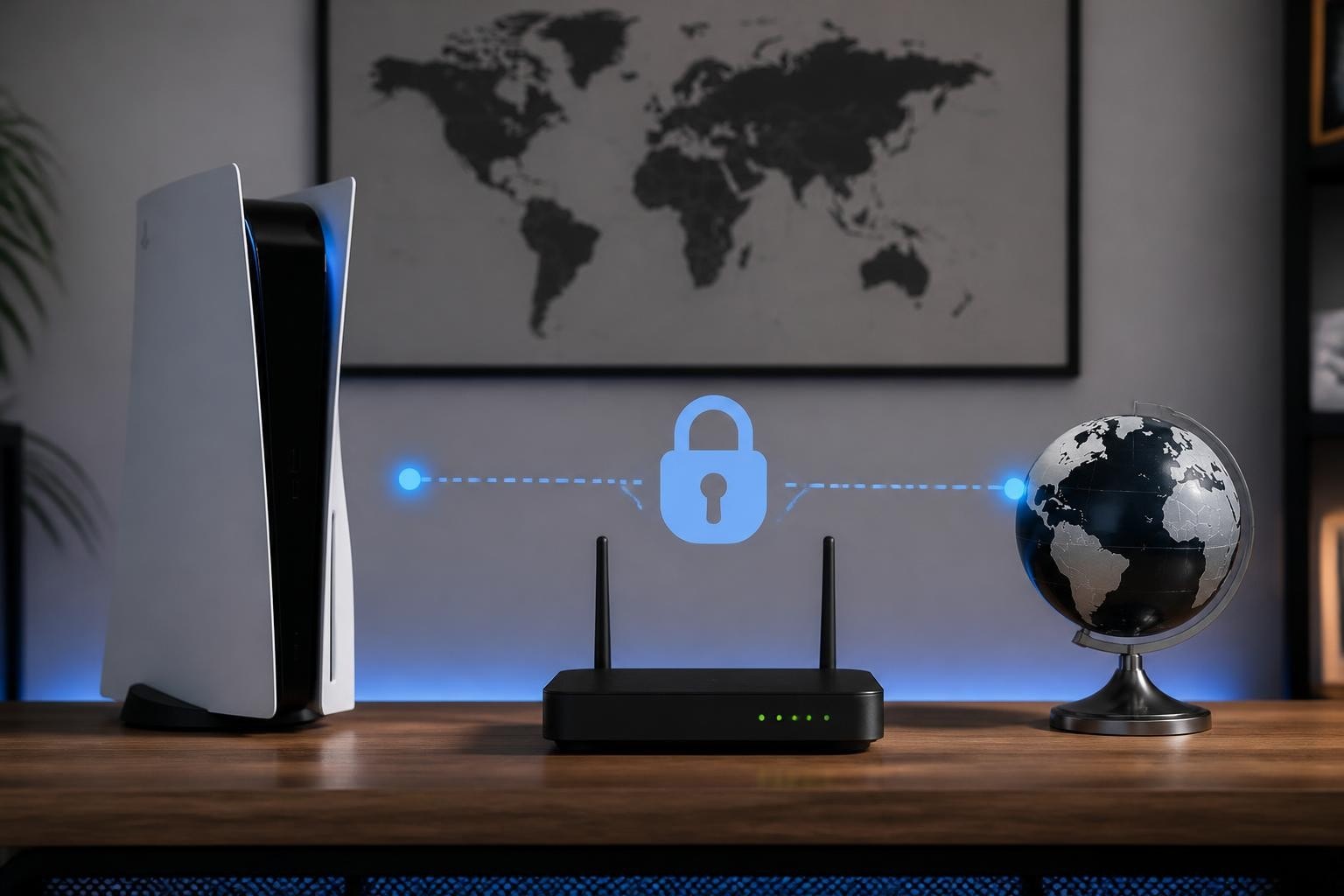
Gaming on PlayStation 5 offers incredible performance and immersive experiences, but your connection security and privacy shouldn't be compromised. Setting up a vpn router for ps5 allows you to encrypt all console traffic, access geo-restricted content, and protect against DDoS attacks without sacrificing the speed and responsiveness competitive gaming demands. Unlike software-based VPN solutions that require workarounds on gaming consoles, router-level VPN integration provides seamless protection for your PS5 and every device on your network.
Why Use a VPN Router for Your PS5
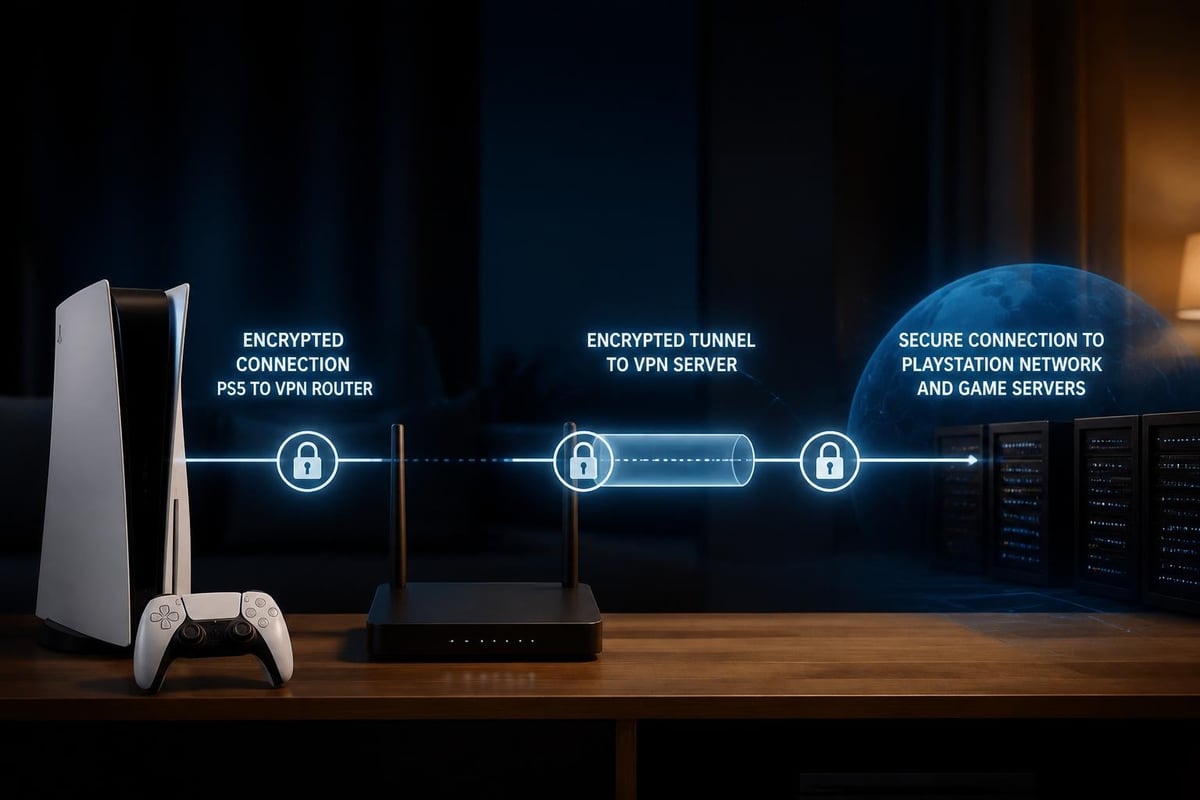
Traditional VPN applications don't run natively on gaming consoles, creating a security gap that leaves your PlayStation 5 vulnerable to network-based threats. A vpn router for ps5 solves this limitation by encrypting traffic at the network level before it even reaches your console.
Privacy protection becomes essential when gaming online exposes your real IP address to other players and game servers. This information can be exploited for location tracking or targeted attacks. With router-level VPN encryption, your actual location and identity remain hidden behind secure tunnels, preventing unauthorized access to your personal information.
Security Benefits for PlayStation Network
Gaming communities occasionally experience targeted attacks designed to disrupt competitive matches or harass specific players. When you route PS5 traffic through a VPN-enabled router, several security advantages emerge:
- DDoS attack mitigation through IP masking and distributed server infrastructure
- Protection from swatting attempts by concealing your actual geographic location
- Encrypted communications preventing packet sniffing on public or shared networks
- ISP throttling bypass when providers deliberately slow gaming traffic
The secure infrastructure provided by a no-logs VPN ensures that your gaming sessions remain private, with no records of your online activity stored or accessible to third parties.
Access Regional Content and Better Prices
Digital game marketplaces frequently offer different pricing and release dates across regions. A properly configured vpn router for ps5 enables access to:
- Games released early in specific markets
- Regional PlayStation Store pricing variations
- Exclusive content available only in certain countries
- Tournament servers in different geographic locations
Performance considerations remain critical-connecting to distant servers increases latency. For competitive gaming, choose VPN servers geographically close to your actual location or the game servers you're targeting.
Choosing the Right VPN Router Hardware
Not all routers support VPN client functionality out of the box. Hardware selection determines both your initial setup complexity and long-term gaming performance.
Router Specifications for Gaming VPNs
Processing power matters significantly when encrypting high-bandwidth gaming traffic in real time. Your router must handle VPN encryption without creating latency bottlenecks that degrade gameplay.
| Feature | Minimum Spec | Recommended Spec | Why It Matters |
|---|---|---|---|
| CPU | Dual-core 800MHz | Quad-core 1.8GHz+ | Handles encryption overhead |
| RAM | 256MB | 512MB+ | Prevents connection drops |
| VPN Protocol | OpenVPN | WireGuard/OpenVPN | WireGuard offers lower latency |
| Ethernet | Gigabit (1000Mbps) | Multi-gigabit (2.5Gbps+) | Matches modern internet speeds |
ASUS routers with Merlin firmware provide excellent VPN client support. ASUS documentation walks through OpenVPN and WireGuard configuration on their gaming-focused models like the RT-AX86U and GT-AX11000.
NETGEAR Nighthawk series routers offer built-in VPN client functionality on many models. The NETGEAR knowledge base provides vendor-specific setup instructions, though performance varies significantly between entry-level and gaming-tier models.
Custom Firmware Options
Installing custom firmware transforms consumer routers into powerful VPN appliances. Two popular options dominate the gaming VPN router space:
DD-WRT offers broad router compatibility and extensive VPN protocol support. The OpenVPN configuration tutorial for DD-WRT demonstrates how to paste credentials and configure connections through the web interface. Setup remains straightforward even for users without extensive networking knowledge.
OpenWrt provides cutting-edge protocol support and granular traffic control. Power users benefit from the WireGuard implementation on OpenWrt, which delivers lower latency than traditional OpenVPN tunnels-critical for competitive gaming where milliseconds matter.
Pre-configured VPN routers eliminate firmware installation complexity but typically cost 30-50% more than comparable hardware running stock firmware.
Setting Up Your VPN Router for PS5
Configuration varies by router brand and firmware, but the fundamental process remains consistent across platforms. These steps assume you're using a router with native VPN client support or custom firmware already installed.
Initial Router Configuration
- Access your router's administration panel by entering its IP address (typically 192.168.1.1 or 192.168.0.1) into a web browser
- Navigate to the VPN client section in settings-location varies by manufacturer
- Select your VPN protocol (WireGuard recommended for gaming, OpenVPN for maximum compatibility)
- Import your VPN provider credentials using configuration files or manual entry
- Enable the VPN connection and verify successful tunnel establishment
TP-Link routers allow selective VPN routing, meaning you can route only your PS5 through the VPN while other devices use standard internet connections. This selective routing prevents unnecessary encryption overhead on devices that don't require VPN protection.
Connecting Your PS5
Once your router successfully establishes a VPN connection, integrating your PlayStation 5 requires minimal additional configuration.
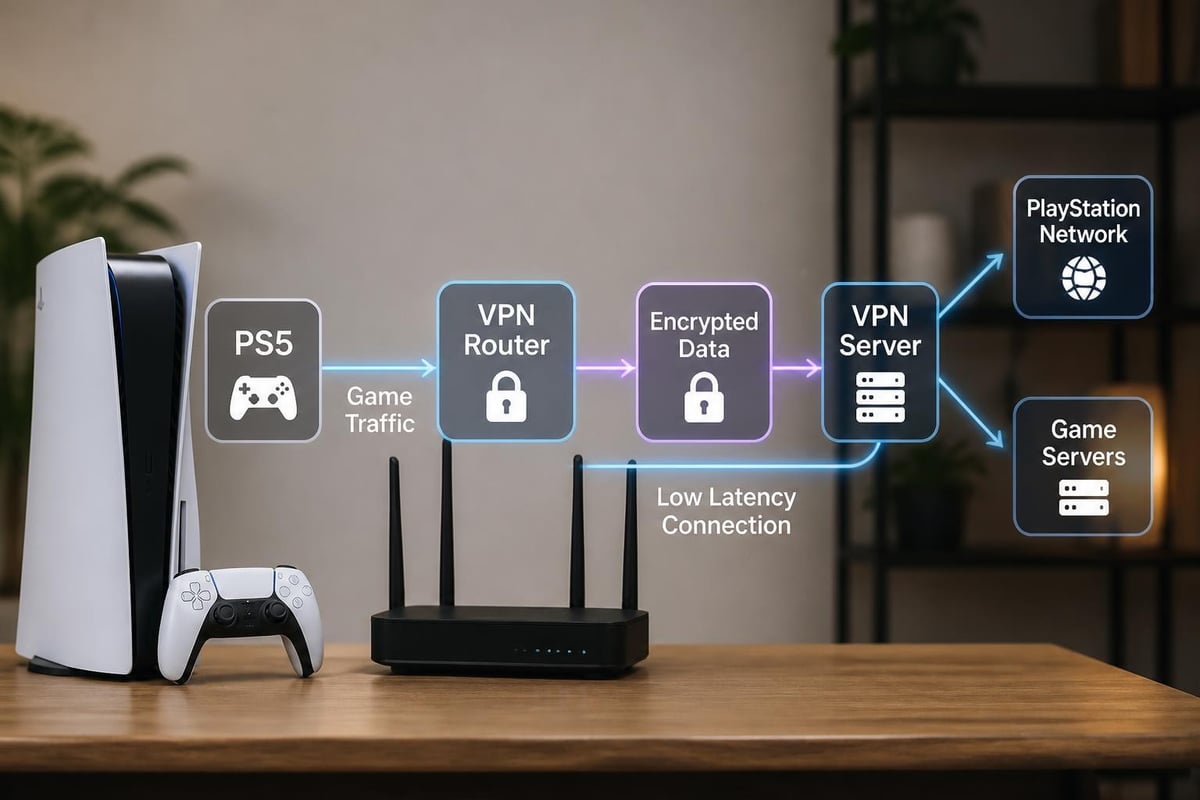
Wired connections deliver the most consistent performance. Connect an Ethernet cable from your PS5 to the VPN-enabled router for the lowest latency and most reliable speeds. This setup automatically routes all PS5 traffic through the encrypted VPN tunnel.
Wireless connections work equally well from a privacy perspective but introduce additional latency variables. Position your PS5 within strong WiFi range and use the 5GHz band to minimize interference.
The PS5 network settings require no special VPN configuration-your console sees only the router as its gateway. All encryption and tunneling happens transparently at the router level.
Verifying VPN Connection
After connecting your PS5 to the VPN router, confirmation testing prevents surprises mid-game.
Navigate to a web browser on any device connected to the VPN router and visit an IP lookup service. The displayed location should match your chosen VPN server location, not your actual physical location. This verification confirms that traffic routes correctly through the encrypted tunnel.
On your PS5, test the connection through Settings > Network > Connection Status > Test Internet Connection. PlayStation's network troubleshooting documentation helps diagnose any connection errors that appear during testing.
Optimizing Performance for Gaming
Raw encryption speed matters less than consistent, low-latency connections for gaming. A vpn router for ps5 requires optimization to maintain competitive performance.
Protocol Selection and Server Choice
WireGuard protocol consistently outperforms OpenVPN in gaming scenarios. The modern cryptographic approach reduces computational overhead, translating to lower latency and higher throughput. Technical analysis from Cloudflare demonstrates how UDP-based protocols like WireGuard handle gaming traffic more efficiently than TCP-heavy alternatives.
When selecting VPN servers, prioritize these factors in order:
- Geographic proximity to minimize physical distance data must travel
- Server load (under 50% utilization prevents congestion)
- Peer count (fewer simultaneous users on a server reduces contention)
- Network backbone quality connecting the VPN provider to major internet exchanges
A fast VPN service with dedicated gaming-optimized servers provides the foundation for lag-free gameplay. Test multiple servers in your region to identify the best performing option for your specific ISP and location.
Router Quality of Service Configuration
Quality of Service (QoS) settings prioritize gaming traffic over other network activities. When multiple devices share your VPN router bandwidth, proper QoS configuration ensures your PS5 receives priority.
Gaming QoS profiles identify and prioritize UDP traffic on common gaming ports. Most gaming routers include preset profiles for PlayStation consoles. Enable these profiles and assign your PS5's MAC address as a high-priority device.
PCWorld's router settings guide provides detailed QoS configuration advice applicable to VPN-enabled routers. Key recommendations include:
- Setting gaming devices to highest priority tier
- Limiting bandwidth for bulk downloads during gaming sessions
- Enabling UPnP (Universal Plug and Play) for automatic port forwarding
- Configuring port forwarding manually if UPnP causes NAT issues
NAT Type and Port Forwarding
Network Address Translation (NAT) type affects your ability to connect to other players and host multiplayer sessions. VPN connections typically result in NAT Type 3 (Strict), limiting connectivity.
Port forwarding improves NAT type but requires your VPN provider to support it. Not all VPN services offer dedicated IP addresses or port forwarding capabilities necessary for optimal NAT Type 2 (Moderate) performance.
PlayStation Remote Play documentation lists specific ports used by PS5 services. Forward these ports on your VPN router if your provider supports it:
- TCP: 80, 443, 3478, 3479, 3480
- UDP: 3478, 3479, 49152-65535
Some VPN routers support split tunneling, allowing NAT-sensitive applications to bypass the VPN while maintaining encryption for other traffic. This approach balances security with connectivity requirements.
Common Setup Challenges and Solutions
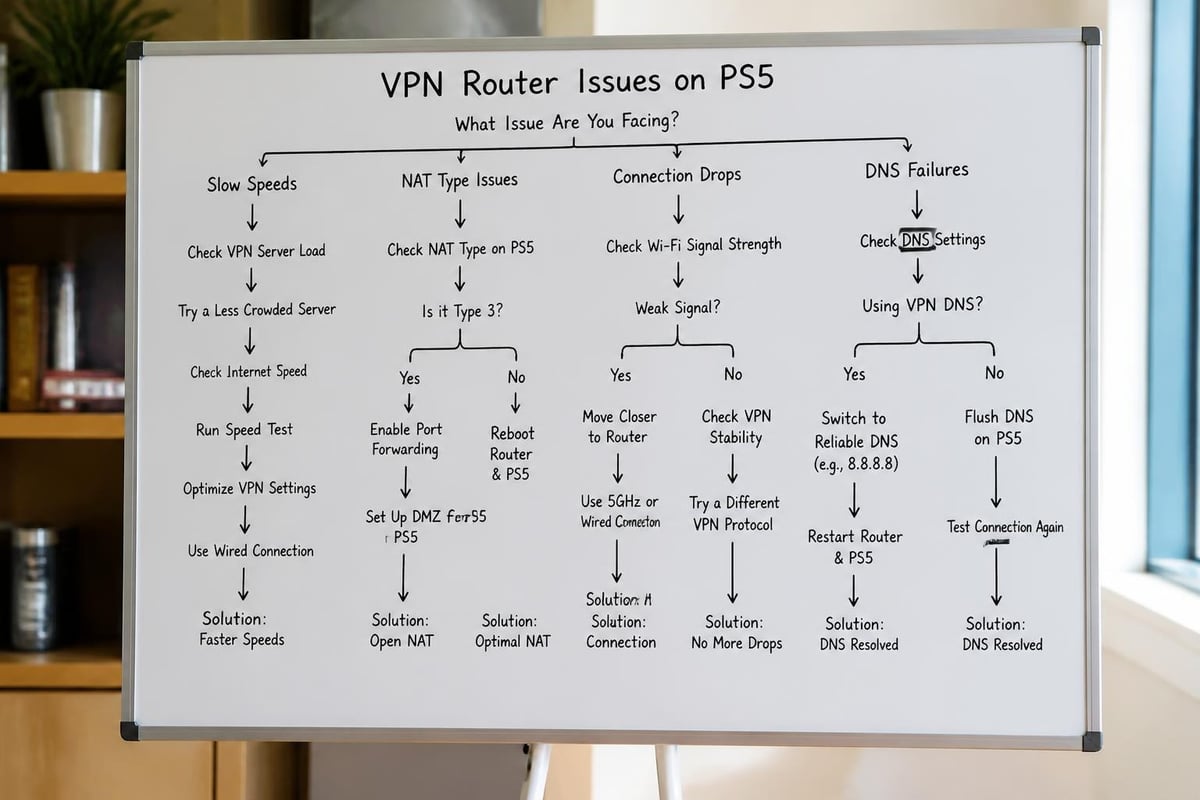
Even with proper hardware and configuration, certain issues appear frequently when running a vpn router for ps5. Understanding these challenges accelerates troubleshooting.
Connection Speed Reduction
VPN encryption inherently adds overhead that reduces raw connection speeds. Expect 10-30% speed reduction compared to direct internet connections, though optimized setups minimize this impact.
Speed test methodology matters-test from a device connected to your VPN router rather than the PS5 itself. The PlayStation Network speed test measures only PSN server connections and doesn't accurately reflect actual gaming performance.
If speeds drop below 50% of your baseline connection:
- Switch to WireGuard protocol if using OpenVPN
- Connect to a less congested VPN server
- Verify your router CPU isn't maxing out during encryption (check router stats)
- Consider upgrading to a more powerful router with hardware acceleration
The combination of high-speed VPN infrastructure and appropriate router hardware maintains gaming performance while securing your connection.
NAT and Matchmaking Problems
Strict NAT types prevent connections to certain players and limit your ability to host multiplayer sessions. This restriction becomes more common when routing through VPN tunnels.
Testing NAT type on PS5: Settings > Network > Connection Status > View Connection Status. Look for NAT Type listed in the connection details.
Solutions for NAT issues include:
| Problem | Solution | Trade-offs |
|---|---|---|
| NAT Type 3 (Strict) | Enable UPnP on router | Minor security reduction |
| Can't host matches | Request dedicated IP from VPN provider | Additional monthly cost |
| Frequent disconnects | Configure port forwarding | Requires provider support |
| Voice chat failures | Use split tunneling for communication apps | Reduces privacy coverage |
Comparitech's PS5 VPN setup guide provides alternative configuration methods if router-based VPN setups create persistent NAT problems.
DNS Leaks and Kill Switch Configuration
DNS leaks expose your browsing activity even when using a VPN. Your router must use VPN provider DNS servers rather than ISP-assigned servers to prevent leaks.
Configure custom DNS in your router's DHCP settings. Most quality VPN providers supply their own DNS servers-enter these addresses in the router configuration to ensure all DNS queries travel through the encrypted tunnel.
Kill switch functionality prevents unencrypted traffic if the VPN connection drops. Enable this feature in your router's VPN client settings to guarantee your PS5 never exposes your real IP address, even during temporary disconnections.
Test for DNS leaks using online tools from any device on your network. The results should show only your VPN provider's DNS servers, never your ISP's infrastructure.
Advanced Configuration for Power Users
Enthusiasts seeking maximum performance and control benefit from advanced router configurations that optimize every aspect of the vpn router for ps5 setup.
Custom Firmware Deep Dive
OpenWrt and DD-WRT unlock capabilities impossible with stock firmware. Advanced users can implement sophisticated routing policies that handle gaming traffic differently from other network activities.
Policy-based routing directs traffic based on destination, protocol, or source device. Configure rules that:
- Route PS5 traffic through low-latency VPN servers
- Bypass VPN for latency-sensitive voice chat applications
- Use different VPN servers for different games or services
- Fall back to direct connection if VPN latency exceeds thresholds
This granular control requires comfort with command-line interfaces and networking concepts. Documentation for your specific firmware version provides configuration syntax and examples.
Multi-VPN Configuration
Running multiple simultaneous VPN connections provides redundancy and flexibility. Configure your router with profiles for multiple VPN providers or server locations.
Automatic failover switches to a backup VPN connection if the primary tunnel fails, maintaining uninterrupted gaming sessions. Set health check parameters that test connection quality and trigger failover based on latency or packet loss thresholds.
Geographic server rotation automatically connects to different VPN server locations based on time of day or detected game server locations. This advanced configuration optimizes for the lowest possible latency to whichever servers your current game uses.
Bandwidth Management and Traffic Shaping
Professional-grade traffic shaping goes beyond simple QoS prioritization. Configure per-application bandwidth limits and burst allowances that balance performance across all network users.
Bufferbloat mitigation reduces latency spikes during high network utilization. Modern routers implement Smart Queue Management (SQM) algorithms that eliminate these spikes. Enable SQM on your VPN-enabled router and configure it based on your actual internet connection speed (set to 95% of your rated speed for optimal results).
Monitor real-time traffic statistics through your router's administrative interface. Quality firmware displays per-device bandwidth consumption, protocol breakdowns, and VPN tunnel health metrics that inform optimization decisions.
Selecting a VPN Provider for PS5 Gaming
Not all VPN services perform equally when routing gaming traffic. Provider selection determines your ultimate experience with a vpn router for ps5.
Critical Provider Features
Server network size and distribution directly impact available connection options. Providers with thousands of servers across 50+ countries offer more flexibility for finding low-latency options near you or near game servers you're targeting.
Protocol support must include modern options like WireGuard alongside traditional OpenVPN. Providers supporting both protocols let you choose based on your specific router capabilities and performance requirements.
Connection speed limits vary dramatically between providers. Some impose bandwidth caps or throttle high-bandwidth users during peak hours. Gaming requires sustained speeds without artificial limitations.
Evaluate providers based on:
- Minimum latency increase (under 10ms ideal)
- Support for router configurations
- Dedicated IP address availability
- Port forwarding capabilities
- No-logs privacy policy
- Server uptime reliability
When evaluating top VPN options, prioritize providers with proven gaming performance and transparent privacy policies that protect your data without compromising speed.
Privacy and Security Considerations
Gaming privacy extends beyond hiding your IP address. Comprehensive protection requires providers with robust security practices that withstand sophisticated attacks.
No-logs policies ensure your gaming activity, connection times, and server choices aren't recorded. Independent audits verify these claims-look for providers with published audit reports from reputable security firms.
Encryption standards should include AES-256 for OpenVPN or ChaCha20 for WireGuard. Both provide military-grade protection without excessive performance overhead on modern router hardware.
Jurisdiction matters when evaluating privacy guarantees. Providers operating in privacy-friendly countries face fewer mandatory data retention requirements. Understanding private internet security helps you evaluate provider claims against actual legal obligations.
Testing and Performance Validation
Before committing to a long-term subscription, test actual gaming performance with your specific setup.
Run these validation tests:
- Baseline measurement without VPN (direct router connection)
- VPN speed test from device connected to VPN router
- In-game latency test during actual gameplay
- Peak hour testing when network congestion is highest
- Server variety test comparing performance across different VPN server locations
Document results in a spreadsheet comparing providers side-by-side. Small differences in latency (5-10ms) compound during fast-paced competitive gaming. The provider delivering the most consistent, lowest latency wins regardless of other factors.
VPN Router Maintenance and Updates
A vpn router for ps5 requires ongoing maintenance to sustain optimal performance and security. Regular updates and monitoring prevent gradual degradation.
Firmware Update Schedule
Router firmware updates patch security vulnerabilities and improve performance. Check for updates monthly, though critical security patches warrant immediate installation.
Custom firmware like OpenWrt and DD-WRT release updates independently from router manufacturers. Subscribe to announcement mailing lists to receive notifications when new versions become available.
Before updating firmware:
- Export your current configuration as a backup
- Review changelog for breaking changes
- Test updates on non-critical devices first if possible
- Schedule updates during non-gaming hours
Some updates reset custom configurations. Maintaining documented configuration notes accelerates restoration if settings don't survive the update process.
Performance Monitoring
Establish baseline performance metrics when your setup works optimally. Regular monitoring detects degradation before it impacts gameplay.
Weekly checks should include:
- VPN connection speed tests
- Latency measurements to common game servers
- Router CPU and memory utilization
- VPN tunnel uptime and disconnect frequency
Monthly audits verify:
- No DNS leaks occur
- Kill switch functions correctly
- QoS rules still prioritize gaming traffic appropriately
- Firmware remains current
Automated monitoring tools can alert you when performance falls outside acceptable parameters, enabling proactive troubleshooting rather than reactive problem-solving during gaming sessions.
Setting up a vpn router for ps5 delivers comprehensive privacy protection while maintaining the low-latency performance competitive gaming demands. By selecting appropriate hardware, optimizing configuration, and choosing a provider focused on speed and security, you create a gaming environment that protects against threats without compromising your experience. ZioFree provides the high-speed, no-logs infrastructure and global server network essential for gaming VPN deployments, with advanced protocols and robust encryption that secure your PlayStation 5 traffic against sophisticated threats while maintaining the responsiveness competitive play requires.