



A free VPN can unblock websites in many cases, but only a limited number of free services do it safely, and most come with caps on speed, data, or server locations. If you need a vpn unblock websites free solution, the safest route is a reputable provider that has a genuine free tier or a trial, rather than an unknown app that pays its bills by collecting your data.
The distinction matters because blocked content is not one problem. A streaming catalog restricted by country, a school firewall, a hotel network that throttles certain sites, and national censorship all use different methods. A free VPN handles some of these well and others not at all. This article explains how blocking works, what free tools can realistically do, and how to avoid the security traps that catch many first-time users.
Why Websites Get Blocked in the First Place
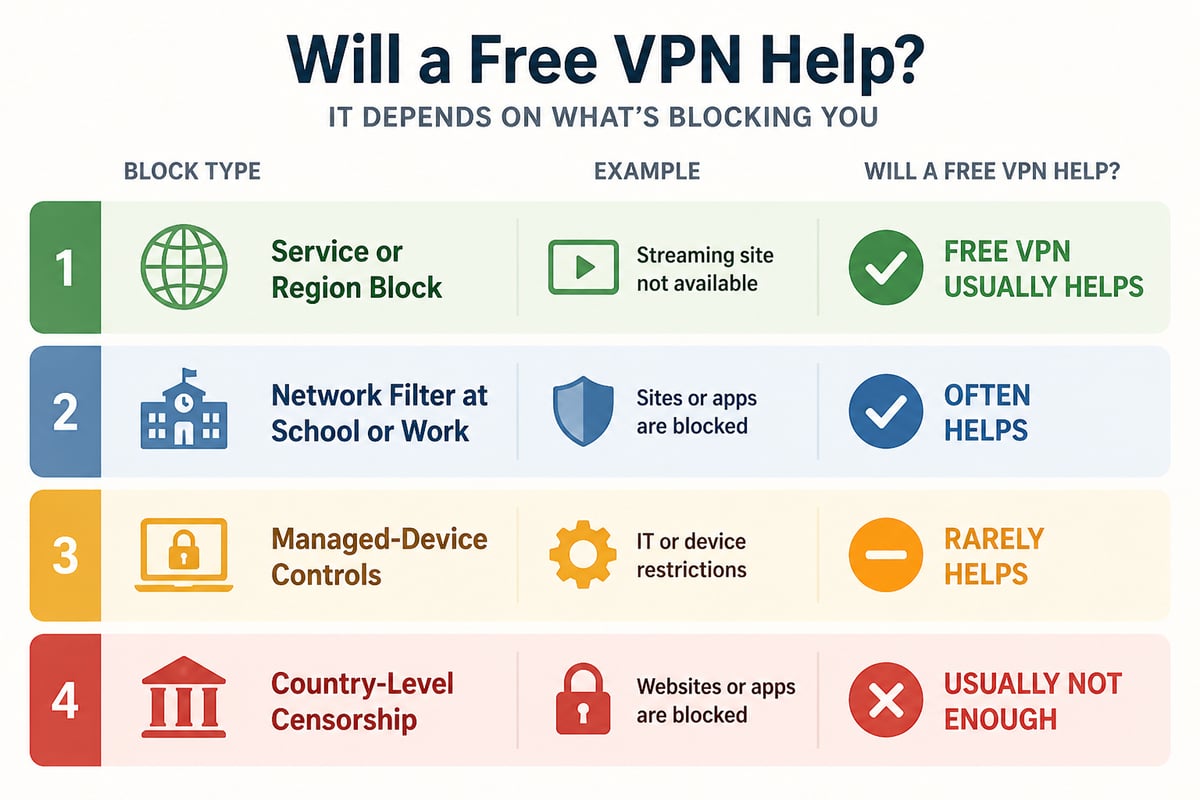
Websites are blocked at four main points: by the service itself, by the network you are on, by the device you use, or by the country you are in. Knowing which one applies tells you whether a VPN will help.
- Service or region blocks. A streaming platform or news site checks your IP address, sees the country, and refuses the request. This is the easiest block for a VPN to bypass.
- Network blocks. Schools, offices, libraries, and hotels filter traffic on their own routers or firewalls, usually by domain name or category.
- Device controls. Managed laptops and phones may carry filtering software or policies that prevent VPN apps from installing or connecting.
- Country-level censorship. National systems inspect traffic and block known VPN protocols, which makes simple free VPNs far less reliable.
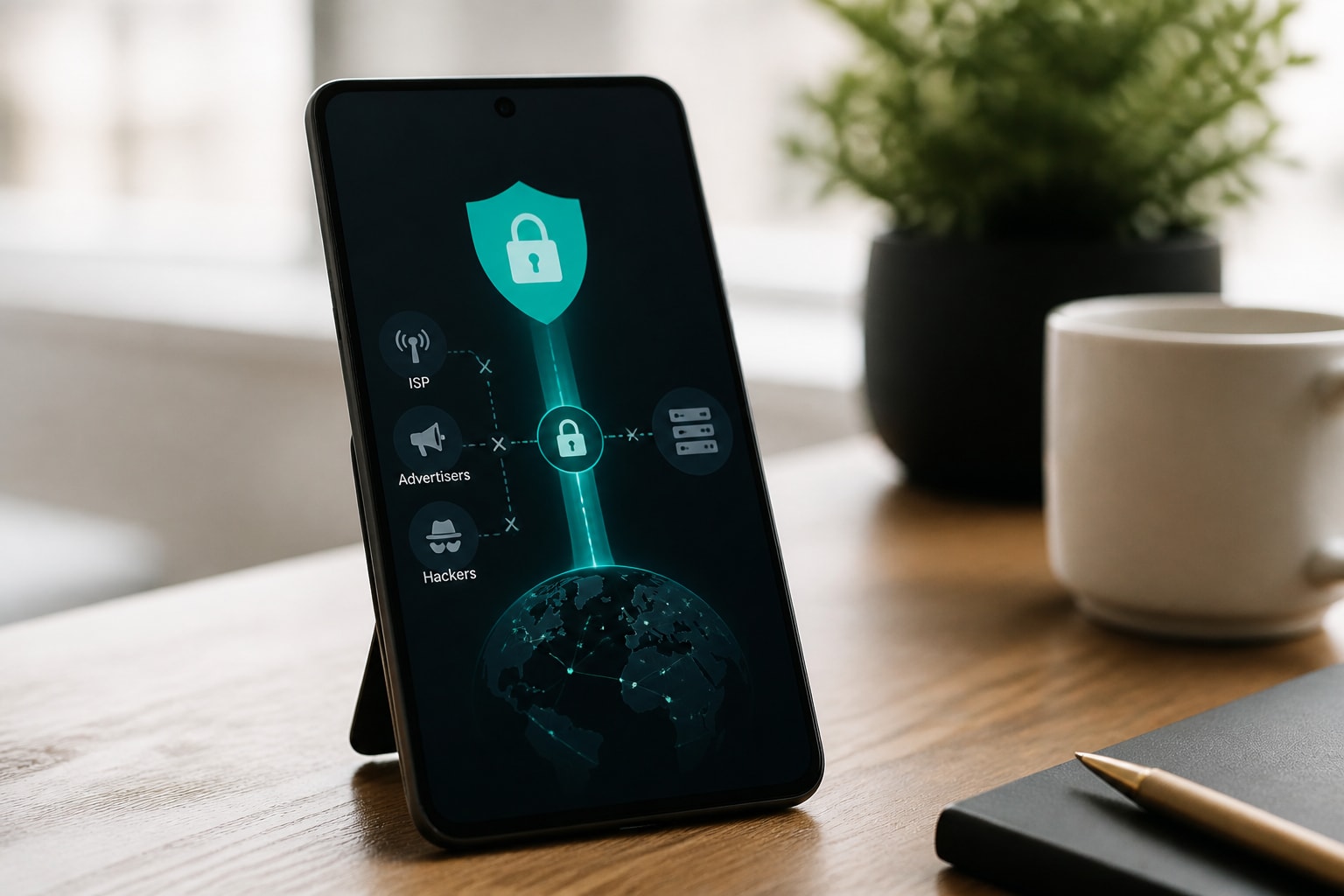
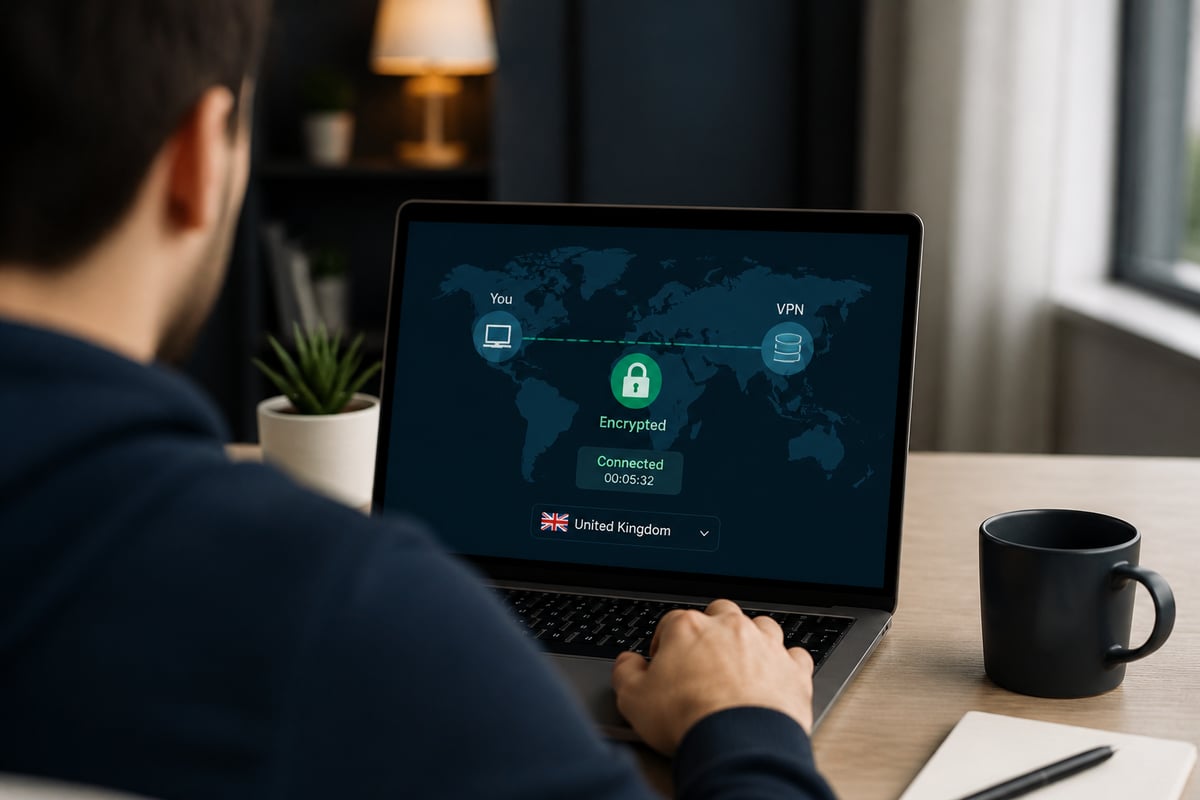
In every case, the website or filter is acting on information visible to it: your IP address, the domain you request, or the shape of your traffic. A VPN works by encrypting your traffic and routing it through a server elsewhere, so the destination sees the server's IP instead of yours. If you want a deeper look at the mechanics, ZioFree explains how a VPN network works in plain terms.
Can a Free VPN Unblock Websites?
Yes, a free VPN can unblock websites, but results depend on the type of block, the size of the provider's server network, and how many other free users share the same servers. Free tiers typically limit you in at least one of these ways:
- A monthly data cap that ends your session once it is used.
- A short list of server countries, sometimes only one to three.
- Reduced speeds compared with paid plans.
- Shared IP addresses that popular streaming and banking sites have already flagged.
For light tasks, such as reading a region-locked news article or checking a social site on a restricted network, these limits are tolerable. For long video sessions, large downloads, or reliable access to services that actively detect VPNs, they are not. Streaming platforms in particular maintain lists of known VPN IP ranges, and free servers are the first to be added. If video is your main goal, see ZioFree's notes on a VPN for unblocking YouTube and the best VPN for streaming video.
The Real Risks of Free VPN Apps
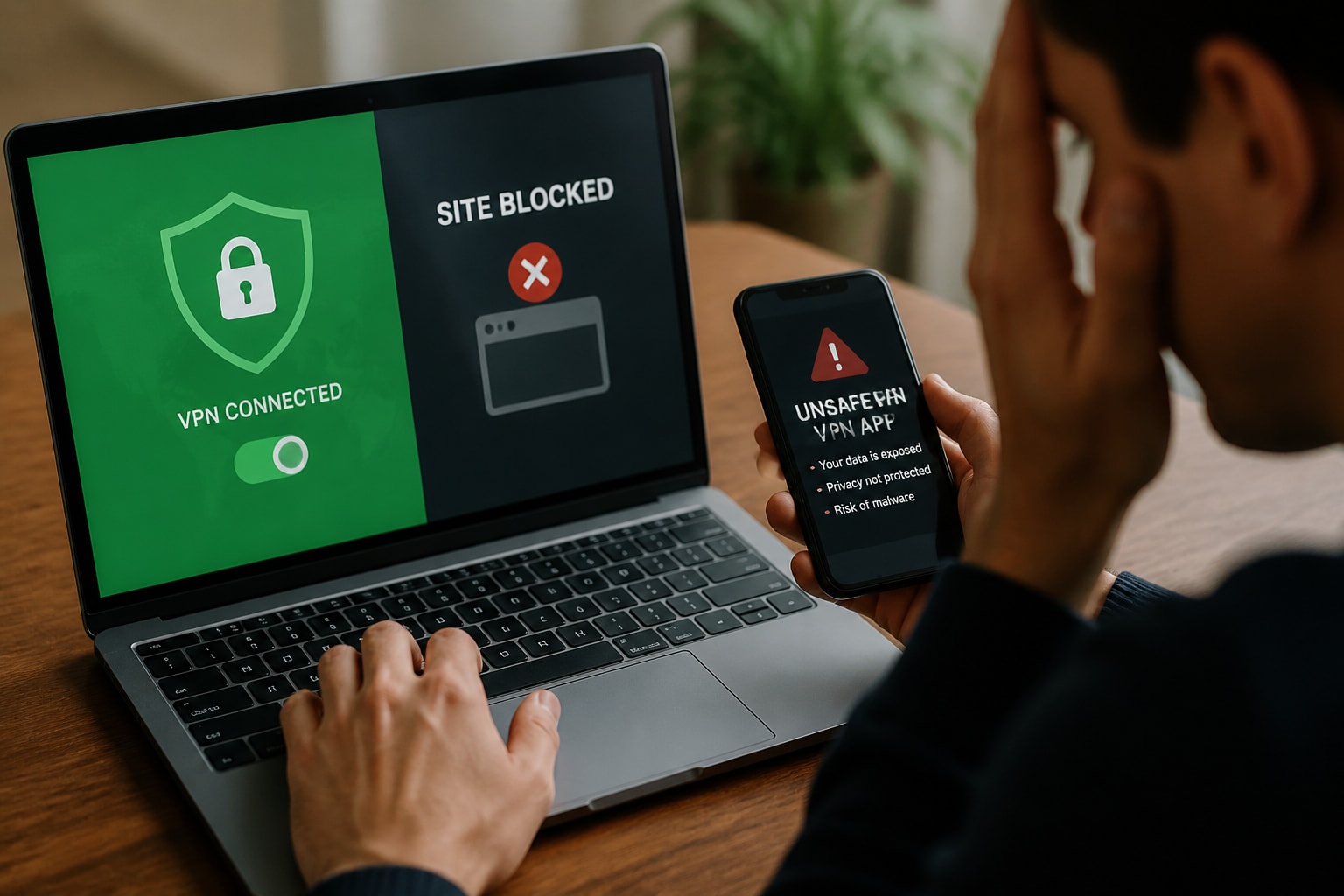
The biggest risk of a free VPN is not weak performance but weak security, because a provider that earns nothing from subscriptions has to earn money some other way. Recent research makes the scale of the problem clear.
A 2025 analysis of more than 800 free VPN apps for Android and iOS found that nearly two-thirds had security or privacy issues, including vulnerable code, risky permissions, or data exposure. The same analysis found that a quarter of the examined iOS apps lacked valid privacy manifests, which are the declarations that tell users what data an app collects.
Malware is a separate concern. A 2025 review of 100 free Android VPN apps found that antivirus tools flagged around a fifth as potentially harmful. And a related analysis of nearly 800 free apps found that around 1% were susceptible to man-in-the-middle attacks, which defeats the entire purpose of a VPN.
Many people take the risk anyway. A 2025 survey of 1,008 U.S. adults found that a significant share of VPN users relied on a free VPN that year, and the same report notes that VPNs do not provide total anonymity or replace antivirus software.
Ownership also matters. The Internet Society's Pulse team has published an explanation of why it matters who owns, operates, and develops your VPN, including the security and privacy concerns found in some free commercial apps. A provider you cannot identify, with no stated logging policy, should be treated as untrusted.
How to Judge a Free VPN Before You Install It
A free VPN is worth trying only if it passes a short set of checks, and most unsafe apps fail at least two of them. Work through this list before you install anything:
- Identify the company. Look for a named business, a real address or registration, and a support channel. Anonymous publishers are a warning sign.
- Read the privacy policy. It should state clearly what is logged. A strict no-logs commitment is the standard to look for, and ZioFree covers what that means in its guide to a no-log VPN.
- Check the revenue model. If the service is free with no ads, no paid tier, and no trial, ask how it pays for servers.
- Review permissions. A VPN app does not need your contacts, your messages, or your precise location.
- Confirm modern protocols. Look for current encryption and protocols such as WireGuard or OpenVPN instead of outdated options. The VPN protocol and port guide explains the differences.
- Test for leaks. After connecting, run an IP and DNS leak test to confirm your real address is hidden.
If an app fails the first two checks, skip it regardless of how many downloads it has.
Free VPN, Browser Extension, or Online Proxy?
There are three common ways to try a vpn unblock websites free approach, and each protects a different amount of your traffic.
| Option | What it covers | Main strength | Main weakness |
|---|---|---|---|
| VPN app | All traffic on the device | Strongest encryption and broadest coverage | Needs installation, which managed devices may block |
| Browser extension | Browser traffic only | Quick to add, works on locked-down PCs | Other apps remain unprotected |
| Online proxy | Single web sessions | No installation at all | Often unencrypted, ad-heavy, and easy to abuse |
An extension is a reasonable compromise on a work or school computer where you cannot install software. ZioFree has a guide to VPN software for Chrome if that is your situation. Web proxies deserve the most caution, since many do not encrypt traffic at all and can read everything you submit.
Step-by-Step: What to Try When a Site Is Blocked
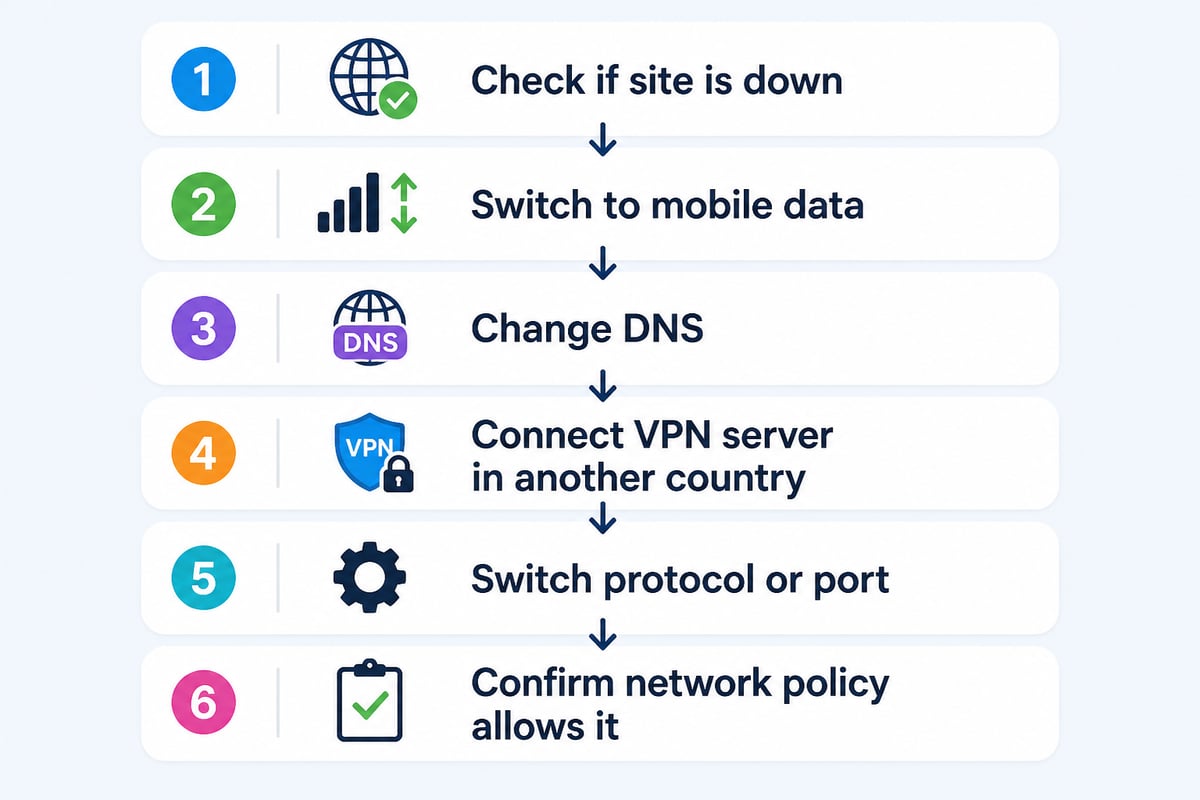
When a website will not load, work through these steps in order, because the cheapest fix is often not a VPN at all.
- Rule out a simple outage. Load the site on mobile data. If it fails there too, the site itself may be down.
- Switch networks. If it loads on mobile data but not on your Wi-Fi, a network filter is the cause.
- Try a different DNS. Some blocks work only at the DNS level, and changing resolvers occasionally clears them.
- Connect through a VPN server in another country. Choose a nearby server first for speed, and a server in the site's home country if the block is regional.
- Change protocol or port. If the VPN connects but the site still fails, switch from UDP to TCP or try port 443, which looks like ordinary web traffic.
- Check your policy. On a work or school network, confirm that bypassing the filter is allowed before you do it.
Unblocking Websites on School, Work, and Public Networks
On school and work networks, a VPN can often get past the filter, but doing so may break the acceptable-use rules you agreed to. Institutions filter for security and compliance reasons, and a managed device may report VPN use to administrators. Check the policy first, and use a personal device on a personal connection where that is permitted.
Public Wi-Fi is a different situation, where a VPN is more clearly beneficial. Cafes, airports, and hotels often throttle or block certain categories, and the open network exposes your traffic to others on it. ZioFree covers this in detail in its pieces on VPN use on public Wi-Fi and whether VPNs protect you on public Wi-Fi.
Why Free VPNs Struggle in Heavily Censored Countries
Free VPNs rarely work reliably in countries with active censorship, because those systems are built to detect and block VPN traffic. Free providers usually run a small set of well-known servers with standard protocols, which makes them easy to fingerprint and shut down. Obfuscated protocols, rotating server addresses, and fast updates are what keep a connection alive, and these are costly features that free tiers seldom offer.
If you travel to or live in such a country, install and test your VPN before you arrive, since the provider's website and app store listing may be blocked once you are there.
Free Trials and Money-Back Plans Versus Free Tiers
A trial or money-back guarantee from a reputable provider is often a better answer than a permanent free tier. You get full speed, the complete server list, and the provider's real security features for a limited time, which is enough to unblock a specific site or get through a trip. Compare that with a free tier that never expires but caps your data and speed.
Consider your actual need:
- One-off access to a single site or a short trip: a trial or refundable plan.
- Occasional light browsing: a vetted free tier with a data cap.
- Daily use, streaming, or gaming: a paid plan, since free servers are crowded and frequently blocked.
The cost difference is often smaller than expected. ZioFree compares the two models in its piece on paid VPN versus free, and lists low-cost options in its guide to the cheapest VPN.
Settings That Improve Your Chances of Unblocking
A few settings change whether a VPN gets through a block, and they cost nothing to adjust:
- Server choice. Pick a server in the country where the site is available, and try a second one if the first fails, since individual IPs get blocked.
- Protocol. WireGuard is fast, while TCP on port 443 is more likely to pass restrictive firewalls.
- Kill switch. Turn this on so traffic stops if the VPN drops, instead of leaking your real IP.
- Clear cookies and sign out. Sites can still infer your location from saved sessions and browser data, even when the IP has changed.
- DNS leak protection. Enable it so lookups go through the VPN tunnel.
Choosing a Provider When Privacy Matters Most
If you are moving past a quick unblock and want ongoing protection, choose a provider on its privacy record and network quality, not its price alone. Look for strong encryption, a verified no-logs policy, a wide server footprint, and speeds that hold up under load. Provider comparisons such as what makes a good VPN to use and a roundup of the top VPN options can help you narrow the field.
Your next step is simple: pick one blocked site, connect through a reputable VPN server in another country, and run a leak test to confirm your real IP stays hidden. If you want that protection without gambling on an unknown free app, ZioFree provides high-speed VPN access with strong encryption, a global server network, and a strict no-logs policy, along with advanced security protocols that protect you from Israeli hacking attempts. Try it on the site that has been giving you trouble and see the difference in speed and reliability.